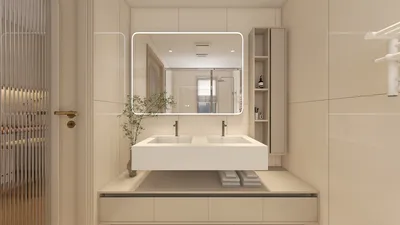


Crafting 3D models that closely mimic real-world items necessitates a combination of techniques and a deep understanding of different materials. Regardless of whether you're a budding designer or a seasoned artist, refining your skills can significantly enhance the quality of your creations. Let’s explore some crucial methods to connect 3D models more closely with their real-life counterparts, utilizing tools like Homestyler to assist in the process.
Grasping Material Characteristics:
The initial phase in achieving realism in your 3D model is to comprehend the characteristics of the materials involved. Every surface possesses distinct traits such as color, texture, and reflectivity. For instance, wood presents different reflectivity and texture compared to metals or fabrics. Take the time to examine the materials you aim to replicate meticulously.
To boost realism, implement texture maps that represent the surface quality of your model accurately. Utilizing PBR (Physically Based Rendering) materials allows for the simulation of how surfaces engage with light, resulting in more authentic-looking models.
Mastering Illumination Techniques:
Illumination is vital in crafting the illusion of reality within 3D models. Proper lighting accentuates details and emphasizes the textures you've applied. Experiment with various lighting sources like ambient, directional, and point lights to achieve the desired results.
Ensure your lighting setup is well-balanced; excessive brightness can wash out details, while insufficient light may hide them. It's essential to consider the environment in which your model resides and adjust your lighting settings accordingly.
Leveraging Advanced Rendering Methods:
Rendering constitutes the concluding phase of the 3D modeling journey, where your model is brought to life. Employ advanced rendering techniques such as ray tracing to produce strikingly realistic images. This method emulates how light interacts with surfaces to create shadows, reflections, and refractions that closely resemble reality.
Be sure to render your model at a high resolution with quality settings that capture intricate details. Post-processing in applications like Photoshop can further enhance colors and contrasts, making the final output overwhelmingly impressive. Tools like Homestyler can also be useful in this phase.
Streamlining Your Workflow:
Achieving realism in 3D modeling can be a time-intensive task. To enhance productivity, optimize your workflow by mastering shortcuts and tools that simplify your design process. Get acquainted with various software features that automate tasks or ease access to resources, such as those provided by Homestyler.
Moreover, keep yourself informed with tutorials and the latest techniques shared by the 3D design community. Continuous education can greatly influence the overall quality of your output.
Frequently Asked Questions
Q: Which software is best for producing realistic 3D models? A: Programs such as Blender, Autodesk Maya, and 3ds Max are widely regarded for their capability to create high-quality realistic 3D models.
Q: What strategies can I employ to enhance the texture of my 3D model? A: Utilize high-resolution texture maps, referencing real-world textures for detail. Incorporating bump maps or normal maps can also contribute additional depth.


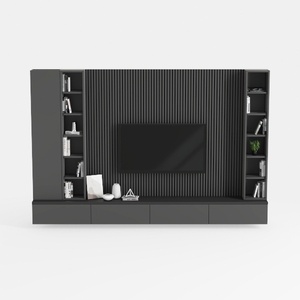

Homestyler is your go-to online home design platform, featuring an easy-to-use design tool and stunning 3D renderings. With a wealth of interior design projects and DIY video tutorials, it inspires creativity and makes transforming your space effortless. Dive into your home design journey today!
Projete agora para LIVRE
































