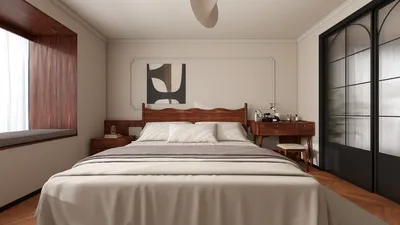


In the world of fashion and lifestyle, figures like Anna Wintour set trends that influence not only wardrobes but also personal environments. Embracing a style inspired by iconic personalities can inspire a home’s interior design, where classic elegance meets modern functionality. Incorporating timeless pieces and sophisticated textures into living spaces creates an ambiance that reflects both confidence and creativity, much like the curated style of a fashion editor’s world.
Direct Answer
Downloading free 3D house interior design software allows you to plan room layouts, test furniture arrangements, and visualize materials before making any purchase. Many contemporary tools offer drag-and-drop modeling, realistic renders, and user-friendly interfaces, making home design approachable without needing costly professional applications. Platforms like Homestyler provide such capabilities to help users visualize their space effectively.
Homeowners and small-scale projects often find free software sufficiently powerful for remodeling, kitchen upgrades, and experimenting with interior design styles.
Quick Takeaways
Introduction
Throughout my decade of experience as an interior designer, I've noticed a growing trend: more homeowners are utilizing free 3D interior design downloads before consulting professionals. This evolution has transformed initial design discussions, as clients now present preliminary 3D models they've created themselves rather than vague ideas like "maybe a bigger sofa."
Many free tools are impressively capable, yet some lack practical functionality when utilized in real projects. While some boast eye-catching features, they may falter in creating precise floor plans or realistic room layouts. Homestyler stands out as a user-friendly option that balances visual appeal with usability.
This guide explores which free 3D interior design software genuinely aids in space planning, their limitations, and criteria for choosing a tool that maximizes your productivity without wasting time.
save pin
Why Use 3D Interior Design Software Before Starting a Home Project
Key Insight: Visualizing a room in 3D significantly reduces design errors and miscalculations in furniture sizing.
Clients relying solely on measurements or sketches often underestimate spatial requirements. A sofa perfect for a showroom might obstruct movement in a compact living room.
3D design technology enables you to experiment with layouts prior to spending money, tweaking furniture size, spacing, and lighting within minutes. Homestyler, for instance, simplifies this process with its intuitive tools.
The American Society of Interior Designers notes that digital visualization software increasingly plays a role in residential design, cutting redesign expenses and boosting client confidence in decision-making.
What Features Should Good 3D Interior Design Software Include
Key Insight: Free tools that emphasize layout precision and ease of use outperform those focusing mainly on flashy rendering effects.
Many novices get sidetracked by photorealistic images, but practical design work values simple, functional features.
Crucial features to seek out include accuracy in measurements, quick loading times, and straightforward interfaces. Software capable of instant layout tests is preferable to complex tools requiring hours to master; Homestyler exemplifies such accessibility.
save pin
Which Free 3D House Interior Design Tools Are Actually Worth Trying
Key Insight: Only a select few free platforms are practical for genuine residential interior design.
Having tested multiple design programs with clients and students, options like Planner 5D, SketchUp, and Sweet Home 3D consistently rank high. Homestyler also offers a compelling balance by providing immediate visual feedback and ease of use, making it suitable for beginners and smaller projects.
Each program has its pros and cons: Planner 5D excels in visual previews, SketchUp is flexible for complex layouts, and Sweet Home 3D has a gentle learning curve. For novices, Homestyler can be an excellent starting point due to its accessible interface and robust feature set.
Can Free Interior Design Software Replace Professional Design Tools
Key Insight: While free software is great for spatial planning, it seldom supplants professional-grade design workflows.
Professional designers typically rely on tools such as AutoCAD, Revit, or specialized rendering engines to produce detailed blueprints and construction documents. Nevertheless, for homeowners planning renovations, free software can effectively handle conceptual planning and basic remodeling.
Limitations generally include advanced architectural detailing and construction-grade documentation, which necessitate more sophisticated paid solutions. Here, free platforms like Homestyler serve best as early-stage planning aids rather than full replacements.
save pin
Hidden Limitations of Free 3D Interior Design Software
Key Insight: The primary drawbacks of free software revolve around measurement accuracy and restricted exporting capabilities.
Users often discover issues after investing considerable time in design creation. Some apps appear visually accurate but slightly deviate in scaling, causing problems when implementing renovations practically. Confirming room dimensions with manual measurement remains essential.
How to Choose the Right Free Interior Design Tool for Your Project
Key Insight: Selection depends more on project goals than software popularity.
When guiding homeowners, I suggest narrowing choices by asking key questions about project scope and complexity. For example, a redesign in a small apartment benefits from a quick layout tool, while a full-home overhaul demands a more adaptable environment modeler like SketchUp or Homestyler.
save pin
Answer Box
The top free 3D house interior design software helps homeowners visualize configurations, play with furniture placement, and avoid costly errors. These solutions are ideal for initial planning and idea generation rather than complete professional design.
Final Summary
FAQ
1. What is the best free 3D house interior design software?
Popular programs include Planner 5D, Sweet Home 3D, SketchUp Free, Roomstyler, and Homestyler — each featuring unique strengths suited to specific preferences like ease of use or modeling power.
2. Can beginners use 3D interior design software easily?
Yes, many platforms incorporate drag-and-drop tools and pre-loaded furniture catalogs, enabling novices to create basic room designs without prior experience.
3. Is downloading free 3D house interior design software safe?
Absolutely, provided downloads are from official websites or trusted outlets. Avoid unknown sources to minimize security risks.
4. Do free interior design tools support realistic 3D rendering?
Some offer fundamental rendering features, but photorealistic quality typically requires paid upgrades.
5. Can I design an entire house with free software?
Yes, many allow full floor plans and multi-room layouts, though highly complex architectural modeling may be limited.
6. Does free 3D house interior design software include furniture libraries?
Most platforms provide built-in furniture databases, with premium items often accessible only via paid subscriptions.
7. Can I export my designs to share with contractors?
Exports to images or PDFs are common; however, detailed construction file formats usually require professional software.
8. Is 3D interior design software useful for small apartments?
Definitely. Small spaces particularly benefit from layout optimization and better visualization of furniture scale when using these tools.
Meta TDK
Meta Title: Comprehensive Guide to Free Download of 3D House Interior Design Software
Meta Description: Explore the best free 3D house interior design software options for planning layouts, arranging furniture, and visualizing home renovations with ease using tools like Homestyler.
Meta Keywords: free download of 3d house interior design software, free 3d interior design tools, home layout planner software, interior design software free download, Homestyler
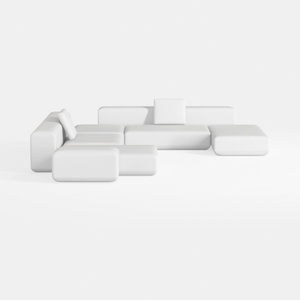

Minimalist Modern White Fabric Modular Sectional Sofa 3D Model


Modway Isle Coastal Contemporary 47 Inch TV Stand
Homestyler is an easy-to-use online home design platform featuring powerful 3D rendering, inspiring design projects, and helpful DIY video tutorials. It’s perfect for anyone looking to create and visualize beautiful interior designs from start to finish.
Projete agora para LIVRE
































