


As artificial intelligence continues to shape our everyday lives, integrating smart technology like Apple AI into home environments becomes increasingly appealing. The seamless interaction between AI devices and furniture can create adaptive spaces that enhance comfort and convenience. Imagine living rooms with smart seating that adjusts to your posture or workspaces optimized by AI to boost productivity, reflecting the future of home and interior design.
Mac users often expect applications to be intuitive, fast, and visually sleek.
This explains why many conventional floor planning tools can feel cumbersome on macOS.
Some require extensive downloads, while others still resemble outdated Windows programs.
Additionally, certain applications advertise Mac compatibility but perform poorly on MacBooks, especially when contrasted with modern browser-based software.
Fortunately, floor plan software has evolved significantly over recent years.
Nowadays, numerous design tools operate fully within web browsers, making them exceptionally suitable for Mac users.
If you're searching for an easy-to-use online floor plan creator for Mac that runs smoothly without complex installations or CAD expertise, this guide highlights the top free options available in 2025.
What Mac Users Should Prioritize in Floor Plan Software
Not all floor planning solutions offer the same level of optimization for macOS.
While some are technically compatible, they still feel outdated or awkward to use.
Ideal Mac-friendly floor plan software emphasizes: user-friendliness, swift performance, and clean design.
For most users, ease of use matters significantly more than rigorous architectural precision.
Traditional design programs typically demand substantial installations and steep learning curves, which is less appealing to casual Mac users.
Browser-based alternatives present numerous benefits:
Many homeowners and renters find browser-based planners far more convenient.
Modern MacBooks powered by M1, M2, and M3 chips are surprisingly capable of handling browser-centered design applications effectively.
Conversely, older desktop software can feel sluggish or unrefined.
This is a key reason lightweight online planners have gained popularity.
Mac users generally appreciate visual clarity and uncluttered interfaces.
Contemporary floor planning apps should provide simple, elegant, and intuitive layouts.
An overcrowded user interface immediately gives software an outdated feel on macOS.
Top Free Floor Plan Software Options for Mac
After thoroughly reviewing popular tools in 2025, the following options stand out for Mac users.
Homestyler — Best Overall for Fast 2D & 3D Visualization
For users seeking modern, visually refined, and effortless software on Mac, Homestyler is a leading choice today.
Operating directly within the browser enhances the user experience significantly for Mac owners.
Rather than dealing with cumbersome desktop downloads, users can instantly:
The workflow in Homestyler feels much quicker compared to traditional CAD-based applications.
Homestyler’s strength lies in prioritizing real-world visualization over intricate technical modeling.
This approach benefits users aiming to answer practical questions such as:
For apartment layouts, home office setups, or furniture placement tests, Homestyler provides an approachable alternative to complex architectural software.
Planner 5D — Ideal for Casual Interior Design
This tool caters well to those valuing simplicity and aesthetics.
Its interface is accessible and mobile-friendly, suiting casual room planning needs.
It’s particularly effective for quick interior layouts and basic design experimentation.
However, the free version quickly reaches limitations once users seek advanced assets or rendering features.
Floorplanner — Perfect for Rapid 2D Sketches
Remains one of the most straightforward platforms for drafting room layouts quickly.
Works especially well for initial space planning and rough drafts.
Visually, however, it leans more toward functionality than immersive experience.
Its 3D rendering capabilities aren't as polished as more modern visualization-focused tools.
Sweet Home 3D — Best Completely Free Mac Software
Operating for many years, Sweet Home 3D continues to function reliably on macOS.
The biggest advantage is straightforward: it’s entirely free.
That said, compared to newer browser-based platforms, its visual design feels somewhat outdated.
Nonetheless, for users needing simple layout creation without advanced graphics, it remains functional.
SketchUp Free — Suitable for Advanced Modeling Tasks
SketchUp Free possesses substantial power, though many Mac users underestimate its learning curve.
Professionals value its extensive modeling capabilities.
However, casual users seeking quick room visualization might find it unnecessarily complex.
Which Floor Plan Software Best Suits MacBook Air?
MacBook Air users often benefit most from lightweight browser-based designs.
Heavier modeling programs can be demanding on smaller laptops, especially during rendering phases.
This explains why online platforms like Homestyler deliver smoother experiences overall.
Because visualization and rendering occur in the browser, they avoid many installation issues and performance bottlenecks seen with traditional desktop apps.
Best Floor Plan Tools for Homeowners and Beginners
Most homeowners don’t require professional-level CAD software.
Instead, they seek tools that help them rapidly experiment with room layouts and furniture arrangements.
Hence, beginner-friendly workflows carry great importance.
The quicker users can try different designs, the more valuable the software becomes.
Common Challenges with Mac Floor Planning Software
Even in 2025, some floor planning applications remain poorly optimized for macOS.
Users often report:
Older programs demand large downloads and frequent updates, which feel outdated compared to current browser-based solutions.
Mac users tend to expect cleaner interfaces.
Complex CAD-style designs may overwhelm casual users.
Many tools focus heavily on 2D layouts but lack immersive visualization.
Today’s users anticipate realistic previews and smooth 3D modeling.
Free versions often limit features in ways that become frustrating quickly.
Transparent feature limitations can significantly impact user satisfaction.
Final Thoughts
Choosing the best free floor plan software for Mac depends on your specific goals.
For those requiring advanced modeling, SketchUp remains highly versatile.
If you want completely free software with basic layout tools, Sweet Home 3D is dependable.
However, most Mac users who desire a modern, fast, and user-friendly interface find browser-based options like Homestyler far more practical.
Especially for individuals aiming to streamline their design process with minimal hassle.
If you prefer a clean, browser-based workflow optimized for current Mac hardware, Homestyler stands among the strongest free choices available today.
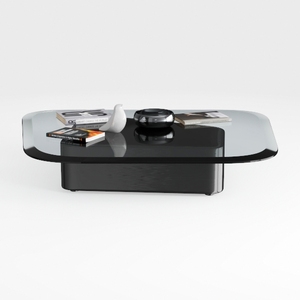
Modern Black Glass Top Solid Wood Base Coffee Table 3D Model

Round Coffee Table, 35.5-Inch Modern Engineered

Homestyler offers an easy-to-use online home design tool with stunning 3D renderings, inspiring design projects, and helpful DIY video tutorials. It’s perfect for visualizing your space and bringing your interior decoration ideas to life effortlessly. Give it a try!
Projete agora para LIVRE
































