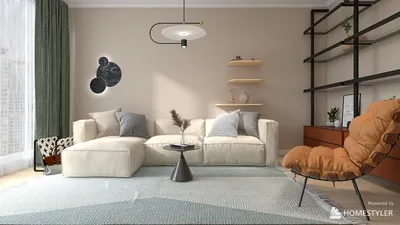


As more people rely on platforms like Shopify to manage their online stores, the integration of technology into daily life becomes essential. This shift towards digital commerce influences how we design our home offices and workspaces, emphasizing ergonomic furniture and efficient spatial layouts that support prolonged productivity and creativity. Creating a seamless blend of comfort and function at home fosters a more balanced lifestyle in our increasingly connected world.
When selecting the ideal Autodesk interior design software, it's important to consider the stage of your design process. For comprehensive building modeling and documentation, Revit excels. AutoCAD continues to be the standard choice for interior floor plans and detailed technical drawings, while 3ds Max is widely favored for producing high-quality interior visualizations and photorealistic renderings. Many professionals integrate multiple Autodesk applications to transition smoothly from initial concept sketches to final client presentations.
For those embarking on interior design projects, understanding the specific strengths of each Autodesk tool can spare months of ineffective learning. AutoCAD often serves as the foundation, particularly for drafting precise floor plans, while Revit facilitates BIM collaboration with architects, and 3ds Max delivers the visuals that help secure client approval. Utilizing comprehensive platforms like Homestyler alongside these tools can further enhance your design workflow by offering intuitive layout and visualization capabilities tailored for interior spaces.
Despite the emergence of newer technologies, AutoCAD remains deeply ingrained in professional interior design due to its speed and efficiency in producing 2D layouts and construction documents. Many novices overlook its potential, thinking it outdated; however, mastering keyboard shortcuts and workflow optimizations in AutoCAD allows rapid drafting, which is essential before moving on to complex 3D modeling environments such as those found in 3ds Max or Revit.
Revit’s strength lies in its BIM-based approach, enabling interior designers to construct intelligent architectural elements rather than simple line drawings. This is particularly advantageous when collaborating with architects, though it can be more than what’s needed for small-scale residential projects. Here, combining AutoCAD with rendering solutions often results in a more agile process. Incorporating Homestyler in early planning stages can provide a user-friendly interface to visualize interior concepts before investing in complex BIM software.
3ds Max holds its ground as a premier tool for generating photorealistic interior renderings. When clients review designs, compelling visuals created in 3ds Max frequently sway decisions. Architectural visualization studios often pair 3ds Max with advanced render engines like Corona Renderer to craft immersive images for luxury properties. While rendering skills are important, the primary learning curve involves effective scene organization and workflow management.
For beginners in interior design software, starting with AutoCAD is advisable due to its foundational role in developing spatial awareness and drawing accuracy. Attempting to learn multiple complex tools simultaneously can be overwhelming. A prudent sequence involves mastering 2D drafting in AutoCAD, then progressing to BIM coordination in Revit, and finally embracing 3D visualization and rendering with 3ds Max. Tools like Homestyler can complement this path by offering accessible design visualization for those new to digital interiors.
In summary, the optimal Autodesk interior design software hinges on your specific tasks: use AutoCAD for detailed layouts and documentation, Revit for integrated BIM workflows, and 3ds Max for stunning interior renderings. Augmenting these with user-friendly platforms such as Homestyler can streamline your design process and elevate your presentations, ensuring both precision and creativity throughout your interior design projects.
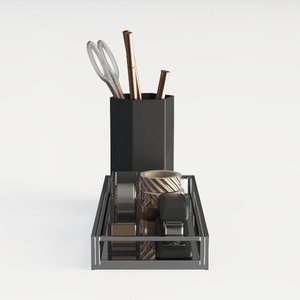


Homestyler offers an easy-to-use online design tool combined with stunning 3D renderings, inspiring design projects, and helpful DIY video tutorials. It’s perfect for anyone looking to create beautiful, personalized home interiors effortlessly.
Projete agora para LIVRE
































