

Direct Answer
Selecting the optimal conference room layout hinges on the meeting's objectives. Boardroom layouts excel in fostering discussions and decision-making, classroom setups are ideal for delivering presentations and taking notes, while U-shape arrangements promote interaction and maintain an open presentation area.
Choosing an inappropriate layout can diminish engagement, reduce visibility, or inefficiently utilize floor space.
Quick Takeaways
Introduction
Having designed and planned conference spaces for over a decade, I can confidently say that the majority of meeting challenges stem from layout issues rather than technology.
An ill-suited conference room layout can quietly undermine a meeting's effectiveness. It can prevent attendees from seeing the presenter clearly, trigger side conversations, and create a sense of detachment among participants. Such problems are common in offices, training centers, and coworking environments.
Clients often request redesigns for their meeting rooms, and the first factor we revisit is the type of layout utilized. Many organizations default to a boardroom table, even when it is not the most effective choice.
If you are organizing or revamping a meeting space, visualizing various layouts beforehand can be very helpful. Many teams begin by using visual planning software, such as Homestyler, which enables quick experimentation with different seating arrangements.
This guide compares the three predominant conference room layouts—boardroom, classroom, and U-shape—drawing on real design projects, practical usage insights, and proven effectiveness in contemporary workplaces.
Overview of the Most Common Conference Room Layout Styles
Key Insight: The majority of meeting spaces utilize three fundamental layouts—boardroom, classroom, and U-shape—each catering to distinct communication needs.
These seating arrangements are prevalent across corporate offices, training facilities, and educational institutions because they address varying meeting dynamics.
Here is a straightforward summary:
Many guides overlook how these layouts influence participants' behavior during meetings. Research on collaboration from organizations like Steelcase highlights that spatial setup alters engagement patterns and eye contact flow.
In practice:
Boardroom Layout When It Works Best
Key Insight: Boardroom layouts are well-suited for collaborative decision-making but less effective for presentations or larger groups.
This classic executive format involves a large table surrounded by attendees, all facing each other to facilitate eye contact and interactive discussions.
Based on my experience, boardroom setups are optimal for:
Yet, there is a notable limitation many workplaces overlook. Once seating surpasses approximately 12–14 people, effective communication diminishes as those seated opposite struggle to engage naturally.
Another difficulty arises from screen visibility. When a presentation screen is positioned at one end, some participants must physically turn to view it, which interrupts flow.
Consequently, numerous modern offices are transitioning away from large fixed boardroom tables, opting instead for adaptable layouts crafted with interactive planning tools like Homestyler that allow testing various configurations before implementation.
Classroom Layout vs U-Shape Layout for Training Sessions
Key Insight: Classroom layouts concentrate attention on the presenter, whereas U-shape configurations foster discussion and enhance trainer-learner interaction.
Both are commonly employed in training environments, workshops, and seminars; the choice depends on the desired level of participant engagement.
Classroom Layout
U-Shape Layout
From my experience in designing corporate training rooms, the U-shape layout consistently drives higher engagement rates. Trainers appreciate being able to move within the open space and connect more organically with attendees.
The trade-off is capacity, as U-shape seating generally accommodates 25–30% fewer participants compared to classroom arrangements.
Pros and Limitations of Each Seating Configuration
Key Insight: Every conference room layout entails compromises among interaction, visibility, and seating capacity.
Here is a practical comparison grounded in real workspace planning cases:
One frequently overlooked aspect is circulation space; chairs need ample room to move back and forth comfortably, and presenters require enough walking area. When neglected, even the best layout can feel overcrowded.
Answer Box
The three principal conference room layouts serve distinct functions: boardrooms enhance collaborative discussion, classrooms prioritize presentations, and U-shape designs strike a balance between interaction and clear sightlines.
Choosing the appropriate format depends on meeting goals, room dimensions, and desired participant engagement.
How to Choose the Right Layout for Your Meeting Goals
Key Insight: The selection of the ideal conference room layout should begin with understanding the meeting’s purpose instead of focusing solely on room furnishings.
During consultations on meeting space design, I typically start by posing three crucial questions:
From these, the layout choice becomes clear:
Teams designing new workspaces often draft layouts digitally before acquiring furniture. Tools like Homestyler provide interactive 3D simulations, making it easy to evaluate seating capacity and sightlines efficiently.
Why Many Offices Use the Wrong Conference Layout
Key Insight: Many organizations default to boardroom style even when their meetings would benefit more from presentation-oriented seating.
This often occurs for two main reasons:
However, workplace utilization studies by firms like Gensler reveal that a substantial portion of meeting time involves presentations, training, or hybrid calls, rather than executive discussions.
This mismatch has driven a shift towards more flexible layouts and modular furniture in contemporary conference rooms.
Final Summary
FAQ
What is the most common conference room layout?
The boardroom setup is the most frequently used format, supporting small group discussions and executive meetings.
Which conference room layout is best for training?
Both U-shape and classroom layouts work well; classroom seating suits lectures, whereas U-shape encourages participation and dialogue.
What is a U-shape meeting layout?
A U-shape arrangement positions tables in a horseshoe pattern with an open center, allowing the presenter to engage directly with attendees.
How many people fit in a boardroom layout?
Boardroom layouts optimally accommodate 8 to 14 participants. Larger groups often face challenges with visibility and effective communication.
Is classroom seating good for meetings?
Yes, classroom seating is ideal for settings where presentations are the focus and attendees primarily listen and take notes.
What is the difference between U-shape and boardroom layout?
Boardroom seating centers around face-to-face interaction, whilst U-shape layouts blend group discussion with clear visibility of the presenter.
How do I compare conference room seating styles?
Evaluating conference room layouts involves considering levels of interaction, seating capacity, and visibility of presentations.
What is the best seating layout for meetings?
The ideal seating arrangement depends on meeting goals; boardroom layouts suit discussions whereas classroom layouts better serve presentation-focused gatherings.
References
Steelcase Workplace Research
Gensler Workplace Survey Reports
International Facility Management Association Workspace Planning Insights
Meta TDK
Meta Title: Comprehensive Guide to Conference Room Layout Styles
Meta Description: Explore and compare boardroom, classroom, and U-shape conference room setups to select the perfect arrangement for meetings and training sessions.
Meta Keywords: conference room layout comparison, boardroom vs classroom, u-shape meeting arrangement, conference seating pros and cons
Featured Image
fileName: conference-room-layouts- Homestyler.jpg
size: 1920x1080
alt: side-by-side comparison of boardroom, classroom, and U-shape conference room layouts visualized using Homestyler
caption: Comparing popular conference room seating styles designed with Homestyler.
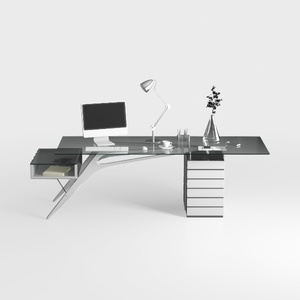
Modern Glass Top Metal Frame Office Desk 3D Model
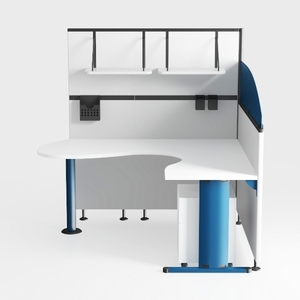
Modern Metal and Wood Curved Office Partition Desk 3D Model
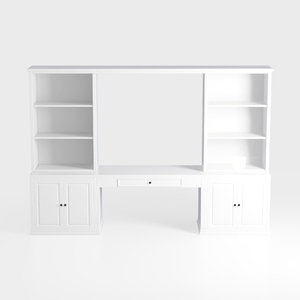
Minimalist White Solid Wood Home Office Desk With Bookcase Cabinets 3D Model
Homestyler offers an easy-to-use online design tool with stunning 3D renderings, a vast collection of interior projects, and helpful DIY video tutorials. It’s perfect for bringing your home design ideas to life effortlessly and creatively.
Projete agora para LIVRE
































