


Direct Answer
Selecting the ideal tools for converting 3D models to STL depends largely on your specific workflow. While desktop CAD software such as Fusion 360 or Blender delivers the most precise mesh export, web-based converters provide quicker solutions for basic file conversions. For advanced projects or 3D printing needs, utilizing tools that offer mesh control and repair capabilities results in more dependable STL files.
Quick Takeaways
Introduction
At first glance, choosing the right software for converting 3D models to STL may seem straightforward, but practical experience often reveals hidden challenges. Through numerous visualization and modeling projects, I've discovered that STL export frequently causes unexpected issues. Although models appear flawless in their native applications, exporting them as STL can result in holes, inverted normals, or inflated file sizes.
This matters because STL remains the dominant format for 3D printing, prototyping, and many rendering workflows. Faulty conversions can cause print failures, missing surfaces, or require extensive time repairing the mesh.
In my routine, especially when preparing spatial designs for visualization or layout analysis, I test various tools to ensure a smooth final export. For instance, creating detailed spatial layouts demonstrates how meticulous geometry refinement can enhance subsequent exporting processes.
This article compares desktop applications, online converters, and CAD platforms with integrated STL export capabilities. It also sheds light on key trade-offs often missed in typical comparison lists.
save pin
Why Choosing the Right STL Conversion Tool Matters
Key Insight: The choice of STL converter has a direct impact on mesh accuracy, file size, and the success of prints.
Many users assume that converting to STL is as simple as saving a file in a different format. However, the process involves translating surfaces into triangular meshes, and subpar conversion algorithms can create excessive or faulty triangles.
Over time, I’ve identified three frequent problems when using unsuitable converters:
Professional CAD software often handles mesh exports better because it allows control over mesh density instead of automatically triangulating surfaces without discretion.
Autodesk documentation supports this, explaining that controlled tessellation during export improves reliability by maintaining curvature details while reducing triangle count.
Desktop Software for Converting 3D Models to STL
Key Insight: Desktop modeling tools grant superior control over STL mesh quality.
For those working consistently with 3D prints or product visualization, desktop software typically yields the highest quality STL files.
Commonly used software includes:
Advantages of desktop converters include:
For example, Blender offers export settings that manage triangulation and modifiers prior to creating the STL, dramatically decreasing geometry problems.
In visualization projects — such as architectural home renders — accurate exports streamline the production of high-quality 3D scenes.
save pin
Online STL Conversion Tools Compared
Key Insight: Online STL converters are convenient but often sacrifice fine mesh control and reliability.
Web-based converters require no installation and are popular for quick tasks, though they work best with simple models.
Notable online options include:
Typical drawbacks are:
While sufficient for hobbyist projects, online converters tend to underperform with complex mechanical or architectural geometries, where desktop solutions prove more robust.
save pin
CAD Software with Built-in STL Export Features
Key Insight: Exporting STL directly within CAD platforms generally produces the most accurate meshes.
Professional CAD systems come equipped with optimized STL export tools that convert parametric surfaces into triangle meshes with adjustable precision parameters.
Widely used CAD tools with reliable STL export are:
Benefits of exporting STL from CAD include:
In workflows involving spatial modeling and AI-assisted interior design, accurate mesh exports help ensure consistent dimensions when transferring models between applications.
save pin
Accuracy, Speed, and File Integrity Comparison
Key Insight: The fastest converters are rarely the most precise, and top-quality exports often require manual adjustment of mesh parameters.
Below is a practical comparison derived from actual usage scenarios.
An overlooked challenge is mesh density inflation—some converters multiply triangle counts by 10 to 20 times, generating bulky STL files that impede slicing and printing.
Experienced professionals typically configure export tolerances manually rather than depending on automatic settings.
Answer Box
The most dependable approach for converting 3D models to STL involves exporting directly from CAD or professional modeling applications that allow adjustment of mesh attributes. Though convenient, online converters often yield less reliable meshes for detailed geometries.
Which STL Conversion Tool Should You Choose
Key Insight: The optimal STL converter is determined by the complexity of your model and project demands.
One practical guideline is:
In professional environments, a single tool seldom suffices. Commonly, models are designed in CAD, exported with controlled mesh resolution, then refined in editors like Blender or MeshLab before final printing.
Final Summary
FAQ
What is the best software to convert 3D models to STL?
Programs like Fusion 360, Blender, and MeshLab are often regarded as top choices because they provide mesh control and repair tools.
Can I convert 3D models to STL online?
Yes, online options like AnyConv and CloudConvert enable fast conversions but may struggle with large or complex models.
Why does my STL file become very large after conversion?
This usually results from excessive triangle generation. Adjusting mesh resolution during export helps reduce file size.
Which tool converts 3D models to STL best for 3D printing?
CAD platforms with configurable export settings typically offer the most dependable STL files for printing purposes.
Is Blender good for STL conversion?
Absolutely. Blender includes comprehensive mesh editing and repair features, making it a strong choice for preparing STL files.
Do STL converters change model scale?
Some converters may alter scale if units aren’t preserved, but CAD exports usually maintain exact dimensions.
Are free STL converter tools reliable?
Many free tools work well with simple models; however, professional workflows benefit from full-featured modeling software.
What file formats can be converted to STL?
Common convertible formats include OBJ, STEP, FBX, 3DS, and IGES, depending on the software used.
To manage your STL conversions effectively, leveraging platforms such as Homestyler can enhance your modeling workflow by integrating accurate spatial design with export-ready geometry.

Bush Business Furniture Echo L Shaped Bow Front Of
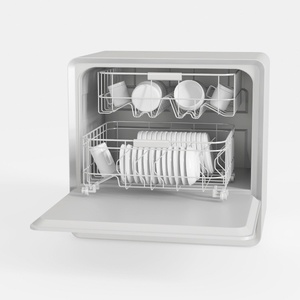
Minimalist White Countertop Dishwasher 3D Model
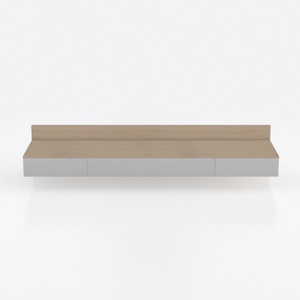
Minimalist Solid Wood and White Wall Mounted Console Cabinet 3D Model
Homestyler offers an easy-to-use online home design tool with stunning 3D renderings, inspiring design projects, and helpful DIY video tutorials. It’s perfect for bringing your interior decoration ideas to life, whether you’re a beginner or a seasoned designer.
Projete agora para LIVRE
































