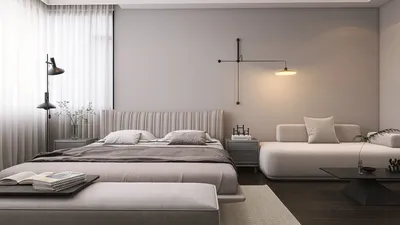
In the modern landscape of remote work, the backdrop of your home office is as crucial as your workstation setup. A thoughtfully chosen background can boost your productivity and present a professional appearance during online meetings. Whether you're constrained by limited space or have a separate office area, here are some helpful tips for choosing the ideal background for your home workspace, enhanced by tools like Homestyler.
1. Evaluate the Functionality of Your Workspace
Before you settle on a background, consider the functionality of your home office. For small spaces, backgrounds that create a sense of openness, such as light colors or mirrors, are ideal. If you have a more spacious room, think about crafting a dedicated backdrop that reflects your individual style, utilizing features available in Homestyler for the perfect design.
2. Select an Inspiring Color Scheme
The hue of your background significantly impacts your mood and efficiency. Soft blues and greens can foster tranquility, while vibrant colors like yellow stimulate creativity. Opt for a color scheme that resonates with you and positively enhances your work ambiance, potentially using Homestyler to visualize different palettes.
3. Incorporate Personal Touches
Infusing personal elements into your backdrop can create a more welcoming workspace. Think about adding framed photos, artwork, or plants that evoke happiness. These accents not only improve visual appeal but also provide comfort during extended working hours, and can be arranged efficiently with Homestyler's layout tools.
4. Enhance Lighting Conditions
Natural light plays a vital role in establishing an appealing backdrop. Position your workstation near a window to harness daytime light. If natural light is scarce, invest in quality artificial lighting to brighten your workspace and minimize shadows during video conferences, making use of Homestyler's lighting solutions to find the best setup.
5. Keep It Organized and Clutter-Free
A disorganized background can be distracting and imply chaos. Maintain a tidy backdrop by implementing smart storage techniques. Built-in cabinets or floating shelves can effectively store materials, preserving a neat appearance during virtual meetings, with design aid from Homestyler to plan your space.
6. Test Your Background for Video Calls
Prior to meaningful video calls, check your background to ensure it appears professional. Avoid overly busy patterns that could divert your colleagues’ attention. Instead, select a neutral backdrop that enhances your attire while keeping the spotlight on you, which can be easily adjusted with Homestyler.
FAQ
Q: What is the optimum color for a home office background? A: The ideal color ultimately depends on your personal taste. Typically, soft blues and greens offer a soothing effect, while more vibrant shades can encourage creative thinking.
Q: How can I create a spacious feel in a small home office? A: Utilize light colors, mirrors, and multifunctional furniture to impart a sense of openness within a compact workspace.
Q: What elements should be avoided in a home office background? A: Steer clear of clutter, distracting designs, and overly personal items that may detract attention during video meetings.
Welcome to the top-rated Home Office Design Software, Homestyler.










































