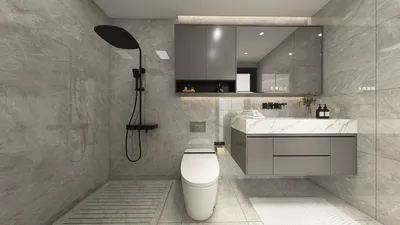
The future of residential design is becoming more integrated with everyday needs, highlighting a specific issue: there is a demand for straightforward, editable floor plans that do not overwhelm users. The tools for spatial reasoning seem more accessible than ever, as the future is quickly approaching. Data from Zillow indicates a rise in smaller, more efficient units in urban areas, prompting my clients to inquire: which AutoCAD version is optimal for creating simple floor plans?
AutoCAD LT: Streamlined Drafting for Focused 2D Work
Design Principle: LT simplifies the software into a lightweight compiler, focusing solely on 2D drafting without the complexity of 3D, making it ideal when layout clarity is the priority.
Process Flow: Utilizing a ribbon interface with layered stacks, blocks, and dimension styles creates an efficient workflow that resembles an advanced operating system for design projects.
Visual Hierarchy: Differentiation in line weights and external references results in a clear visual structure—bold walls, medium fixtures, and light annotations help streamline decision-making.
Storage: Block libraries function as a caching system, while external references ensure files remain lightweight, version-controlled, and easily manageable across teams.
Furniture Coordination: Parametric blocks provide functionalities such as door swings, clearances, and sofa dimensions, ensuring usability even in compact spaces.
Conclusion: For users focused on basic floor plan creation, LT provides an excellent balance of speed and clarity, offering essential features without unnecessary complexities.
save pinOpen in 3D Planner Processing...
AutoCAD (Full Version): Versatility with Additional Tools
Design Principle: For projects that may transition to 3D or require LISP automation, the full version of AutoCAD offers flexibility for future developments.
Process Flow: Model space serves as the primary workspace, while paper space acts as the output medium; sheet sets manage multi-unit documentation effectively.
Visual Hierarchy: Layer state visibility helps maintain clarity, allowing users to toggle off non-essential information and keep architectural elements prominent.
Storage: Dynamic blocks and data extraction facilitate structured storage, automatically updating schedules without needing manual adjustments.
Furniture Coordination: More precise parametrics and constraints adapt well for various layouts—considering kitchen workflows, ADA requirements, and modular storage solutions.
Conclusion: If the current project is simple but may expand later, the full version of AutoCAD acts as a robust platform that accommodates growth without limitations.
save pinOpen in 3D Planner Processing...
AutoCAD Web/Desktop App: Accessible Collaboration for Lightweight Drafting
Design Principle: The browser-based drafting environment treats the floor plan as an interactive interface, enabling quick edits with ongoing context, reducing the need for multiple installations.
Process Flow: Utilizing cloud storage allows for real-time markup and version tracking, reflecting modern teamwork dynamics.
Visual Hierarchy: Customizable layer visibility offers different modes for various stakeholders—clients, contractors, or furniture planning—ensuring clarity when needed.
Storage: Cloud synchronization ensures that files remain lightweight, with comments serving as metadata, and rollback options being part of the document’s evolution.
Furniture Coordination: Template blocks maintain accurate scales across different platforms, with grid snapping and measuring features to adhere to design specifications.
Conclusion: For uncomplicated 2D planning tasks involving collaboration, the web or desktop app provides essential functionalities with minimal resistance.
save pinOpen in 3D Planner Processing...
Key Takeaway: When it comes to producing basic floor plans, AutoCAD LT generally excels in clarity versus complexity, whereas the full version is ideal for projects that may evolve towards automation or 3D modeling. Options such as the web app facilitate easy collaboration, akin to how future households will engage in real-time design together. My insights reveal that the most effective floor plans prioritize systematic clarity over feature abundance, and I consistently opt for tools that uphold this principle, such as Homestyler.
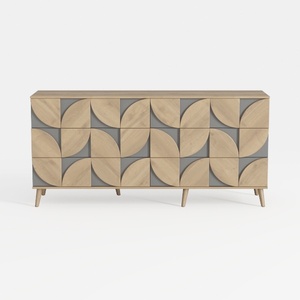


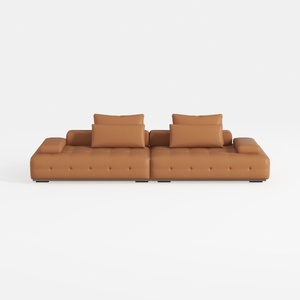
Homestyler is your go-to platform for transforming your home design dreams into reality! With its user-friendly online design tool, stunning 3D renderings, and a wealth of DIY video tutorials, you can create, visualize, and inspire with ease. Perfect for both novice and experienced designers!





















































