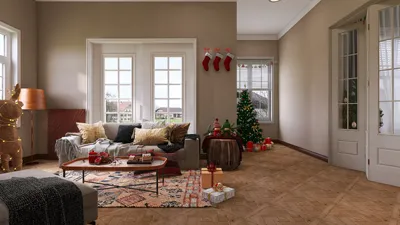


In today’s digital age, immersive experiences like those offered by virtual reality platforms such as Stranger Than Heaven invite us to rethink how our living spaces can support new forms of entertainment and interaction. As technology integrates seamlessly into everyday life, designing home environments that accommodate cutting-edge gadgets and promote comfortable, engaging experiences becomes essential. Thoughtful spatial planning and adaptable furniture can transform any room into a personal sanctuary for both relaxation and innovative digital exploration.
If you possess photographs of a room without an accompanying floor plan, this used to necessitate hiring a professional or investing substantial time. Traditionally, architects and interior designers have been extracting spatial details from images—deducing dimensions based on proportions, interpreting room layouts from visual indicators, and reconstructing floor plans from site photos. Today, AI has democratized this capability, making it accessible to anyone with internet access.
By 2026, AI-driven solutions can examine room photos, recognize walls, doors, windows, and fixed elements, and produce a preliminary floor plan as a foundation for your design. While the AI-generated plan isn’t flawless without human input—no AI system is—it dramatically shortens the initiation phase from several hours to mere minutes, providing an immediate tangible framework to build upon.
This article outlines exactly how to achieve this: the most effective tools available, preparation tips that enhance AI accuracy, methods to polish the results, and how to transition from a simple photo to a completed, shareable floor plan using platforms like Homestyler.
Optimal scenarios for photo-to-floor-plan conversion include: documenting existing spaces swiftly, such as when relocating to a new apartment where generating plans from photos beats traditional manual measurements; planning renovations by quickly obtaining an initial layout of your current room; creating basic floor plans for real estate listings more rapidly than commissioning professionals; and early-stage design exploration of unfamiliar spaces to visualize layout options before physical visits.
However, this approach has limitations. AI-generated plans provide approximations rather than precise architectural documentation. For structural modifications, construction, or permits, professionally measured drawings remain essential. Spaces with complex geometries, multi-level rooms, or significant architectural intricacies often require extensive manual corrections post-generation.
Before starting, gather wide-angle photos taken from room corners at eye level, ensuring two to three walls, doorways, and windows are visible with ample lighting to enhance AI recognition. Additionally, having a tape measure handy to verify at least one wall dimension aids in calibrating the AI’s scale interpretation. If available, inputting known room dimensions from prior records further anchors the AI-created layout to reality.
The step-by-step process with Homestyler’s free floor plan creator involves no downloads—simply access it via browser, register for a free account, then upload your selected clear photos. The AI analyzes these images within 30 to 60 seconds, producing a 2D floor plan that identifies walls, doors, windows, and fixed architectural features based on its interpretation.
Although the initial output serves as a draft and will require refinement, especially regarding wall lengths, door swings, window placements, and architectural niches, investing 10 to 20 minutes per room on corrections results in a dependable spatial framework. For an entire apartment, allocate around 45 to 60 minutes to perfect all rooms.
Post-accuracy adjustments, you can unleash Homestyler’s extensive furniture library containing millions of 3D models to furnish and decorate your plan. Utilize 2D views to ascertain spatial clearances and 3D visualizations to assess the feel of the arrangement. Whether documenting current interiors or designing new layouts, this combination of AI-generated shells and interactive tools simplifies planning significantly.
With your floor plan finalized, export it as a PNG image or share an interactive link viewable in browsers without account requirements, ideal for collaborating with partners, contractors, or landlords seamlessly.
Understanding Homestyler’s AI mechanisms enhances your workflow results: the system employs computer vision to detect structural edges, reconstructs spatial geometry by interpreting perspectives and feature classification, and translates 3D spatial info into accurate 2D plans. Photo quality, room regularity, and presence of recognizable scale references heavily influence output accuracy.
Common pitfalls involve dimensional scale estimation since AI reads proportions well but lacks intrinsic scale knowledge. Incorporating known measurements corrects this and improves proportional fidelity. For better results, photograph from corners rather than walls, include objects of known size for scale, take separate photos per room, utilize natural daylight, and initially avoid over-correcting before inputting reference dimensions.
Frequently asked questions clarify that while a single wide-angle photo from a corner generates rough layouts, multiple photos are preferable for accuracy; manual corrections remain essential for dimensional precision; the method supports multiple rooms by individually processing and linking them; furniture presence may reduce precision but can be managed by photographing visible wall surroundings; and the workflow is accessible on mobile devices for convenience.
In summary, Homestyler’s photo-to-floor-plan approach accelerates traditional drafting by transforming images into actionable layouts in a fraction of the time. The AI conducts initial spatial inference, while users verify and refine details, enabling design, renovation, and real estate visualization tasks to be completed efficiently and effectively.
Ready to begin? Simply upload your room photos to Homestyler to generate a floor plan—letting AI interpret the space, you customize the output, and then keep or share your finalized plan effortlessly and for free.

Yohan White Reclining Sectional Sofa - Luxurious


Minimalist Modern White Fabric Modular Sectional Sofa 3D Model
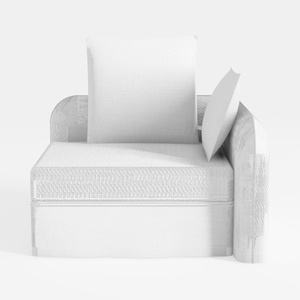
Minimalist White Fabric Linen Armchair 3D Model
Homestyler is an easy-to-use online home design platform offering powerful 3D rendering tools, a vast collection of interior design projects, and helpful DIY video tutorials. It’s perfect for bringing your home design ideas to life quickly and creatively.
Projete agora para LIVRE
































