Early Childhood Learning Space Design
The 'Early Childhood Learning Space' refers to a purpose-built interior environment tailored for children aged 3–6, encompassing kindergarten classrooms, activity zones, sensory corners, and transitional areas. Unlike generic educational or residential spaces, this scene prioritizes developmental psychology, safety-first ergonomics, multi-sensory stimulation, and flexible spatial organization. It must balance structure and freedom—supporting guided learning while encouraging autonomous exploration, social interaction, and emotional security. Successful designs integrate color theory, biophilic elements (e.g., natural light, wood textures, indoor greenery), age-appropriate furniture scale, and intuitive wayfinding—all grounded in evidence-based indoor space planning.
Design Challenges & Common Pitfalls
Key challenges include reconciling high safety standards (e.g., zero sharp edges, non-toxic materials, anti-slip flooring) with aesthetic vibrancy; accommodating diverse developmental needs (motor, cognitive, emotional) within a single shared space; managing acoustics to reduce overstimulation without sacrificing openness; and ensuring scalability—spaces that grow *with* children rather than requiring full redesign each year. A frequent oversight is treating the space as purely decorative: top-performing entries from the 'Marvelous Kindergarten for App' contest reveal that the most impactful designs embed pedagogical intent into layout—such as zoning by activity type (quiet reading nook vs. active movement zone) and using visual cues (color-coded floor paths, height-adjustable signage) to foster independence and self-regulation.
✅ Prioritize Developmental Zoning & Flow
Divide the space into clearly defined, function-specific zones (e.g., literacy corner, sensory table area, quiet reflection nook, gross motor zone) connected by intuitive circulation paths. Avoid open-plan monotony—use low-height shelving, carpeted thresholds, or ceiling-level color bands to signal transitions without physical barriers. This supports executive function development and reduces behavioral friction. Homestyler AI design tools excel here: users can rapidly prototype zone layouts using drag-and-drop modular furniture, simulate traffic flow via occupancy heatmaps, and test sightlines from child-height perspectives—critical for inclusive indoor space planning.

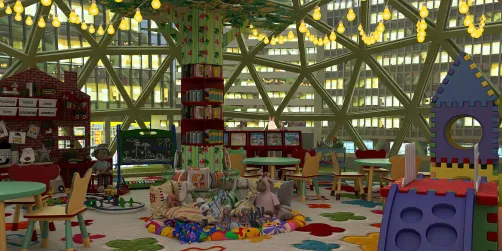
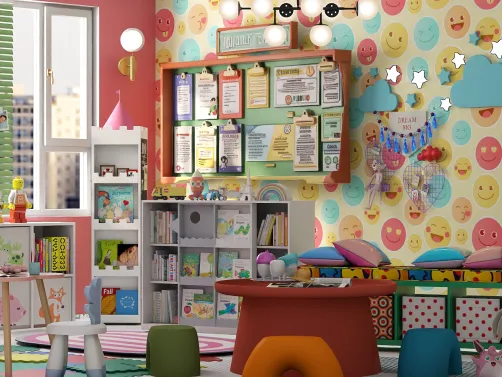
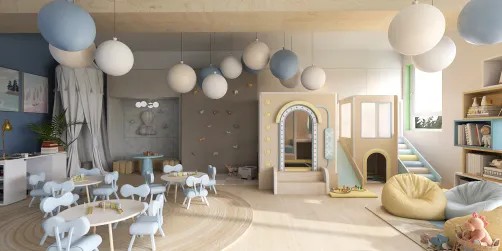
Shalima Mohammed Thomas’s 'Marvelous Kindergarten Decor' demonstrates developmental zoning through subtle yet effective spatial layering: a dedicated reading desk anchors the literacy zone, while a nearby low coffee table with tactile toys defines a collaborative play area—all unified under warm lighting and cohesive pastel tones. Using Homestyler AI design tools, she likely iterated furniture placement to ensure clear pathways between zones and optimized sightlines for caregiver supervision, embodying best practices in early childhood indoor space planning.
Start Free Design Now🎨 Apply Biophilic & Sensory-Rich Color Strategy
Move beyond basic primary colors. Leverage evidence-based color psychology: soft greens and blues for calm focus zones; warm yellows and terracottas for social and creative areas; and strategic pops of high-contrast hues (e.g., coral, mustard) to highlight interactive elements or wayfinding markers. Integrate texture-rich surfaces (wood, cork, woven textiles) and natural light modulation (sheer curtains, adjustable blinds) to support sensory regulation. Homestyler’s real-time material and lighting simulation allows designers to preview how color palettes interact with different light conditions—essential for avoiding overstimulating glare or dull, flat environments.

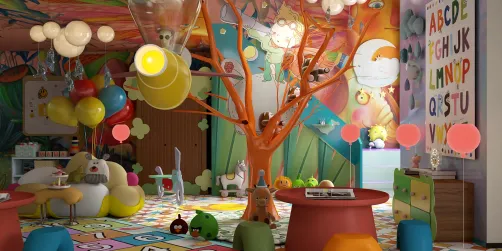
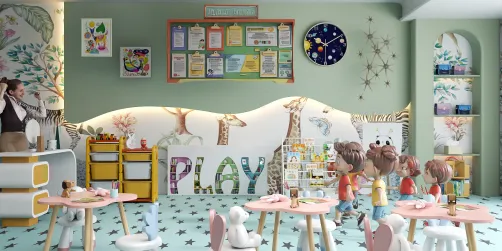
Barbara MacRae’s 'The Happiest Kind of Chaos' masterfully applies a sensory-rich palette: earthy wood tones ground the space, while curated bursts of teal, coral, and ochre on books, cushions, and wall art create joyful focal points without visual noise. Her use of layered textures—woven baskets, felt boards, and matte-finish furniture—enhances tactile engagement. With Homestyler AI design tools, she could precisely calibrate saturation levels and test how her palette renders under simulated morning vs. afternoon light—showcasing advanced application of color strategy in early learning environments.
Begin Free Design Here🛡️ Embed Safety, Accessibility & Scalability by Default
Safety isn’t just about rounded corners—it’s systemic: non-slip flooring across all zones; furniture anchored or weighted to prevent tipping; electrical outlets recessed or covered; and materials certified non-toxic and flame-retardant-free. Accessibility means universal design: adjustable-height tables, step-free transitions, and visual + auditory + tactile cues for children with diverse abilities. Scalability requires modularity: furniture that adapts (e.g., stackable stools, foldable partitions) and storage systems that evolve with curriculum needs. Homestyler’s built-in safety validation checks (e.g., clearance alerts, height warnings) and parametric model library empower designers to embed these principles from the first sketch—not as afterthoughts.

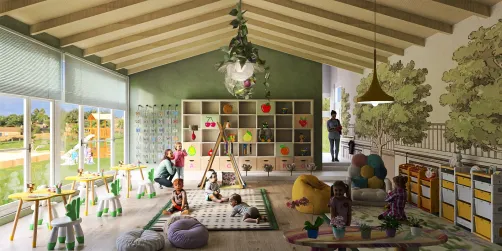
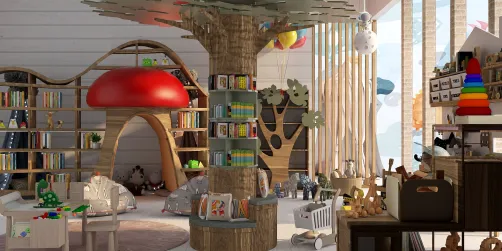
Jenny Resurreccion’s 'Koaka Nido.' exemplifies embedded safety and scalability: low-profile pendant lights eliminate hanging-cord hazards; wall-mounted art avoids breakables at head height; and compact, mobile furniture units allow effortless reconfiguration for circle time, small-group work, or free play. Her use of Homestyler AI design tools likely included collision detection for furniture clusters and ADA-compliant path-width verification—turning regulatory requirements into intuitive, child-centered spatial logic.
Launch Free DesignFAQ
Q: How does Homestyler AI help me comply with international kindergarten safety standards?
Homestyler AI integrates configurable safety presets (e.g., EN1176 for playgrounds, ASTM F1292 for impact attenuation) and real-time spatial validation—flagging potential hazards like insufficient circulation width, unstable furniture ratios, or unsecured overhead elements before rendering.
Q: Can I design for mixed-age groups (e.g., 3–6 years) in one space using Homestyler?
Absolutely. Use Homestyler’s multi-height avatars (including toddler, preschooler, and adult views) to simulate sightlines and reach ranges. Combine with modular, height-adjustable furniture models from the certified education library to create truly scalable zones.
Q: What’s the biggest mistake designers make when planning early childhood spaces—and how can Homestyler prevent it?
The top mistake is designing *for adults’ perception* of ‘cuteness’ instead of *children’s neurodevelopmental needs*. Homestyler prevents this by enabling child-eye-level walkthroughs, cognitive load simulations (e.g., visual clutter scoring), and behavioral flow analysis—shifting focus from decoration to functional, evidence-based indoor space planning.
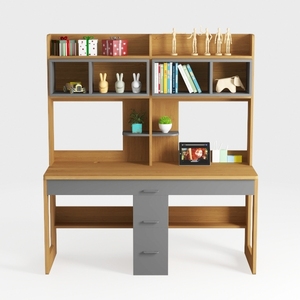
Modern Minimalist Solid Wood Multifunctional Home Office Desk 3D Model

Minimalist Industrial Metal Solid Wood Computer Desk with Storage Bag 3D Model

Natural Wood Frame Modern Dining Chairs Set of 4
Homestyler offers an easy-to-use online design tool with stunning 3D renderings, inspiring design projects, and helpful video tutorials. Whether you’re redesigning or starting from scratch, it’s the perfect platform to bring your home ideas to life effortlessly.
Projete agora para LIVRE