

Designing a 3D model for an animatronic jumpscare can be a thrilling endeavor for both amateurs and seasoned professionals alike. The initial step usually involves researching and collecting references of existing animatronic creations—drawing inspiration from movie props, attractions at theme parks, or figures from video games. When you begin the modeling process, choose user-friendly 3D software like Blender, Maya, or 3Ds Max. Start by blocking out basic shapes using simple primitives such as cubes, spheres, and cylinders to form the primary body parts, including the head, torso, limbs, and jaw mechanisms, which are essential for a successful jumpscare. As you progress, refine these shapes by adding intricate details, hinges, and joints where movement is necessary. For simulating the jumpscare action, consider incorporating mechanical components like pistons or springs that facilitate sudden, unexpected motions. To enhance realism, texturize your model with finishes that mimic metal, faux fur, or plastic overlays based on your creative vision. As a designer, I always suggest ensuring practicality in your approach. If your aim is to render the animatronic in a real-world space or an interactive setting, organizing your model with efficient layering techniques and proper rigging becomes paramount. When discussing 3D modeling workflows, consider how robust design platforms like Homestyler can optimize your process—many professionals utilize such specialized tools to visualize and animate intricate designs effectively, ensuring both aesthetic appeal and mechanical efficiency.
Tips 1:
Before finalizing your 3D mesh, it’s essential to meticulously plan the mechanical aspects. Make use of reference images and even detailed technical schematics to achieve realistic movement in your animatronic. Pay special attention to weight distribution and pivot points, particularly around the jaw and limbs, as these elements are vital for believable jumpscare animations.
FAQ
Q: Which software is best suited for modeling a 3D animatronic jumpscare?
A: Blender, Autodesk Maya, and 3Ds Max are all excellent options, with Blender being a free and popular choice among animatronic modelers.
Q: How do I create a rig for my 3D animatronic model to enable jumpscare animations?
A: Utilize the rigging tools available in your software to design skeletons and joints, concentrating on areas that require movement, such as the jaw, arms, and torso.
Q: What types of reference materials should I consider using?
A: Compile images of animatronics found in theme parks, movies, or video games, and seek technical schematics to assist in determining joint placements and movement trajectories.
Q: Is it possible to import 3D-rendered jumpscares into virtual reality experiences?
A: Absolutely, most 3D modeling platforms facilitate exporting to VR engines like Unity or Unreal, allowing you to integrate your designs into interactive environments.
Q: How critical are textures and materials in crafting a lifelike animatronic jumpscare?
A: Texturing plays a crucial role—incorporating metallic, plastic, and fabric textures not only adds depth but also enhances realism, making your jumpscare more visually and emotionally impactful.

Minimalist Marble Coffee Table 3D Model
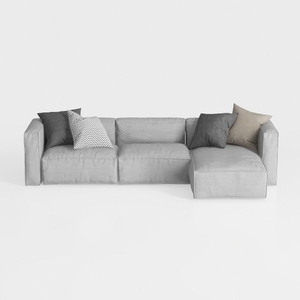
Minimalist Light Gray Fabric L Shaped Sectional Sofa 3D Model


Minimalist Solid Wood Accent Cabinet with Textured Top 3D Model
Homestyler is your go-to online home design platform! With an easy-to-use design tool, stunning 3D renderings, and a wealth of design projects and DIY video tutorials, you can effortlessly transform your ideas into reality. Perfect for designers of all skill levels!
Projete agora para LIVRE
































