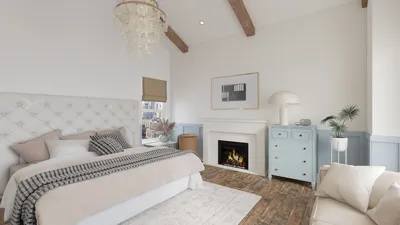


Crafting a 3D heart model can be both an educational tool and a decorative piece, whether your aim is to create an anatomical heart for a biology course or a stylized shape for your next interior decor endeavor. There are various techniques for producing a 3D heart model that cater to your specific objectives, available materials, and level of expertise. Here is a structured way to tackle this undertaking:
1. Select Your Medium
You can create a 3D heart design using digital CAD software, modeling applications, or by utilizing physical materials like clay, paper mache, felt, or cardboard. The medium you choose hinges on whether you prefer a digital representation or a tangible model.
2. Utilizing 3D Modeling Software
When crafting a digital 3D heart, consider starting with user-friendly tools such as Tinkercad, Blender, or SketchUp.
- Launch the software you prefer.
- Begin by creating two spheres that can be merged or slightly overlapped to form the heart's 'lobes.'
- Adjust and taper the bottom area to create a pointed end.
- Fine-tune the model by smoothing out surfaces or creating textures.
- For more realistic anatomical versions, use medical imagery for guidance on additional details like arteries.
- After finalizing the design, render or save the file to prepare for 3D printing or digital display.
3. Constructing a Physical 3D Heart Model
For those who prefer handcrafting, materials such as modeling clay, paper mache, or even wire and fabric are excellent choices.
- Start by forming a basic heart shape with two rounded tops that taper into a V shape at the base.
- Add textures and intricacies according to your chosen style.
- Allow clay or paper mache models to dry thoroughly, then paint them to your liking.
4. Employ 3D Printing
If you're working from a digital model, save it as an STL file. Use slicing software to configure your printing settings, then forward it to your 3D printer. After printing, engage in post-processing, which may include sanding, painting, or assembling various elements as needed.
As a designer, I encourage you to consider the context when creating pieces like a 3D heart, whether they are for decorative or educational use. Reflect on how it enhances your room or educational setting. If you're exploring diverse styles or wish to incorporate the heart model into a broader spatial design theme, using Homestyler can be particularly useful. It allows you to visualize not just individual objects, but also how they interact within an entire space.
Tips 1:
When designing or crafting your 3D heart, always begin with simple shapes and gradually layer in complexity. Make sure to rely on references to maintain proportionality and symmetry. If you’re using digital tools, take advantage of symmetry settings or grid snapping for precision. For physical models, choose lightweight materials for larger items to make them easier to handle and display.
FAQ
Q: Is it possible to create a 3D heart model without prior design experience?
A: Yes, novice-friendly software like Tinkercad or basic handcrafting methods with clay or paper are excellent starting points for beginners.
Q: What material works best for a physical 3D heart model?
A: Both modeling clay and paper mache are user-friendly, easily paintable, and perfect for achieving intricate shapes.
Q: How can I ensure a precise anatomical heart shape in digital design?
A: By utilizing reference images and the sculpting features in sophisticated software like Blender, you can create realistic anatomical details.
Q: Can I incorporate a 3D heart model into larger design projects?
A: Certainly! Digital models can seamlessly blend into extensive interior designs or space plans using tools like Homestyler, expanding your design possibilities.
Q: What file format should I use for 3D printing a heart model?
A: The preferred format is STL, which is widely accepted by most 3D printers for object creation.
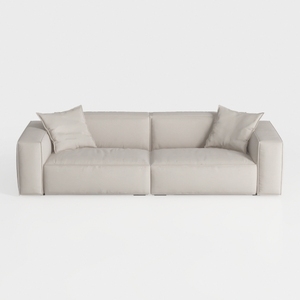
Manhattan Comfort Verandah 112” Chenille Sofa with
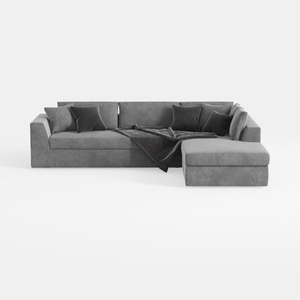
MAKLAINE Contemporary Gray Velvet Down Filled
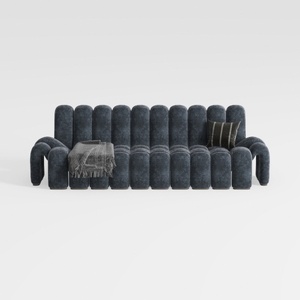

YICORPS 173.3" Oversized Modular Sectional Sofa 4-
Homestyler is your go-to online home design platform! With its user-friendly design tool, stunning 3D renderings, and a wealth of design projects and DIY video tutorials, you can effortlessly create and visualize your dream space—perfect for all skill levels!
Projete agora para LIVRE
































