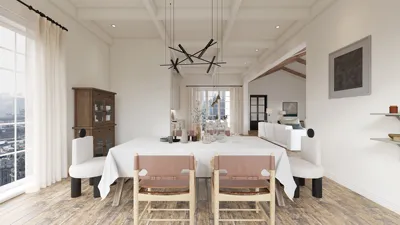


Are you prepared to elevate your environment with stunning SVG floor plans? Whether you are a professional interior designer or a devoted DIYer, utilizing SVG (Scalable Vector Graphics) for your floor layouts ensures precision and adaptability. SVG empowers you to craft intricate designs that can be resized seamlessly without sacrificing quality. This comprehensive guide will help you navigate the creation of your own SVG floor plans while sharing valuable tips and tricks to enhance your projects.
Insights on SVG and Its Advantages
SVG is an exceptional graphics format that is ideally suited for designing floor plans. One major advantage of employing SVG is its ability to scale; you can zoom in on your creations without losing clarity, making it perfect for projects of any size. Moreover, SVG files are lightweight, resulting in quick loading times and effortless online sharing. Let’s delve into how you can utilize SVG to craft stunning floor plans, possibly integrating them into your designs using Homestyler.
A Comprehensive Guide to Crafting Your SVG Floor Plan
1. **Select Your Software**: Begin by choosing an SVG editor that meets your requirements. Numerous free and premium options exist, including Inkscape and Adobe Illustrator, each equipped with features that can assist you in your design journey.
2. **Outline Your Space**: Start by mapping out the basic shape of your area. Use lines to establish walls and rectangles to indicate rooms. Be sure to incorporate doors and windows for an authentic look.
3. **Incorporate Details**: After finalizing your layout, it’s time to embellish it with furniture, fixtures, and additional elements that will enhance your design. Employ various colors and textures to breathe life into your SVG floor plan!
4. **Export Your Creation**: Once you are content with your floor plan, export it as an SVG file. This format allows you to scale your design while maintaining its quality, ensuring compatibility with tools like Homestyler.
Advice for Refining Your SVG Floor Plans
To achieve outstanding results, keep these suggestions in mind:
- **Utilize Grids**: Grids are beneficial for preserving proportions and lending a polished look to your design.
- **Select a Color Palette**: Adhere to a harmonious color scheme for a visually appealing plan.
- **Seek Feedback**: Don't hesitate to share your designs with peers or clients to obtain insights. Fresh perspectives can significantly enhance your work!
Frequently Asked Questions
What software can I utilize to create SVG floor plans? There are numerous alternatives, such as Inkscape, Adobe Illustrator, and various online platforms. Each tool has distinctive features, so pick one that aligns with your creative style.
Can SVG floor plans be printed? Absolutely! SVG files can be printed at any scale without losing quality, making them ideal for detailed layouts and presentations.
How can I share my SVG floor plans? Sharing SVG files is straightforward—via email or by uploading them to your website. For an interactive experience, consider employing an online service such as Homestyler.
Welcome to the Leading Floor Planning Creator


Legend Furniture Modular Sofa for Living Room Velv


EcoSummer 112'' Large L-Shaped Sectional Sofa, Mod
Homestyler is your go-to online home design platform! With its easy-to-use design tool, stunning 3D renderings, and a wealth of design projects and video tutorials, you can effortlessly create and visualize your dream space. Perfect for both beginners and seasoned DIYers!
Projete agora para LIVRE
































