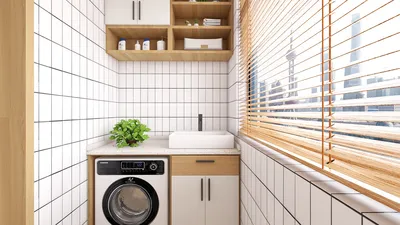
Crafting exceptional 3D interior renderings for kitchens can significantly enhance your design projects and leave a lasting impression on clients. As the kitchen represents the heart of many homes, properly illustrating its essence in a rendering is vital. To create eye-catching visuals, you must prioritize essential aspects like lighting, materials, and layout. Below are some effective strategies to elevate your 3D kitchen renderings using tools like Homestyler.
1. Mastering Lighting Techniques
Lighting is crucial in the realm of 3D renderings. Here are several tips to improve your lighting techniques:
2. Selecting Realistic Materials
The choice of materials can significantly influence the authenticity of your renderings. Keep these considerations in mind:
3. Designing an Optimal Layout
A well-thought-out layout boosts both functionality and aesthetic appeal. Remember these factors:
4. Infusing Personal Touches
Adding personalized elements can distinguish your rendering from others. Here are a few suggestions:
5. Choosing the Right Rendering Software
The selection of software can greatly influence the quality of your final renderings. Popular choices include Homestyler, SketchUp, and V-Ray, known for their intuitive interfaces and excellent output quality.
FAQ
Q: Which software is recommended for 3D kitchen renderings? A: Highly regarded options include Homestyler, SketchUp, and 3ds Max, favored for their ease of use and superior results.
Q: How can I enhance the realism of my renderings? A: Concentrate on incorporating natural lighting, realistic materials, and intricate textures to boost the overall authenticity of your 3D renderings.
Welcome to the top home design software available today!










































