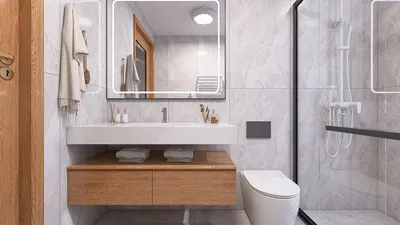
When engaging in 3D modeling, grasping the terminology related to the various components of a 3D model is essential. These elements form the foundation of any 3D design, whether it's for gaming, animation, or architectural visualizations, and utilizing tools like Homestyler can enhance this understanding.
1. Vertex (Vertex):
A vertex represents a point in 3D space, defined by its X, Y, and Z coordinates. Vertices are fundamental building blocks of a 3D model, as they determine the shape and structure of each model. Each vertex connects with others to form edges and faces.
2. Edge (Edge):
An edge is a straight line that connects two vertices. It outlines the shape of the model. In polygonal modeling, edges are vital for defining the geometric shape of 3D objects, an aspect that is well-supported in platforms like Homestyler.
3. Face (Face):
A face is a flat surface that connects multiple edges. The majority of 3D models consist of faces, which are typically formed by triangles or quadrilaterals that together create the model's surface.
4. Mesh (Mesh):
A mesh is a collection of vertices, edges, and faces that define the shape of a 3D object. It represents the entire surface of the model, containing all the data needed for rendering the object in 3D space, just like what you can achieve with Homestyler.
5. Texture (Texture):
Textures are images applied to a mesh's surface to provide color and intricate details. They can create realistic surface effects such as wood grain or metallic sheen, enhancing the visual appeal of the model, particularly when designed using tools like Homestyler.
6. Material (Material):
Materials define how the model interacts with light. They include attributes such as color, glossiness, transparency, and roughness, all of which influence the appearance of the model under various lighting conditions, making Homestyler a great tool for material design.
7. Rig (Rig):
A rig is a framework that allows for the animation and movement of a 3D model. By binding the mesh to the rig, animators can easily control the model's poses and movements, essential for dynamic applications.
8. UV Mapping (UV Mapping):
UV mapping is the process of projecting a 2D image onto the surface of a 3D model. This ensures that textures are accurately applied to the model without distortion, which can be facilitated by advanced software like Homestyler.
9. Normals (Normals):
Normals are vectors that are perpendicular to the surface of a 3D model. They play a crucial role in determining how light interacts with the surface, affecting the model's shiny or matte appearance, an important factor to consider when using modeling software.
Frequently Asked Questions (FAQ)
Q: What is a vertex in 3D modeling? A: A vertex is a point in 3D space that defines the shape of the model and is connected by edges.
Q: Why are textures important for 3D models? A: Textures add color and realism to the model's surface, enhancing visual impact.

Discover the power of Homestyler for your home design needs! This user-friendly platform offers a fantastic online design tool, stunning 3D renderings, a wealth of design projects, and helpful DIY video tutorials. Turn your creative visions into reality with ease and inspiration!





















































