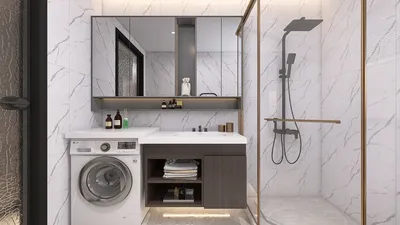


Creating impressive 3D designs requires an understanding of how to size a 3D model properly. Whether the model is intended for client presentations or personal projects, maintaining accurate dimensions is critical to prevent issues down the road.
The Significance of Proper Sizing
Correctly sizing a 3D model is vital as it ensures a proper fit within the designated space. An improperly scaled model, whether too large or too small, can lead to misunderstandings with clients and may result in unsatisfactory outcomes during the final implementation.
Moreover, size plays a pivotal role in the rendering process; inaccurate dimensions can yield unrealistic proportions, which can complicate physical production, particularly if you are planning to utilize a 3D printer for your creations later on.
Guidelines for Effectively Sizing Your 3D Model
1. **Utilize Exact Measurements**: Always initiate the modeling process with real-life dimensions. Gather physical data on the object to ensure your digital model accurately portrays it.
2. **Adjust the Scale Factor**: Most 3D design software, including tools like Homestyler, come with the option to set a scale factor. Use this feature to proportionally resize your model without distortion.
3. **Contextual Visualization**: Insert your model into a scene or alongside reference items. This approach will help you gauge how the model integrates into its surrounding environment.
Principles for Optimal 3D Model Sizing
Begin with a grid system. Employing a grid aids in maintaining precise proportions during the modeling process, which helps to avoid scaling mistakes later on.
Additionally, consider using bounding boxes around your model. This technique provides a clearer understanding of its size relative to other components within the design.
Frequently Asked Questions
Q: What software is best for sizing a 3D model? A: You can utilize various 3D modeling platforms such as Blender, SketchUp, or Homestyler, all of which offer tools for easily adjusting dimensions.
Q: How can I confirm my 3D model is ready for printing? A: Always verify the model's dimensions, ensure it's manifold, and follow any specifications set by your 3D printer to guarantee successful printing.

Modern Marble Metal Split Top Coffee Table 3D Model
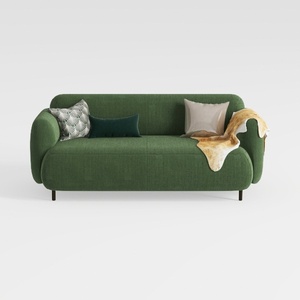
Minimalist Dark Green Fabric Loveseat Sofa with Decorative Pillows 3D Model
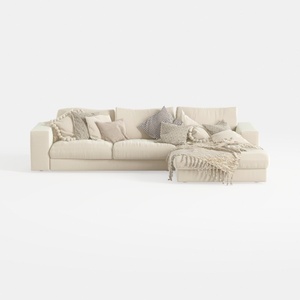
Minimalist Beige Fabric L Shaped Sectional Sofa with Throw Pillows 3D Model
Looking to transform your space? Homestyler is your go-to online home design platform! With an intuitive design tool, stunning 3D renderings, and a wealth of DIY video tutorials, you can effortlessly create and visualize your dream interior. Get started today and unleash your creativity!
Projete agora para LIVRE
































