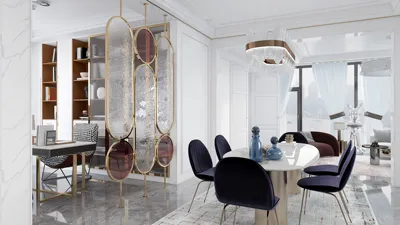


Designing architectural floor plans can seem overwhelming, particularly when you have budget constraints. Luckily, there are various free software tools available to help you craft stunning floor plans without incurring expenses. Whether you are a seasoned architect or a DIY enthusiast, these applications come with an array of features that assist in visualizing your space and making informed design choices. One such versatile tool to consider is Homestyler, which provides an excellent platform for floor planning.
1. SketchUp Free
SketchUp Free is an online version of the well-known 3D modeling software, enabling users to create intricate 2D and 3D floor designs. Thanks to its user-friendly interface and extensive library of pre-existing models, you can effortlessly turn your ideas into reality with this tool.
2. Floorplanner
Floorplanner is a straightforward online platform that allows you to swiftly design 2D and 3D floor plans. Its drag-and-drop feature, coupled with a vast selection of furniture and fixtures, makes it ideal for novices in the field.
3. Sweet Home 3D
An open-source option, Sweet Home 3D excels in interior space design. It gives you the ability to sketch your floor plan and visualize it in 3D, incorporating furniture layouts. Additionally, it allows for the import of extra models for enhanced customization, further enriching your design experience.
4. RoomSketcher
RoomSketcher is another online application providing a free version for basic floor planning needs. With an easy-to-navigate interface, this tool helps you create high-quality 2D and 3D floor plans. Although the free version has certain limitations, it's still fully functional for simple projects.
5. Planner 5D
Planner 5D is a versatile platform that allows you to develop detailed floor plans and design interiors. Its free version grants access to core features, enabling you to visualize your concepts in 3D, perfect for those who learn best through visualization.
6. AutoCAD Web App
For users familiar with AutoCAD, the web app provides limited free access to some of its features. Although it may not be as extensive as the desktop counterpart, it still serves as a useful tool for creating rudimentary floor plans on the move.
7. Tinkercad
Though primarily recognized for 3D design, Tinkercad can also be effectively utilized for crafting simple floor plans. It is an excellent option for individuals eager to dive into 3D modeling alongside floor design.
Conclusion
Creating architectural floor plans doesn’t need to strain your finances. These free software alternatives empower you to generate appealing and practical designs while optimizing your budget. Explore these options, including Homestyler, to find the tool that best aligns with your needs, and begin designing your ideal space today!
FAQ
Q: Can I utilize these software options for commercial projects? A: Although many free software programs are intended for personal use, it's crucial to review the licensing agreements for each tool to ascertain if they can be applied to commercial projects.
Q: Is design experience necessary to operate these tools? A: Most of these platforms cater to beginners and offer tutorials along with assistance to help you get started smoothly.
Q: Are there any restrictions on the free versions? A: Indeed, many free versions come with limitations regarding features, saving methods, or project quantity. Nevertheless, they generally provide enough functionality for basic designs.
Built on technology originally developed at Autodesk, Homestyler empowers anyone to design beautiful, realistic spaces in minutes. Join over 18 million users who have already discovered a smarter way to plan, visualize, and bring their dream homes to life — all from the comfort of a browser.
welcome to Use No.1 Floor Planner
Projete agora para LIVRE
































