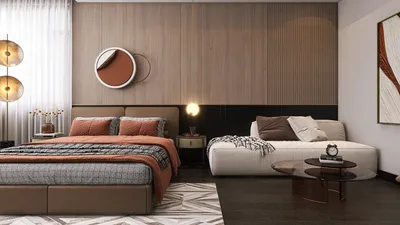


Establishing a home theater involves an intricate blend of acoustics, design principles, and cutting-edge technology, all while practicing restraint. I have both conceptualized and constructed various setups, ranging from compact media spaces to fully dedicated theaters. The overall expenses can vary significantly depending on the vision and limitations involved. For an enclosed home theater room, a typical budget usually falls between $8,000 and $60,000, whereas high-end installations can surpass $100,000. If transforming a living room into a multi-functional space, you might expect to invest around $4,000 to $20,000 for a satisfying experience with minimal construction changes. Research by Steelcase has shown a tangible link between the built environments and user comfort; for instance, better acoustic management can cut distractions by almost half, illustrating the value of sound insulation in any performance venue. Incorporating tools like Homestyler can help visualize your plans effectively.
Standards for light and sound serve as valuable benchmarks for your decisions. The WELL Building Standard (WELL v2) emphasizes the importance of glare control and lighting quality for optimal visual comfort; keeping ambient light around 50–100 lux at seating positions and utilizing dimmable fixtures in the 2700–3000K range can enhance contrast. Guidelines from the Illuminating Engineering Society (IES) advocate for controlled brightness and minimal veiling reflections, which are crucial for maintaining visual clarity—these practical insights should inform your choice of fixtures and finishes. By aligning these standards with your budget, you can prevent overspending on equipment while ensuring adequate investment in the overall environment.
Key Cost Elements
Here’s a breakdown of typical costs for a dedicated home theater room, with variations based on brand, size, and installation intricacies:
• Display technology (screen/projector): $800–$6,000 (projector), $300–$2,000 (ALR screen); for large OLED or mini-LED TVs, expect to pay between $1,200 and $5,000 for sizes from 77" to 98".
• Audio/Video Receiver (AVR) and amplification: $800–$6,000, depending on the number of channels and room calibration.
• Speakers and subwoofers: $1,200–$12,000; entry-level 5.1 bundles start around $1,200–$2,500; a quality Atmos setup can range from $6,000 to $12,000.
• Acoustic treatments: $800–$6,000 for panels, bass traps, and diffusers; bespoke millwork can add another $3,000 to $10,000.
• Seating: Prices range from $600 to $6,000 for 3–6 seats, with premium recliners and risers increasing costs by an additional $2,000 to $8,000.
• Lighting and control systems: $400–$3,000 for accommodating dimmable circuits, scene settings, and blackout solutions.
• Construction and soundproofing: $2,000–$15,000 for framing, adding double drywall/Green Glue, door enhancements, and carpet; high-level isolation strategies can cost between $10,000 and $25,000.
• Cabling and equipment rack: $300–$2,000.
• Calibration for audio/video: $250–$1,200.
• Contingency funds (10–15%): it’s advisable to have this set aside.
Planning Your Room: Dimensions, Ratios, and Routes
The most cost-effective home theaters commence with proper ratios. For seating distance, aim for a distance of 1.0–1.4 times the diagonal of your screen when using projectors. For televisions, the ideal distance often lies between 1.2 and 1.6 times the screen size. It’s beneficial to position primary listening locations slightly away from the exact center of the room to minimize potential sound issues. When sketching your options, using an interior layout planner like Homestyler can effectively assess screen sizes against sightlines and speaker placements.
Three Budget Options: From Smart Beginnings to Premium Designs
• Starter ($4,000–$8,000): This includes a 65–77" TV or an entry-level projector paired with an ALR screen, a complete 5.1 speaker system, a single subwoofer, basic acoustic panels at reflection points, blackout curtains, and dimmable lighting. This option involves minimal structural changes and provides excellent value for living room conversions.
• Enthusiast ($10,000–$25,000): For this tier, opt for a 4K projector with robust light output (≥2,000 lumens), a 7.2.4 Atmos configuration, two matching subwoofers, targeted acoustic management, a dedicated AVR with room correction, a riser platform, and controlled lighting scenes. This setup is best suited for dedicated rooms with moderate sound insulation.
• Premium ($30,000–$100,000+): This setup features a high-contrast projector or a large premium LED/OLED display, an acoustically transparent screen paired with behind-screen left, center, and right speakers, full sound isolation (using methods such as double-stud/double drywall construction), and comprehensive diffusion and absorption techniques. It accommodates multi-row seating and includes a hush box for the projector. Superior finishing and precise calibration complete this high-end experience.
Balancing Sound Isolation and Treatment: Smart Spending
Achieving sound isolation (controlling sound transmission) differs from sound treatment (controlling how sound behaves). Effective isolation relies on materials like mass, decoupling, and airtightness. Techniques such as double layers of 5/8" drywall, solid-core doors equipped with perimeter seals, and backer boxes for lights can significantly reduce noise transmission. In contrast, treatment targets early reflections, modal control, and diffusion; prioritize absorbing sound at first reflections and ensuring adequate bass trapping in corners. In my experience, a balanced approach—approximately 60% on isolation and 40% on treatment—produces quiet environments with clear audio.
Lighting Techniques for Movie Contrast
Home theaters thrive in low ambient light with layered control. Utilize fixtures of 2700–3000K; employing dimmable wall sconces and step lights enhances the visual experience without detracting from the screen's impact. Keep lighting elements out of the direct line of sight to reduce glare. Utilizing low-reflectance paints or panels around the screen helps maintain contrast onscreen, aligning with IES recommendations aimed at minimizing veiling reflections.
Choosing Materials and Sustainability
Acoustic panels with recycled PET cores, carpets featuring high NRC underlays, and low-VOC paints can significantly enhance indoor air quality and comfort levels. Utilization of dense, sustainable wood composites for baffles and diffusers adds mass without incurring excessive costs. Opt for fabrics in darker, more muted colors to decrease light scattering; color psychology studies suggest that darker blues and charcoals can help in creating a calming cinema environment.
Ergonomics of Seating and Sightlines
For seating design, maintain widths of 22–24" with spacing between rows of 36–40" to ensure comfortable movement. If a riser is used, strive for a height of 8–12" and include lighting at the toe-kick area to minimize trip hazards. Slightly angling seats (5–12°) to face the center channel is beneficial. Ensure a vertical viewing angle kept below 15° to prevent neck strain, as ergonomic studies consistently correlate neutral neck posture with reduced fatigue.
Selecting Technology: Projector vs. TV
• Projector advantages: larger images at lower cost per inch, immersive cinematic experience, and versatility in screen material options. Disadvantages include sensitivity to ambient light, the need for lamp or laser maintenance, and possible ventilation noise.
• TV advantages: high native contrast and bright HDR capabilities with simpler setup processes. However, the costs associated with larger sizes (>85") increase significantly, and glossy screens may produce reflections. In rooms with poor light control, a large TV often proves to be a more economical choice; conversely, in settings optimized for light control, a calibrated projector with an ALR screen remains the gold standard for immersive viewing.
Final Calibration: Completing the Setup
Engaging a professional for audio tuning—including levels, crossovers, delays, and room equalization—along with display calibration for grayscale and color precision can enhance the performance of mid-range systems, making them outperform premium setups that are not properly configured. It's crucial to allocate budget for this aspect, as it often yields the highest return on investment in both enthusiast and premium categories.
Practical Budgeting Tips from My Projects
• Initially, focus your spending on the fundamental aspects: sound isolation, lighting control, and ergonomic seating. Electronics tend to lose value faster than a well-constructed room.
• Prioritize investing in two high-quality subwoofers over adding extra satellite channels, as consistent bass performance is more beneficial than marginal gains from additional channels.
• Only opt for an acoustically transparent screen if placement of the left, center, and right speakers can be achieved accurately and you can afford the necessary treatment behind it; standard screens suffice otherwise.
• Keep cable runs short and use certified HDMI to avoid unnecessary costs; elaborate cable setups do not provide significant advantages.
• Consider a phasing approach to your purchases: construct the room first, then gradually add additional channels and seating.
• Efficiently bundle lighting scenes using one smart dimmer per zone to minimize glare from excess zones.
• Design a service path for all devices; organized racks and conduits can save you time and effort in the future.
Sample Budgets
Small living-room theater (~$6,500): 75" TV ($1,800), 5.1 speakers + AVR ($2,200), single sub ($600), panels ($600), blackout curtains ($400), lighting ($300), cabling and rack ($300), calibration ($300), contingency fund ($300).
Dedicated mid-sized setup (~$18,000): 4K projector ($2,500), 120" ALR screen ($900), 7.2.4 speakers + AVR ($6,000), dual subs ($1,400), isolation and finishing costs ($4,000), treatment expenditures ($1,600), seating ($800), lighting and controls ($600), calibration fees ($400), and contingency funds ($800).
Premium setup (~$48,000): high-end projector or 98" OLED ($6,500), AT screen ($1,400), processor and amplifiers ($8,000), 9.2.4 speakers with dual subs ($12,000), heavy-duty sound isolation ($10,000), custom treatments ($5,000), seating with riser ($3,000), lighting and control systems ($1,200), calibration costs ($900).
Common Missteps and My Avoidance Strategies
• Many underestimate sound leakage; doors and vents often represent weak points—using acoustic seals and lined ducts can mitigate this issue.
• Neglecting HVAC considerations: the heat produced by projectors and equipment necessitates quiet, low-velocity cooling solutions.
• Glossy finishes can oversaturate the image; opt for matte and mid-to-dark tones.
• Focusing on specs over layout—properly placed speakers and seats often yield better performance than simply adding more channels.
When to Engage Specialists
For complex spaces featuring unusual geometries or concrete constructions, bring in an acoustician. Electricians should manage dimming and multi-zone lighting setups, as well as dedicated circuits. When isolation is paramount, selecting contractors experienced with staggered stud walls, resilient channels, and damping compounds is crucial to avoid costly rework.
Frequently Asked Questions
Q1: What are the primary factors influencing budget variations in home theater rooms?
A1: The main contributors are isolation technologies and speaker configurations. Implementing robust isolation strategies (e.g., double-stud walls and damping) alongside comprehensive multi-sub and multi-channel setups can lead to increased expenses, whereas display technology scales more predictably with size.
Q2: Are projectors always more economical than large TVs?
A2: Depending on the inch cost, projectors offer more value when sizes exceed ~100" in controlled lighting environments. Conversely, in well-lit spaces, a TV's superior contrast and HDR capabilities often make it a more cost-effective option despite the higher overall costs.
Q3: How much should I allocate for acoustic treatment?
A3: Budget around $800 to $6,000 based on the room size and any custom acoustic work required. Start with broadband absorbers for first reflections and ensure sufficient bass trapping; you can incorporate diffusion techniques once the acoustic balance stabilizes.
Q4: Is it essential to have two subwoofers?
A4: In most rectangular spaces, utilizing two matched subwoofers smooths out bass response across seating areas, enhancing the overall auditory experience. I frequently allocate additional budget to dual subs before considering extra height channels.
Q5: What lighting specifications are most effective for theaters?
A5: Employ warm, dimmable fixtures in the 2700–3000K range with adjustable scene settings. Keeping viewing ambient light levels around 50–100 lux, while shielding light sources to prevent glare is key, along with eschewing glossy finishes near the screen.
Q6: Is it possible to convert a living room into a theater without significant renovations?
A6: Absolutely. Concentrate on blackout options, effective speaker placement, moderate acoustic treatments (like panels at reflection points), and incorporate a single subwoofer. A 75–85" TV equipped with a 5.1 sound system can yield excellent results with minimal alterations.
Q7: How can I effectively gauge seating distances?
A7: Target a distance of 1.0–1.4 times the diagonal measurement for projectors, and 1.2–1.6 times for televisions. Ensure the vertical viewing angle remains below 15° and allow for 36–40" between seating rows to facilitate movement.
Q8: What is the value of professional calibration?
A8: Significant. Proper calibration for audio and video aligns your equipment to the specific nuances of the room, enhancing clarity in dialogue, integration of bass, and color accuracy. It's common to witness mid-range systems performing as top-tier models following thorough calibration.
Q9: Which guidelines should inform my home theater decisions?
A9: Employ the WELL v2 for visual comfort assessment alongside IES recommendations on glare minimization and luminance balance. Moreover, practical acoustic principles such as mass, airtightness, and damping should guide your isolation strategy.
Q10: How can I mitigate noise from projectors and other equipment?
A10: Implement isolation for equipment racks, establish proper ventilation with lined ducts, consider utilizing hush boxes for projectors, and if possible, position equipment outside the primary listening area.



Homestyler is your go-to platform for all things home design! With its user-friendly online design tool, stunning 3D renderings, and a wealth of design projects and DIY video tutorials, you can effortlessly transform your space and unleash your creativity—no prior experience needed!
Projete agora para LIVRE
































