

Designing a 3D representation of a volcanic eruption can be both an exciting adventure and a valuable educational opportunity for those with an interest in science, education, or interactive presentations. Whether you are crafting it for a school assignment, a museum showcase, or an engaging home design simulation, a lifelike volcano model can leave a lasting impression. This venture melds creativity, scientific precision, and effective modeling strategies. Let's outline the key phases needed to bring a striking and detailed 3D representation of a volcano eruption to life.
Step 1: Investigate & Plan Your Volcano
Start off with thorough research. Collect reference images and videos showcasing actual volcanic eruptions. Analyze the shape, texture, and coloration of various volcanoes, and take note of the behavior of ash, lava, and smoke during an eruption. Decide whether to represent an existing volcano, such as Mount Vesuvius or Mount St. Helens, or to create a unique volcanic structure of your own.
Step 2: Select Your 3D Modeling Tool
Choose a user-friendly 3D modeling tool that fits your skill level. Popular options include Blender, SketchUp, and Tinkercad for basic models. If you're looking for high realism in textures and animation, consider using advanced software like 3ds Max or Maya. For those looking to design within an interactive context, integrating your project with tools like Homestyler can elevate your visualization.
Step 3: Shape the Volcano Structure
Begin by outlining the fundamental cone or shield form of your volcano. Include distinct features such as the crater, lava vents, and varied slopes. To create an eruption effect, use the software’s particle systems or mesh modeling tools to model distinct components like the lava flow, ash plume, and smoke.
Step 4: Incorporate Materials & Textures
Apply lifelike textures to enhance your visualization. Utilize materials resembling stone and gravel, with bright red or orange hues for the lava. To depict ash and smoke, use semi-transparent, cloud-like textures. Utilizing high-resolution imagery and precise UV mapping will significantly increase the realism of your model.
Step 5: Optional Eruption Animation
If animation is part of your project, leverage your software’s simulation capabilities to create the eruption effect—animate the lavas' movement, the rising ash, and the dispersing smoke clouds. Adjust timings and dynamics to maximize visual appeal.
Step 6: Showcase and Render Your Work
Complete your model by optimizing lighting and camera angles for the most striking presentation. Render still images or video sequences that effectively display the eruption, perfect for educational content or digital exhibitions.
As a designer, I continuously seek ways to blend educational content with design in practical environments. The advancement of technology makes it possible to incorporate your 3D volcano model into a digital setting for interactive learning or room design initiatives. Utilizing platforms like Homestyler, especially when developing immersive educational spaces or exhibition setups, can significantly enhance the visualization of your model within context, ultimately providing a richer experience for viewers.
Tip 1:
Don't shy away from experimenting with various textures and particle effects to create an eye-catching eruption. If you're teaching students or working with beginners, you might want to start with simpler shapes, gradually adding complexity as they gain confidence.
FAQ
Q: Which software is best suited for creating a 3D volcano eruption model?
A: Notable choices include Blender, SketchUp, Tinkercad, 3ds Max, and Maya. The ideal option depends on your skill level and the complexity of the project you're undertaking.
Q: Is it feasible to animate the lava and smoke within my 3D model?
A: Absolutely, most 3D modeling software features particle systems and simulation functions to help you animate the erupting lava, smoke, and ash clouds effectively.
Q: What materials should I consider for creating realistic textures?
A: Opt for textures that resemble stone, gravel, and vivid lava. Semi-transparent, cloud-like shaders are best for accurately depicting smoke and ash.
Q: In what ways can I utilize my volcano model in educational environments?
A: You can render the model for video presentations, interactive displays, or augmented reality applications. It's also highly beneficial for virtual room arrangement in settings like museums or classrooms.
Q: Are there platforms available for visualizing 3D models within real-world environments?
A: Yes, platforms such as Homestyler provide options to showcase your volcano model within comprehensive interior and exhibition layouts for an immersive experience.
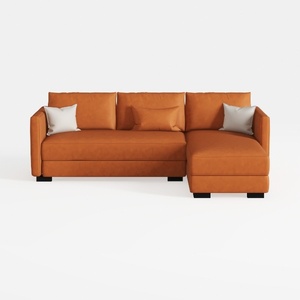
92.5 * 92.5'' L-Shaped Corner Sectional Leather

Poltrona lounge in morbido mohair beige orsacchiotto pigro poltrona caminetto Love Seat sedia da pavimento con nero 75 cm dimensioni accogliente ed elegante opzione di seduta per arredamento casa

Homestyler is your go-to online home design platform, perfect for bringing your vision to life. With its user-friendly design tool, stunning 3D renderings, a plethora of design projects, and helpful video tutorials, transforming your space has never been easier or more enjoyable!
Projete agora para LIVRE
































