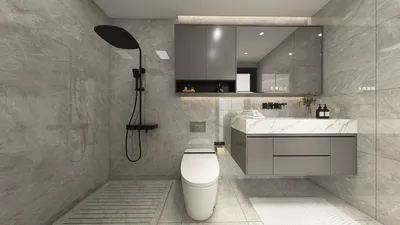


In today's tech-savvy lifestyle, enthusiasts of games like "Zelda Ocarina of Time Remake" often seek immersive experiences that extend beyond their screens. This passion influences interior design choices, inspiring spaces that blend modern technology with nostalgic elements. Incorporating interactive gaming setups and ambient lighting into living rooms can create a dynamic environment where entertainment meets comfort and stylish spatial planning.
Designing a floor plan was once limited to three options: engaging an architect, acquiring specialized software, or dedicating a weekend to mastering complex tools not intended for casual users. These alternatives were impractical for individuals needing a floor plan for a single renovation, a new apartment layout, or arranging furniture.
In the present day, a free, browser-based floor plan creator allows anyone — even without design experience — to produce accurate 2D blueprints, furnished layouts, and photorealistic 3D renderings that would have previously required professional-grade software. Typically, completing a standard room's design takes less than an hour.
This comprehensive guide details every step: from measuring your space to sharing the final floor plan, providing exactly what you need to know at each phase and omitting unnecessary information.
Before beginning, gather your room dimensions. A tape measure and five minutes suffice to record each wall's length, the width and position of doors, and window placement. Having these measurements at hand accelerates the drawing process.
You'll also need a web browser with internet connectivity; all design tasks happen within the tool itself.
Optionally, photographs of the room taken from various corners can help recall details such as radiator placement or light switch locations, which influence furniture arrangement even if they're absent from the plan.
Among free tools available for creating floor plans online, Homestyler stands out for several reasons:
Full functionality on the free tier without hidden paywalls — including 2D sketching, access to a vast furniture library, real-time 3D previews, and standard render exports — ensures a seamless workflow.
Precise dimension input by allowing exact measurements to be keyed in, unlike other free options that only permit freehand drawing without locking lengths.
Physically based 3D rendering delivers realistic light and shadow behavior, making the visualization resemble interior photography rather than a simple diagram, aiding design decisions and presentations.
Being browser-based with cloud synchronization means no installations or local file management; projects auto-save and are accessible from any device, while shareable links enable effortless viewing without account creation.
To start creating a floor plan, visit Homestyler's site and initiate a free account by providing your email and setting a password; this setup takes less than a minute and requires no credit card.
Begin a new project, select your preferred measurement system (metric or imperial), and assign a descriptive project name like "Living Room Redesign" or "New Apartment Layout."
Utilize the wall tool by clicking to start walls and snapping them to the grid for accuracy; enter exact wall dimensions to match your measurements, ensuring walls connect seamlessly without gaps.
For irregularly shaped rooms, add multiple wall segments to outline the space precisely, with each wall snapping to corners for coherence.
Add doors by dragging them onto walls, adjusting their width to correspond to your actual doors, and verifying their swing direction to maintain correct floor space and furniture clearance.
Place windows similarly, setting their width and correct wall positions; in 3D, double-check sill height matches the real room.
Incorporate fixed elements such as columns, radiators, or built-in shelving before furniture placement, as these influence layout constraints.
Switch to 3D view to inspect the room's enclosure integrity, door swings, and window placements, correcting issues in 2D as necessary.
Next, browse the furniture library by categories and drag items into your floor plan, using rotation tools and dimension indicators to achieve proper clearances.
Start furnishing with primary pieces—sofa, bed, dining table—then build around them with secondary furniture and accessories.
Review the design in 3D, make adjustments as needed in the 2D view, and finalize your spatial arrangement.
Once satisfied, generate a 3D render, export images for sharing, or provide a link where others can interact with your design online without needing an account.
To enhance your floor planning:
Double-check your measurements before drawing to avoid compounding inaccuracies that affect all clearances.
Arrange furniture starting with the largest items to create a coherent flow for smaller pieces and accessories.
Experiment with alternative layouts before finalizing; different positioning often reveals more functional or appealing configurations.
Use the 3D view primarily to assess spatial feel and coherence, postponing decisions on colors and materials until the layout is set.
Common questions include:
How long does it take? Typically under an hour for a single room from measurements to rendering.
Is knowledge of architectural drafting necessary? No; the tool automatically handles standards like door swings and wall thickness.
Can entire apartment layouts be created? Yes; multiple rooms can be drawn and connected within the same project.
Is the free version suitable for professionals? It produces presentation-quality output ideal for client discussions but not for official architectural documentation.
What if mistakes occur? An undo feature lets you revise walls, doors, and furniture placements effortlessly.
In conclusion, creating a detailed floor plan is more accessible than many anticipate. With measurements ready and a versatile free platform like Homestyler, a single room can transform from a blank canvas into an actionable 3D model within an hour, supporting decisions from furniture layout to renovation planning without professional assistance or expense.


Modern Dark Green Velvet Extra Large Sofa With Decorative Throw Pillows 3D Model
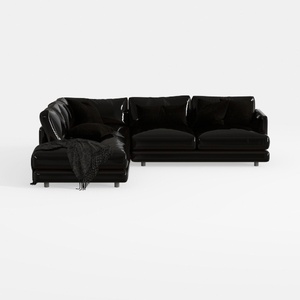
Modern Black Leather L-shaped Sectional Sofa 3D Model
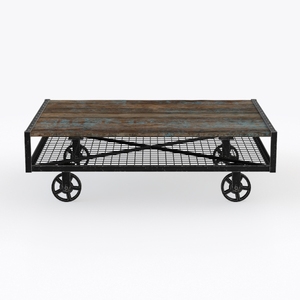
Custom 3D Waves Ocean Dining Table, Blue Ocean
Homestyler offers an easy-to-use online design tool, stunning 3D renderings, and a vast collection of interior projects. With helpful DIY video tutorials, it’s ideal for anyone looking to create and visualize beautiful home designs effortlessly. Try it to bring your ideas to life!
Projete agora para LIVRE
































