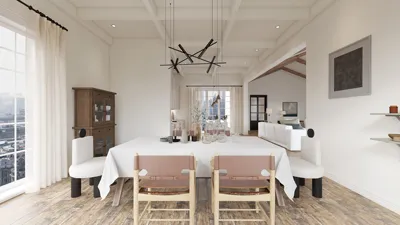
Transforming your 3D CAD files into 2D floor plans may seem challenging at first, but with the appropriate tools and a systematic approach, it can be a straightforward process. Whether you're an interior designer or an architect, having a precise 2D representation is essential for effectively visualizing a space. This guide will outline the steps to make your conversion seamless and introduce effective tools to help you along the way.
Grasping the Fundamentals of CAD Files
CAD, short for Computer-Aided Design, encompasses various file formats that often include detailed 3D models. To convert these files to a 2D floor plan, it is crucial to familiarize yourself with the software at your disposal. Utilizing platforms like Homestyler can streamline this conversion process significantly.
Steps for Converting 3D CAD Files into 2D Floor Plans
1. **Open the 3D CAD File**: Start by launching your 3D CAD application and importing the chosen file. Ensure compatibility with your conversion software. 2. **Refine the Model**: Tidy up the 3D model by removing any extraneous elements not needed in the floor plan. 3. **Convert the 3D View to 2D**: Most CAD tools provide features to project the 3D perspective onto a 2D plane, generating a floor plan view. 4. **Export Your 2D Plan**: Finally, save your floor plan in a preferred format, such as PDF or DXF.
Tools to Ease Your Conversion Process
Selecting the right software can significantly lessen the effort required for conversion. For instance, Homestyler offers an intuitive 2D Design Tool that enables you to manage and visualize your creations in both 2D and 3D formats, enhancing your workflow efficiency.
In Summary
Transforming 3D CAD files into 2D floor plans can be a simple task. By adhering to the steps mentioned and leveraging tools like Homestyler, you can produce effective and visually appealing 2D representations of your designs. Always remember, successful design begins with a well-structured plan!
Frequently Asked Questions (FAQ)
Q: Which file formats are supported for conversion? A: Most CAD software accommodates formats like DWG, DXF, among others. Verify the compatibility of your software for specific options.
Q: Is it possible to edit my 2D floor plan after conversion? A: Absolutely! Once you have your 2D layout, you can make adjustments using any design software you prefer.
Welcome to the Ultimate 2D Floor Planning Experience
Homestyler is your go-to online home design platform! With its user-friendly design tool, stunning 3D renderings, and a wealth of DIY video tutorials, you can effortlessly create the perfect space. Dive into captivating design projects and transform your home with Homestyler today!