

Importing a 3D model into VRChat may initially appear complex, but with the right steps, it becomes an achievable task. Begin by ensuring that your 3D model is saved in a compatible format, with .fbx being the most effective choice. Launch Unity Hub and download the version of Unity that VRChat recommends. After that, create a new Unity project and import your model, ensuring that the textures and materials are adequately assigned. You will also need to install the VRChat SDK, which can be found on the VRChat website, and log in to your account. This SDK is essential as it allows you to configure avatars or worlds by adding necessary elements such as colliders and descriptors. Once everything is set up, you can utilize the VRChat Control Panel within Unity to build and upload your content, which should then appear in your VRChat account shortly thereafter. As a designer, I always focus on optimizing the polygon count and adjusting lighting to deliver a seamless and immersive experience within VRChat. For projects that involve detailed spatial arrangements, like designing virtual homes or event venues, starting with a 3D floor planner such as Homestyler can greatly expedite the transition from concept to a VR-ready model.
Tips 1:
To maintain organization within Unity, utilize layers and consistent naming conventions, which is particularly valuable for interior or architectural designs. This practice simplifies adjustments and troubleshooting during the upload process.
FAQ
Q: Which file formats can I use to import models into VRChat through Unity?
A: The .fbx format is strongly recommended, while Unity also accommodates .obj and .dae formats for basic functionalities.
Q: Is it necessary to use the exact version of Unity that VRChat recommends?
A: Absolutely, adhering to the specific Unity version stated in VRChat’s documentation is crucial to prevent compatibility problems during uploads.
Q: What does the VRChat SDK entail?
A: The SDK refers to the software development kit that VRChat provides, which is essential for uploading avatars, worlds, and objects via Unity.
Q: What strategies can I employ to minimize lag for my model in VRChat?
A: To achieve smoother performance, focus on lowering the polygon count, compressing textures, and implementing efficient lighting setups.
Q: Is it feasible to create a room or home within VRChat?
A: Yes, you can design fully interactive spaces or homes in VRChat by exporting a compatible 3D model that is ideally developed using dedicated interior design tools before importing into Unity.

DUOMAY Modern Boucle Dining Chairs Set of 2,
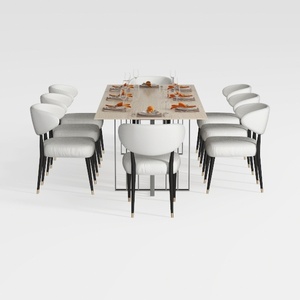
GarveeHome Natural Rattan Dining Chairs Set of 2
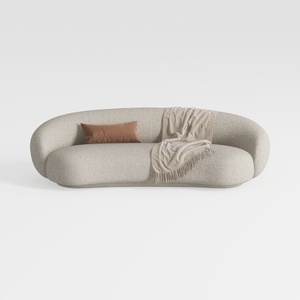

Meridian Furniture 693Cream-L Hyde Collection
Looking to transform your space? Homestyler is your go-to online home design platform! With its user-friendly design tool, stunning 3D renderings, and a wealth of DIY video tutorials, you can effortlessly create your dream home. Start designing today and unleash your creativity!
Projete agora para LIVRE
































