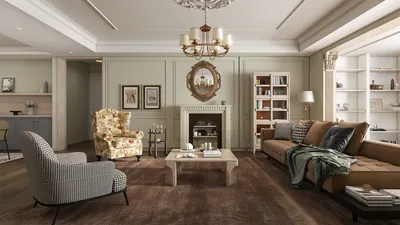
Crafting an impressive 3D island model is an enjoyable undertaking, whether you're a professional architect, a designer, a hobbyist, or a content creator. Start by clarifying your vision—will your island be a vibrant tropical paradise, an urban neighborhood, or a rugged wilderness? Gather reference images to inspire your project, focusing on shapes, types of vegetation, structures, and geographical features. After this, choose your design tools: beginner-friendly software like Blender or SketchUp is widely used, while advanced designers may opt for professional-grade programs such as Autodesk Maya. Begin sculpting your landscape by emphasizing topology and textures. Layer various elements like rock formations, bodies of water, sandy beaches, and lush foliage with the help of high-quality texture maps. To enhance the realism of your model, try different lighting options; the effects of sunrise or sunset can dramatically alter the scene's atmosphere. Finally, incorporate details such as boats, docks, or beach furniture, ensuring a consistent scale and material quality throughout your island.
As a designer, I fully understand the importance of visual storytelling. When I create island models for client presentations or pitches, I find that integrating detailed floor plans or experimenting with spatial configurations significantly enhances immersion. For example, refining the arrangement of elements with a 3D floor planner tool creates smoother workflows, converting ideas into effective designs. This approach guarantees that every island area—be it a luxurious villa, a resort area, or jungle paths—transitions seamlessly from initial concept to final render.
Tips for Success:
Utilize real-world data, such as satellite terrain maps, as a foundation for your island's shape to ensure authenticity. Applying subtle color gradients or environmental effects like mist or lens glare can help you achieve a photorealistic appearance.
Frequently Asked Questions (FAQ)
Q: Which software is most suitable for beginners wanting to create 3D island models?
A: Blender and SketchUp are excellent, user-friendly options for newcomers. Both programs offer free versions and a wealth of tutorials for starters.
Q: How long does it usually take to create a 3D island model?
A: The timeframe for a project varies depending on its complexity. Basic islands can often be modeled in a handful of hours, while more intricate designs may take several days to complete.
Q: What types of textures enhance realism in island designs?
A: High-resolution textures for water, sand, rocks, foliage, and terrain contribute to a realistic look. Numerous websites provide both free and premium texture packs.
Q: What's the best way to create natural-looking lighting for the island model?
A: To achieve natural lighting, simulate sunlight angles along with environmental light effects. Utilizing HDRI maps in rendering engines can create highly realistic atmospheres.
Q: Is it possible to animate elements like water or clouds within my 3D model?
A: Absolutely! Most 3D modeling software supports the animation of environmental features. Creating dynamic simulations for water, clouds, or weather patterns enhances the overall immersive experience of your model.

Homestyler is your go-to online platform for effortless home design. With user-friendly design tools, stunning 3D renderings, and a wealth of DIY video tutorials, you can transform your living space into a dream home. Unleash your creativity and get started today!





















































