

Creating eye-catching visual effects by melting a 3D model in Blender can add a blend of realism and artistic flair to your projects. Whether you're an animator looking to portray dripping wax or a designer exploring abstract shapes, Blender offers various techniques for achieving a melting effect on 3D objects. The most effective and versatile method involves utilizing Blender's built-in Fluid Simulation system, especially the Mantaflow fluid and smoke simulator, combined with some subtle modifications to your mesh.
To begin, ensure that your 3D model is ready. It should be a manifold (with no holes), have a clean geometry without overlapping parts, and possess a suitable polygon count for smooth simulations. Position your model where you want the melting to commence. Following these steps will guide you through a standard procedure:
If you're aiming for a more stylized effect that doesn’t adhere strictly to physical realism, consider using the Displacement Modifier along with animated textures, or even employ simple shape keys to transition your model from a solid state to a puddle.
As an interior designer focused on digital visualizations, I place a strong emphasis on how melting forms interact with light, texture, and the overall perception of space within a scene. When planning to render these effects for visual presentations or client reviews, utilizing tools like a 3D Render Home solution can effectively showcase your finalized Blender work within designed environments, enhancing the practicality and allure of your digital artwork.
Tips 1:
Before diving into simulations, always duplicate your model to protect your original geometry. For a smoother melting effect, increase your mesh's subdivision level for higher resolution. Don’t hesitate to play around with various material properties, such as subsurface scattering, to realistically depict melted wax or the appearance of plastic in your final renderings.
FAQ
Q: Is it possible to melt any 3D object in Blender?
A: Absolutely! However, for optimal results, it’s best to work with closed, manifold meshes with a clean geometry to avoid errors during simulation.
Q: Which version of Blender is best for melting simulations?
A: You should use Blender version 2.82 or newer, as these versions come equipped with the Mantaflow fluid simulation system that is ideal for this kind of effect.
Q: How can I make the melting effect resemble wax instead of water?
A: To achieve a wax-like appearance, increase the viscosity of the fluid and adjust the shader to create a translucent, colored wax look—using subsurface scattering techniques works particularly well.
Q: Is it possible to keyframe or control the melting effect over time?
A: Yes, you can keyframe the settings for fluid flow emission and behavior, allowing you to manage when the melting starts and stops.
Q: Which render engine is most suitable for melting effects?
A: Both Cycles and Eevee can effectively render melting effects; Cycles delivers more realistic lighting, while Eevee is faster, making it ideal for previewing renders.
Q: Should I bake the fluid simulation? Is it necessary?
A: Yes, baking the fluid simulation is essential for smoothly viewing and rendering the melting effect.
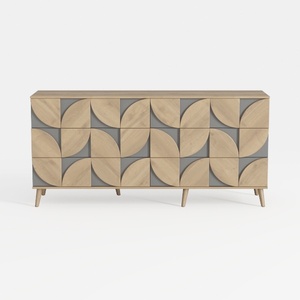
Farmhouse Sideboard Buffet Cabinet - Large Kitchen
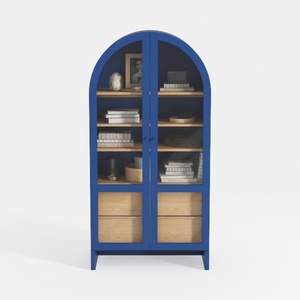
Arched Kitchen Pantry Cabinet with Glass Doors
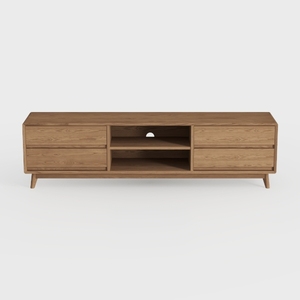
OKD TV Stand for 75+ Inch TV, Mid Century Modern
Homestyler is your go-to online home design platform! With a user-friendly design tool, stunning 3D renderings, and an array of DIY video tutorials, you can easily create and visualize your dream spaces. Transform your home with inspiration and ease—start designing today!
Projete agora para LIVRE
































