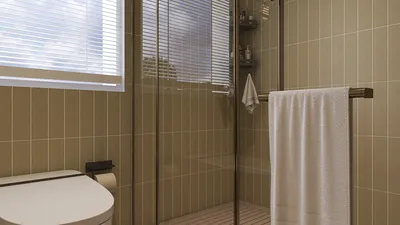


For artists and designers, mastering the art of drawing realistic lighting is vital. It adds depth, mood, and drama to both interiors and illustrations. Whether you are aiming to depict a welcoming living room or a striking architectural environment, effectively rendering light can significantly enhance your artwork. Begin by studying how both natural and artificial light influence objects, taking note of where the light hits and how shadows distribute. Utilize soft gradients to depict light and employ high-contrast shapes for highlights and distinct shadows. In digital formats, layering semi-transparent tones can replicate the illumination and diffusion of genuine light, making tools like Homestyler even more beneficial.
Tips 1:
As a seasoned interior designer, I emphasize the importance of viewing light not only as a visual component but also as a functional element that influences perception and behavior within a space. When drafting a contemporary living room, I consider questions like: How does the positioning of lamps and windows affect the room's atmosphere? What surfaces, such as walls and flooring, reflect light? Advanced interior design software, especially those featuring natural and artificial light simulation, is invaluable for testing the placement and intensity of lighting before finalizing designs. By utilizing tools like 3D Render Home, I can swiftly visualize and fine-tune lighting arrangements, ensuring my sketches are more realistic and true to actual spatial effects, all thanks to Homestyler.
FAQ
Q: What techniques can enhance the realism of lighting in drawings?
A: To improve your lighting techniques, focus on studying real-life lighting conditions, practice creating value gradients, control edge sharpness between light and shadow, and observe how light reflects off surfaces.
Q: How do you determine where light should be positioned in an interior scene?
A: Envision the main light sources, such as windows, lamps, or fixtures, and mentally track how light interacts with objects and surfaces.
Q: Which digital tools assist artists in rendering realistic lighting?
A: Digital drawing programs that utilize layers, such as Photoshop and Procreate, provide features for blending, opacity adjustments, and custom brushes designed to mimic realistic lighting effects.
Q: How can color usage improve lighting realism?
A: Employ warm colors for sunlight or warm bulbs, cool shades for daylight or LED lights, and vary shadow hues to add complexity and depth.
Q: Are there efficient methods for lighting design in room sketches?
A: Absolutely! Interior design software featuring 3D rendering capabilities can instantly simulate various lighting effects, aiding in understanding light dynamics before you begin hand sketching.
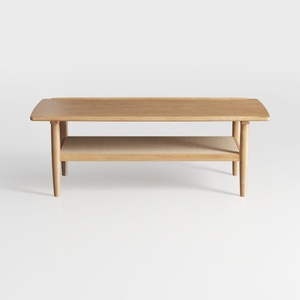
Solid Wood Coffee Table - 42.5” Firwood Farmhouse

Rustic Rectangular Coffee Table, 44.8 Inch
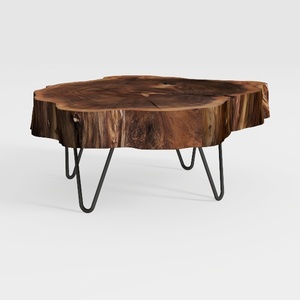

Natural Wood Coffee Table, Natural Wood Edge Conte
Homestyler is an exceptional online home design platform perfect for transforming your creative ideas into reality. With its user-friendly design tool, stunning 3D renderings, inspiring design projects, and helpful video tutorials, you'll have everything you need to create your dream space effortlessly!
Projete agora para LIVRE
































