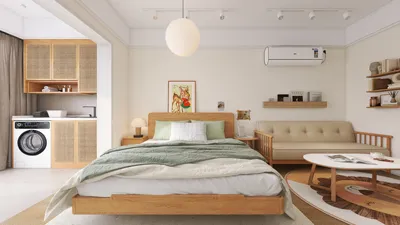


Square footage should never compromise comfort or functionality. I have crafted compact studios, dorm spaces, and micro-lofts where every inch serves a purpose—and selecting the ideal gaming chair can make a remarkable difference. In confined areas, factors such as a chair’s size, swivel range, and reclining capabilities are just as critical as lumbar support. Research by Steelcase suggests that varying postures can enhance comfort and concentration during extended gameplay, while findings from Gensler illustrate a consistent connection between ergonomic seating and improved efficiency in tasks. The WELL v2 standards underscore the importance of adjustable lumbar support, seat depth, and armrest adjustments for musculoskeletal health, thus providing a solid checklist for optimizing gaming in small spaces, often utilizing tools like Homestyler for layout planning.
Lighting and thermal comfort are equally vital in affecting spatial perception and fatigue levels. The IES recommends maintaining task lighting around 300–500 lux to minimize glare and visual strain during intensive monitor use; combining this with a neutral-white color temperature (~4000K) preserves color contrast without distortions. WELL v2 advocates for user-controlled glare reduction and layered lighting options—like dimmers or ambient lights behind screens—to ensure visual comfort while avoiding overcrowded small areas with bulky installations. These guidelines enable me to choose compact chairs that facilitate long gaming sessions without cluttering the limited space.
Essential Qualities of an Optimal Small-Room Gaming Chair
When selecting a gaming chair for tight environments, I prioritize five key elements: (1) a base size not exceeding 26–27 inches for seamless movement around walls and desk legs, (2) an upright design with a nearly vertical backrest to reduce needed recline space, (3) adjustable seat height ranging from approximately 16.5–21 inches to maintain a knee angle between 90–100 degrees, (4) versatile 3D+ armrests (adjustable for height, width, and angle) that conveniently fit beneath desks, and (5) breathable fabrics that help regulate temperature during prolonged gaming sessions. In multi-purpose areas, incorporating ultra-quiet casters and a streamlined silhouette contributes to a serene visual environment.
Gaming Chair Types That Suit Small Spaces
Not every gaming chair is suitable for compact rooms. Here are some styles that maximize ergonomics while saving space:
Space Arrangement: Clearance, Sightlines, and Cable Management
In limited spaces, the arrangement is half the battle for comfort. I recommend planning for a 30–32 inch diameter movement zone to accommodate swiveling and scooting, with 8–10 inches of clearance behind the backrest for any minor tilting. For a desk depth of 24 inches, position the monitor at arm's reach and utilize ambient light behind it to enhance perceived depth. For multifunction areas, consider a foldable footrest that vertically stows away, and employ a slim mat to outline a pathway for the casters without visually cluttering the floor. If you're exploring options, utilizing a room layout tool, such as Homestyler, can be a game changer for preventing purchase errors.
Significant Ergonomic Features for Tight Spaces
In cramped setups, each adjustment assumes heightened importance. Focus on:
Materials: Comfort, Cleanliness, and Durability
Using breathable mesh or performance knits keeps temperatures stable in compact areas with limited ventilation. PU leather is an option if it’s micro-perforated and paired with a cloth headrest; otherwise, it can trap heat over long gameplay sessions. For longevity, look for double-stitched seams and abrasion resistance ratings exceeding 50,000 cycles to withstand daily use in tight quarters. Favor matte finishes and mid-range hues to reduce visual clutter; studies suggest that cool-toned colors (like blues and greens) create a more spacious and calming environment, whereas vibrant reds may elevate stress and fatigue over time.
Recommended Compact-Friendly Options (Organized by Use Case)
Seek out a mesh-back task chair featuring 3D arms with a base size of 26–27 inches, seat height from 16.5 to 21 inches, and adjustable lumbar support. Maintain an upright back angle while using tilt for minor relief. Pair the setup with bias lighting and a slim footrest.
A floor rocker or low-profile lounger matched with a wall-mounted TV reduces visual clutter. Incorporate a slender side table and a cable sleeve to keep gaming accessories organized, and consider adding an area rug for sound dampening.
Opt for a task chair with office-grade finishes in darker tones, a mesh or knit back, and silent casters. Slim arm pads should slide effortlessly under desks, and a compact headrest can provide added support during breaks without requiring deep recline options.
Lighting and Acoustics in Small Gaming Spaces
Install a 300–500 lux task light at the desk with a low-glare lampshade and add ambient lighting behind the monitor or TV to alleviate eye strain and enhance perceived contrast. Maintain a color temperature near 4000K for accurate color rendering in games without causing harshness. For acoustics, soft furnishings—such as rugs, curtains, and a fabric pinboard—can help manage echoes in stark, boxy rooms. These subtle enhancements promote focus and mitigate fatigue even when your seating is positioned closely to a wall.
Posture Strategy and Break Intervals
Gamers can greatly benefit from alternating postures: maintaining an upright position for aim-focused gameplay, slightly reclining for storytelling sessions, coupled with standing breaks every 30–45 minutes. Both Steelcase and WELL v2 research emphasize the importance of movement variation in supporting circulation and comfort. I keep a small resistance band within reach and incorporate 60-second stretches between matches to relieve my shoulders and wrists—requiring no additional floor space.
Measuring Considerations Before Purchase
Care and Maintenance in Compact Spaces
Regularly vacuum the mesh and seams, clean arm pads with a gentle soap solution, and check caster threads for hair that could impede movement. A chair mat protects the flooring and enhances turning capabilities. If you snack while gaming, choosing removable, machine-washable headrest covers is wise to prevent oils from staining the fabric.
Quick Purchasing Checklist
Frequently Asked Questions
Absolutely. Mesh fabrics minimize visual bulk and heat accumulation, which is particularly beneficial in compact environments with minimal airflow. Furthermore, they dry more quickly if you tend to get warm during extended sessions.
For tight configurations, allow 8–10 inches of clearance for minor tilts. If you anticipate needing deeper recline options, plan for 12–14 inches. I favor upright backs complemented by balanced tilt to conserve space.
Most standard desks measure approximately 28–30 inches in height. A seat height of about 16.5–21 inches provides a suitable range to keep elbows at a 90-degree angle and shoulders relaxed during gameplay.
Generally, yes. The width, height, and pivot capabilities permit you to position armrests inside a narrow keyboard stance and slide them smoothly beneath the desk, conserving space and minimizing bumps.
Select a slim-shouldered design with flatter supports and a base size of 26–27 inches. Avoid oversized wings that restrict movement and consume visual space.
Utilize a compact task lamp that provides 300–500 lux and add bias lighting behind your monitor. Keeping the color temperature neutral-white (~4000K) ensures colors remain accurate while reducing eye strain, in accordance with IES recommendations.
A thin, low-pile rug or chair mat with soft-roller casters minimizes vibration and wheel noise, which is especially crucial in cramped, reflective environments.
In limited spaces, reclining is less prevalent, which elevates the necessity for lumbar support. An adjustable height pad or dial allows you to maintain a neutral spine position without relying on deep recline.
Definitely—mark a 26–27 inch circle on the floor with tape to test movement areas. For quick digital planning, utilize an interior layout tool like Homestyler to simulate chair footprints.
Looking to transform your home effortlessly? Homestyler is your ultimate online design partner! With its easy-to-use design tool, stunning 3D renderings, and a wealth of DIY video tutorials and design projects, you can unleash your creativity and visualize your dream space in no time!
Projete agora para LIVRE
































