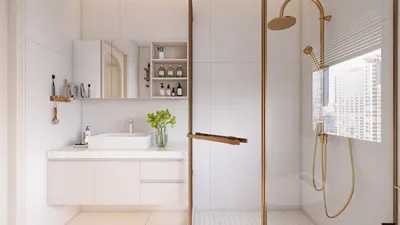


I regard a .blend file as an ongoing project that requires attention to textures, topology, lighting, and scale to ensure compatibility not just with Blender but also for online presentation. The primary aim is straightforward: quickly upload your 3D model to the web, keep it lightweight, and maintain an appealing appearance on various devices while respecting user interactions with spaces and products. Utilizing tools such as Homestyler can enhance this process.
Data-driven performance and user experience
The speed at which content loads significantly influences user retention. In the realms of workplace and product visualization, engagement dwindles quickly when interactions lag. Studies highlight that reducing friction enhances engagement; in the context of 3D visualization, it indicates a need to minimize draw calls and texture sizes. Research from Steelcase on workplace interaction emphasizes that clarity and ease of navigation yield more favorable outcomes, necessitating that viewers can perceive and understand models without delay. Moreover, comfort is crucial; by following guidelines like WELL v2 Lighting, we can replicate principles of glare and illumination when preparing scenes for the web.
Export strategy: getting your .blend ready for online use
I begin by determining my target format: glTF/GLB for web displays, USDZ for AR usage on iOS, or a low-poly FBX if needed for specific workflows. To keep the original .blend file intact, I create a dedicated export scene with optimized modifiers, applied transforms, and unified materials. Additionally, ensuring human-scale dimensions (in meters) and accurate real-world measurements—such as door heights, desk thickness, and chair seat heights—is essential for intuitive interactions. Before finalizing the export, I carefully remove any hidden geometry and unnecessary subdivision surfaces.
Geometry optimization: maintaining the silhouette while reducing excess
While retaining the contour and significant edges, topology should aim to reduce internal faces. I judiciously use Decimate and Remesh tools, preferring manual retopology for high-visibility products. For interiors, leveraging modular wall, floor, and ceiling meshes helps control draw call frequency. When working with physics or AR occlusion, ensure distinct collision meshes are in place. Balancing visual rhythm and spatial ratios is vital—it's advisable to trim any decorative micro-geometry that won’t be visible at standard zoom levels while preserving primary profiles for visual harmony.
Materials and textures: achieving realism without increasing load
Performance is governed by texture budgets. For primary assets, I aim for 1–2k texture maps, while background elements warrant 512–1k textures, and I utilize atlases wherever feasible. Compression to formats like WebP or KTX2 is essential for web optimization. Consistency in PBR elements (Base Color, Roughness, Metalness, Normal) is crucial; I also bake complex node configurations into texture sets to avoid complications during runtime. For color choices, I select neutral base palettes for larger surfaces and apply measured color saturation for accent features, supported by color psychology that highlights how specific hues can influence mood and focus, a crucial consideration when designing with tools like Homestyler in mind.
Lighting and glare management: smart baking for clear presentation
In web visualization, utilizing baked lightmaps and ambient occlusion ensures stable performance across low-end devices. It’s important to employ balanced HDRIs with a defined dynamic range, steering clear of harsh specular highlights that can result in perceived glare. I reference common task lighting standards for interior settings, applying softer directional light sources. Utilizing recognized benchmarks like IES lighting guidelines helps to establish expectations for comfort and contrast, even in baked environments.
Acoustic considerations and material realism
While a browser can’t emulate complete acoustic properties, your material choices should hint at plausible acoustic characteristics—materials like soft, porous fabrics and diffused wood textures enhance the perceived authenticity of a space. For product models, the use of subtly rough metals and detailed micro-normals ensures that highlights appear credible without bloating the texture memory.
Human factors and interaction design
Navigation should align with familiar user behaviors such as orbiting, panning, and zooming—avoiding unexpected elements is essential. It’s critical to maintain moderate camera speeds, circumvent collision jumps, and place scene anchors (e.g., hotspots or callouts) close to interactive elements like handles, controls, and seating. To adhere to user experience best practices, I integrate established patterns from resources like the Interaction Design Foundation, emphasizing clarity, feedback, and minimized cognitive load.
Layout and scene composition
Effective online models emerge from scenes with logical layouts: a compelling hero angle, a tidy foreground, and understandable background depth. When arranging interiors, I model various layout options to verify flow and points of focus before the export phase. A reliable way to test arrangements is by employing a specialized room layout tool that previews furniture layouts, clearances, and visibility lines, which assists in preventing substantial rework post-baking.
Process: transitioning from Blender to web viewer
My typical workflow includes: starting from a clean master file → preparing an export scene → triangulating only when necessary → UV unwrapping and packing with uniform texel density → baking ambient occlusion/light as needed → converting to glTF/GLB with either embedded or external textures → applying compression techniques (meshopt, KTX2) → validating in the selected viewer (Three.js, Babylon.js, or platform-native). If animation is involved, I bake transforms and keep bone counts on skinned rigs to ensure stability on mobile platforms.
Scaling, units, and AR readiness
Ensure Blender is set to Metric scale and adheres to real-world dimensions. For AR implementations, it's vital to maintain consistent origin placements, logical ground contacts, and simplified collision proxies. Prepare USDZ files with texture conversions to alleviate ARKit complications. Setting up scene anchors and light probes enhances realism when models enter blended lighting conditions.
Accessibility, controls, and labeling
Implement straightforward tooltips and keyboard navigation wherever feasible. Clearly label interactive elements that users find significant—materials, dimensions, and finishes. It's crucial to consider color contrast in user interface overlays for better visibility, as it is a subtle yet important detail for accommodating a diverse audience.
Common errors and my preventative measures
Issues such as oversized textures, duplicated materials, unprocessed transforms, non-uniform scaling, and hidden mesh stacks frequently lead to sluggish loading or shading artifacts. I conduct a pre-export checklist covering units, transforms, normals, UVs, texture sizes, and material consolidation.
Tips 1: Swift optimization checklist
- Apply transforms (Ctrl+A) and lock scaling
- Eliminate non-visible geometry and unused data blocks
- Merge materials and create atlases for repetitive components
- Ensure texture sizes correspond to their on-screen presence
- Bake complex shaders and ambient occlusion for consistency
- Early testing on mid-range mobile devices is advisable
Tips 2: Effective lighting for online scenes
- Utilize a neutral HDRI for global tone adjustments
- Introduce a gentle primary light source coupled with fills; maintain a soft contrast
- Bake lightmaps ensuring a sufficient pixel density
- Manage specular highlights to mitigate glare perception
- Strive for consistency in white balance across all textures
Tips 3: Guidelines for interaction cues
- Initiate the scene with a distinct hero angle
- Provide interactive hotspots to highlight relevant details
- Maintain moderate damping in camera movement
- Include options for resetting views and intuitive UI icons
Frequently Asked Questions
Currently, glTF/GLB is preferred for web viewers due to its compact size and support for PBR elements. USDZ proves optimal for iOS AR tasks, while FBX still holds value for specific workflows, albeit less suited to web applications.
For best performance, use 1–2k textures for main objects, while background assets can utilize 512–1k textures. Opt for compressed formats like WebP or KTX2, using atlases for repetitive elements to lessen draw calls.
To ensure smooth performance on mobile and lower-tier devices, implementing baked lightmaps and ambient occlusion is highly recommended. While dynamic lighting can be layered, it should remain lightweight.
Operate within Metric units and validate real-world proportions. Adhering to common ergonomic benchmarks (such as seat heights of approximately 430–460 mm and desk heights around 730 mm) is crucial for maintaining intuitive user interactions.
To optimize performance, remove hidden geometry, decimate non-critical meshes, create texture atlases, and apply mesh compression techniques (like meshopt). It is essential to bake intricate shader graphs into texture sets.
Fast load times, clear interaction designs, and effective lighting are key. Lowering cognitive load significantly enhances engagement, a principle supported by user experience research communities.
Utilize Base Color, Roughness, Metalness, and Normal maps consistently. Ensure gamma settings align and maintain clean texture naming conventions. Avoid mixing workflows within a single asset.
Yes, but keep AR implementations simple; ensure grounded origins, coherent scales, straightforward collisions, utilize USDZ for iOS, and convert textures for AR pathways. Arranging light probes enhances realism in mixed lighting scenarios.
Employ balanced HDRIs and rely on established standards like IES and WELL v2 Lighting for comfort cues when creating baked scenes.
Establish a clear hero perspective, maintain a harmonious foreground/background balance, and validate circulation functionalities using a quick interior layout planner. Ensure furniture placements are readable and avoid clutter in the initial frame.
Common pitfalls include unapplied transforms, inconsistent scaling, inaccurate dimensioning, reversed normals, and missing UVs. Always perform validation in a web viewer prior to publication.
While animation is possible, it should remain minimal. Bake transforms, limit bone quantities, and favor brief, loopable sequences to preserve performance.
Homestyler is your go-to online home design platform! With its user-friendly design tool, stunning 3D renderings, and a wealth of design projects and video tutorials, you can effortlessly transform your space into a dream home. Start creating today!
Projete agora para LIVRE
































