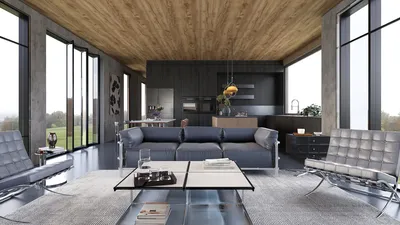
Over the past ten years, I have focused on the optimization of CT console rooms within hospitals and imaging facilities. The most effective designs prioritize human factors before technology. Miscommunication, operator fatigue, and glare-induced inaccuracies can severely impact patient care and operational efficiency. Studies, including those from WELL v2, support the idea that enhancements in task-oriented lighting and glare management directly improve visual clarity and reduce errors in work environments. Gensler’s workplace research consistently highlights that better environmental controls correlate with increased performance and satisfaction—leading to more efficient scans and fewer repeat procedures. Incorporating tools like Homestyler can streamline this process further.
Lighting and ergonomic considerations form the essential foundation for design. The Illuminating Engineering Society (IES) provides guidance on task lighting levels, recommending a range of 300–500 lux for office-related visual tasks, alongside lower ambient light levels and effective glare control to maintain monitor contrast. Fixed-height workstations often fall short, while adjustable sit-stand desks and display arms help alleviate musculoskeletal strain. Research from Steelcase illustrates that varying posture can enhance comfort and concentration—critical for technologists engaged in prolonged scanning tasks.
Core Spatial Principles
The design of CT console rooms must ensure a strong connection between the control console, the sightlines of the imaging suite, communication systems, and emergency protocols. Prioritizing a direct line of sight to the gantry room through lead glass, with monitors positioned perpendicular to the glazing, can help minimize reflections. Ensure there's ample clear floor space for quick movement during patient interactions, along with a two-person working area that avoids congestion. If you're experimenting with different configurations or analyzing door swings alongside monitor placements, utilizing a layout simulation tool like an interior layout planner can be instrumental before construction begins. Consider utilizing Homestyler for visualizing room arrangements.
Monitor Wall, Sightlines, and Reflections
Monitors serve as the primary tools at the console. Position the main diagnostic displays on a non-reflective wall at an ideal 90-degree angle to the viewing window. The viewing window should be sufficiently large to accommodate the gantry's bore and patient table movements. Avoid reflections by offsetting ceiling lights and employing deep, matte finishes around the window edges. Secondary worklist screens should be mounted at an angle to minimize head rotation. For ease of access and organization, plan a clean cable routing system and ensure quick-access power using hospital-grade uninterruptible power supplies (UPS). Incorporating design technologies like Homestyler can simplify planning this aspect.
Lighting Strategy: Layered and Tunable
Create a lighting strategy that combines three levels: low-glare ambient lighting—such as indirect fabrics or perimeter coves—task lighting (300–500 lux at work surfaces according to IES standards), and accent lighting for navigation. Adjust the color temperature between 3500K and 4100K to promote alertness without compromising screen contrast; ensure task lights are adjustable and equipped with glare-reducing optics. Blackout shades are critical for maintaining imaging accuracy, and offering scene presets (such as for scan preparation, monitoring, reporting, and cleaning) allows staff to adapt the environment fluidly, which can easily be planned with a tool like Homestyler.
Acoustic Comfort and Speech Intelligibility
CT console rooms are subject to constant low-frequency equipment noise interspersed with team communication sounds. Aim for an ambient NC/RC rating of 30–35, using a balanced sound absorption approach (ceiling tiles with NRC 0.75+, wall panels with NRC 0.7+ on about 20–30% of wall space). Position absorptive panels strategically to diminish flutter echo, particularly opposite the windows and behind operators. Ensure that intercom systems and patient communication are clear, prioritizing room clarity rather than silence. Installing door gaskets and lined return-air ducting can help manage HVAC noise.
Ergonomics: Workstations, Displays, and Reach Zones
I always design sit-stand workstations with rounded edges, anti-fatigue mats, and well-organized cable management systems. All equipment should be arranged within easy reach (between 400 and 500 mm from the workstation edge), reducing the need for shoulder extension. Phones and emergency communication devices should be within close proximity. Utilize adjustable arms for monitoring multiple displays so that the primary monitor tops align with eye level; center-to-eye distance should be around 500–700 mm to minimize eye fatigue. Ensure at least 1,200 mm of clearance behind operators for safe passage and emergency access, increasing to 1,500–1,800 mm for two operators working side by side.
Workflow and Safety Logic
Outline the entire lifecycle of scanning, from patient identification and protocol selection to contrast administration, scanning, and image quality checks. The console should feature protocol and emergency stop controls conveniently located for the primary operator's dominant hand. Clearly label medication verification and contrast communication tools, ensuring they are distinct from general administrative tasks. Additionally, install a quick-reference whiteboard or digital display featuring daily cases and contrast information within visible reach but out of glare's direct line.
Color Psychology and Visual Fatigue
While vibrant colors can invigorate, they may also lead to fatigue. For extended tasks, employing cool neutral shades with low reflectance (LRV 20–40) supports screen contrast. To alleviate visual strain, incorporate a small area of soothing biophilic colors—such as muted greens or soft blues—away from monitor walls. Research into color psychology suggests that blue and green hues foster a sense of calm and concentration, enhancing focus during lengthy monitoring activities.
Materials and Cleanability
Choose smooth, non-porous, healthcare-compliant materials for surfaces: high-pressure laminates with antimicrobial properties for countertops, durable sheet flooring with seamless edges, and cleanable low-sheen paints. Opt for matte metal trim finishes to avoid glare, and select ceiling tiles that both possess a high NRC rating and are easy to disinfect to comply with infection control standards. Installing corner guards and durable baseboards can protect against damage from equipment carts.
Technology Integration and Redundancy
Strategize the integration of power, data, and HVAC systems from the outset. Multiple dedicated circuits should be provided for workstations and clean power for displays, along with clearly labeled data drops featuring slack coils for servicing. Consider a compact rack or cabinet for network gear, ensuring airflow and noise insulation. Incorporate clear visual status indicators related to scanning operations near the entrance for quick reference. Employing fail-safe modes and UPS-equipped devices guarantees ongoing monitoring capabilities during brief outages.
Thermal Comfort and Air Quality
Operators function best in environments ranging from 21 to 23°C with minimal drafts; adjustable diffusers or displacement outlets can help regulate temperature without direct airflow disruptions. Ensure that the return air path of the console room is distinct from the CT equipment room to mitigate heat and noise interference. If facility standards allow, provide a conveniently adjustable control for localized airflow.
Transparency and Privacy Balance
While a clear view through the lead-glazed panel is important, maintaining privacy is also essential. Employ partial film patterns on the lower sections of the glass to reduce visual distractions and stray reflections while keeping the gantry and patient table visible. For out-of-hours settings or training sessions, switchable privacy films or roller shades can lessen distractions.
Planning Dimensions and Clearances
As a foundational guideline for a console designed for a single operator: a bench length of 1,800–2,400 mm, a depth of 800 mm, and a rear clearance of 1,200 mm. For dual-operator settings, increase lengths to 2,800–3,200 mm and rear clearances to 1,500–1,800 mm. Allow a minimum of 900 mm for circulation near doors and a turning diameter of 1,500 mm for accessibility. If the console door swings into a corridor, consider recessing the motion to keep pathways clear for emergency egress.
Commissioning and Human Testing
Prior to operational launch, dim the ambient lighting and assess screen reflections under various lighting conditions. Conduct a full patient simulation involving voice communications, emergency stop accessibility, and role transitions. Verify acoustic clarity at standard intercom settings. Collect feedback from the initial two weeks of operation to implement rapid adjustments—whether that involves tightening monitor arms, redirection of task lighting, or repositioning noisier equipment.
Change Management and Training
Even the most well-designed spaces may falter without proper adoption. Facilitate brief training sessions covering sit-stand best practices, scene lighting options, and cable management techniques. Develop a straightforward etiquette guide detailing light presets, appropriate voice levels, and cleaning procedures. When staff are informed on how to optimize their environment, both performance and morale tend to improve significantly.
Recommended Research To Ground Decisions
I frequently reference two main resources: the guidance from IES concerning task illumination and glare management in screen-dominant settings, and the WELL v2 guidelines that link lighting quality and ergonomics with visual comfort and performance. For overarching insights into workplace behavior and analytics regarding task efficacy, Gensler’s research library serves as a useful framework for aligning design initiatives with quantifiable results. For technical standards, see ies.org/standards and wellcertified.com; for behavioral studies, visit gensler.com/research.
FAQ
For optimal results, provide 300–500 lux of adjustable task lighting at the work surfaces, supplemented by lower ambient light levels and effective glare control to preserve screen contrast. Align with the IES recommendations for visual display terminal (VDT) environments.
Position primary monitors perpendicular to the glazing, apply matte finishes surrounding the window, offset ceiling fixtures to minimize reflections, and specify dimmable, shielded luminaires to enhance illumination quality.
Design a bench length of 2,800–3,200 mm, a depth of 800 mm, and a rear clearance of 1,500–1,800 mm to accommodate quick access and effective response during patient occurrences.
Consider leveraging height-adjustable sit-stand desks, adjustable monitor arms, lumbar-support chairs that can be customized, and anti-fatigue mats. Varying posture is vital for maintaining attention over extended periods.
Target an NC/RC rating of 30–35 using high-NRC ceiling tiles and selectively positioned wall panels on 20–30% of the surface area to manage reverberation while ensuring clear speech for team communication.
Utilize cool neutral tones with low reflectance (LRV 20–40) near screens to safeguard contrast, complemented by soft desaturated greens or blues elsewhere to encourage calmness and diminish visual fatigue.
Position items within reach on the dominant side of the primary operator; maintain clear sightlines to the patient while keeping the vicinity organized and distinctly labeled, separated from administrative materials.
Incorporate under-bench trays, grommets, and clearly labeled slack coils. Establish a compact network cabinet with managed airflow and UPS capabilities, while ensuring quick-release access panels for maintenance tasks.
Maintain ideal temperatures between 21–23°C with minimal drafts. Avoid direct airflow on the neck/shoulders, keep return pathways separate from equipment rooms, and allow localized airflow adjustments where feasible.
Prototype different configurations and sightlines using a room design visualization tool or interior layout planner, then validate with physical mock-ups. Additionally, tools like Homestyler can assist in efficient planning.

Homestyler is your go-to online home design platform, perfect for anyone looking to create their dream space. With a user-friendly design tool, stunning 3D renderings, and a treasure trove of DIY video tutorials, transforming your home has never been easier or more inspiring!