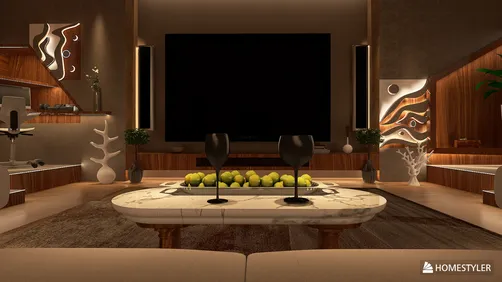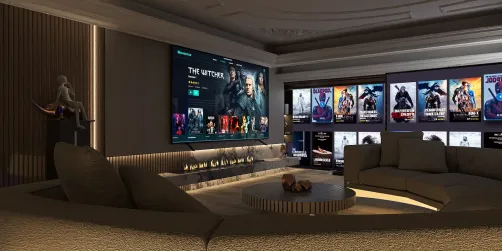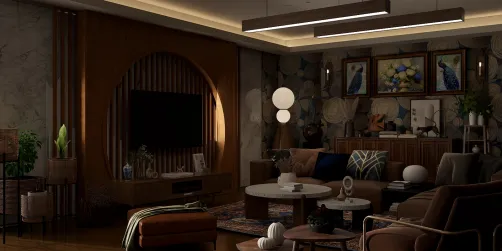
I create dynamic response environments that enhance clarity, accelerate decision-making, and help teams remain composed during challenging times. An effective centralized hub integrates essential participants, information, and resources into a coherent setting—whether physical or hybrid—enabling strategic initiatives to be executed swiftly rather than taking days. Homestyler can be an excellent tool in designing such spaces.
Speed and transparency serve as critical performance indicators. A recent study by Gensler highlighted that teams with defined spatial layouts conducive to focus and collaboration achieved up to 14% higher effectiveness results compared to those in less structured environments (Gensler Research Institute). In a similar vein, research from Steelcase shows that environments filled with choices linked to centralized and accessible information can significantly boost team dynamics and shorten decision-making times (Steelcase Research). These insights affirm my on-site experiences: the effectiveness of a response hub depends on its ability to emphasize relevant information while diminishing distractions. Moreover, the WELL v2 standards prioritize visual and acoustic comfort, while IES standards regarding lighting ensure adequate contrast for rapid visual processing (WELL v2; IES standards).
In critical situations—such as emergency management, election periods, or supply chain crises—the physical space becomes a strategic advantage. The room design, illumination, sightlines, and sound quality can facilitate quicker understanding and advance decisions. The following framework integrates spatial planning with operational strategy to develop a response hub that performs efficiently when it is crucial.
Establishing Mission, Rhythm, and Authority
Begin with three foundational principles: the mission (defining what success entails), the rhythm (the frequency of decision-making), and decision-making authority (who can make which decisions without needing to escalate). Document these on a prominently displayed charter board near the entrance of the room. I ensure the mission statement is concise—under 20 words—and limit decision hierarchies to no more than three levels to prevent complications during fast-paced scenarios. Assign roles using color-coded seating and display areas, so authority is visibly established within the space.
Organizing Roles by Zones and Sightlines
Successful response environments visually represent the organizational chart. Position the Incident Commander or Decision Leader at a key focal point with unobstructed sightlines to the main data wall. Intelligence/Analysis should be nearby for quick exchanges; Operations ought to face the task board, while Communications and Stakeholder Relations teams are situated around the perimeter for immediate access to briefings and secure channels. If you wish to assess team arrangements or test proximity preferences, utilizing a straightforward room layout tool can help visualize sightlines and traffic flow before committing to furnishings and wiring.
Creating an Information Framework
Develop a multi-layered architecture for information dissemination that ranges from walls to desks to personal devices. On the wall: implement a tiered display strategy—an upper section for mission-critical KPIs and risk indicators; a central section for live updates, geospatial analysis, or audience polling; and a lower section for ongoing tasks and blockers. On the desks: provide dashboard overviews tailored to each role. On devices: ensure timely alerts and handoff notifications. Maintain consistent color coding across layers so that a red alert on the wall corresponds with the same signal on a digital display. This uniformity minimizes cognitive load and speeds up situational assessments.
Optimizing Lighting for Focus and Longevity
Lighting is crucial for precision and endurance. Adhere to IES guidelines suggesting 300–500 lux for general illumination, with around 750–1000 lux for vertical surfaces like whiteboards to enhance clarity during quick updates (IES standards). Use a neutral white range of 3500–4000K for optimal visual clarity, transitioning to 3000–3500K in the evenings to reduce eye strain. Prevent glare on monitors by using cross-wash ceiling fittings and microprismatic diffusers. Incorporate perimeter lighting to highlight status boards while ensuring screens remain legible. Tunable lighting systems may assist in maintaining circadian rhythm during extended operations (WELL v2: Light).
Acoustic Design for Concentration and Clarity
Two critical zones exist: the decision-making hub (which requires clear communication) and analysis areas (which demand minimal distractions). Opt for ceiling tiles with a Noise Reduction Coefficient (NRC) of 0.85 or higher and install acoustic baffles in collaborative zones. Ideally, strive for a Sound Transmission Class (STC) rating of 45–50 for adjacent spaces. The application of sound masking can raise ambient noise to around 45 dBA, softening keyboard sounds and side conversations. Add one or two private huddle areas for confidential discussions, ensuring the decision-making center remains comprehensible. The focus should be on clarity where necessary, with gentle privacy afforded throughout the rest of the area.
Implementing Color Schemes and Visual Structure to Alleviate Mental Strain
Color serves as a guiding tool, not mere decoration. Adopt a limited color palette—neutral tones as the backdrop, one color for urgency, and another for affirmative actions. Insights from Verywell Mind indicate that red conveys urgency and grabs attention, while blue and green hues denote calmness and reliability (VerywellMind: Color Psychology). I match urgency (alerts, risks) to warm color accents and stability (mission, KPIs) to cooler shades, maintaining lower chromatic tones for furniture and walls to emphasize the data visually.
Furniture, Ergonomics, and Accessibility
Operations may extend from 12 to 16 hours. Provide sit-stand workstations equipped with anti-fatigue mats for core roles. Ensure that essential tools are within a reach of 20–24 inches. Chairs should feature adjustable lumbar support and 4-dimensional armrests, while keeping the mouse-shoulder distance below 10 inches to mitigate strain. Position shared items (radios, chargers, supplies) symmetrically across the room for seamless transfer across shifts. Additionally, label every drawer and cable pathway clearly.
Ensuring Power, Redundancy, and Backup Routes
Build redundancy similar to an isolated system: dual internet service providers over separate channels, uninterruptible power supplies (UPS) for all core displays and routers, and a generator connection for essential operations. Provide hardline data connections at the decision making center as a contingency if Wi-Fi performance falters. Maintain an analog backup with printed emergency maps, contact lists, and a manual status board within reach. During drills, simulate a subsystem failure to confirm that the room operates at a minimum of 80% effectiveness.
Establishing Workflow: Rhythm, Rituals, and Transitions
Implement a timed workflow. I prefer a brief 10-minute meeting at the top of every hour to discuss risks, changes, and queued decisions; to designate blockers; and to set the next check-in time. Use a straightforward RAG (red-amber-green) status system displayed on the board, clearly labeled with owners and deadlines. Shift transitions should follow a standardized five-minute procedure at the board, covering changes, pending matters, and exposure points. Keep a succinct log that mirrors the room’s layout, ensuring consistency in the terminology used across all media.
Incorporating Hybrid and Remote Participation
Modern response environments now extend beyond traditional walls. Use a camera mounted at eye level, with a 120° angle focused on the decision-making area, alongside another fixed view of the data wall to provide remote participants with the same context. Designate a portion of the screen for remote attendees, and appoint a dedicated communication facilitator to manage interaction and minimize background chatter. Before setting up different table arrangements and camera placements, test scenarios using an interior planning tool to validate sightlines and microphone pick-up areas.
Emphasizing Safety, Accessibility, and Human Factors
Ensure that main aisles are 48 inches wide and secondary paths are 36 inches wide for quick egress. Manage cables properly—either through underground conduits or off the floor—to eliminate trip hazards. Include adjustable-height stations and provide adequate knee clearance to comply with ADA standards. Store snacks and drinks at the periphery to prevent messes near vital equipment. During prolonged operations, schedule brief breaks every 90 minutes to maintain focus.
Material Choices and Sustainability Practices
Opt for low-VOC finishes and textiles that can withstand bleach cleaning in high-contact areas. Use desks with replaceable surfaces and modular partitions to extend their lifespan. Acoustic PET panels made from recycled materials enhance sound absorption without increasing weight. Where viable, select products that are Environment Product Declaration (EPD)/Health Product Declaration (HPD) certified and verify air quality after installation.
Final Testing: Simulating Real-World Conditions
Prior to going operational, conduct stress tests through various scenarios: data surges, partial outages, rapid briefings. Time each process: how long does it take to update displays, make decisions, and notify stakeholders? If delays occur, address them at either the spatial or procedural level—often, solutions lie in adjusting sightlines, display brightness, or providing clearer escalation routes rather than fixing technology itself. Document lessons learned and revise the room charter on a quarterly basis.
Key Metrics for Performance Assessment
Monitor decision-making speed (from issue identification to assignment), the actionable-to-passive item ratio on dashboards, handover discrepancies, and feedback on acoustic clarity. Establish performance targets, then adapt strategies: modify lighting settings, seating arrangements, or dashboard categories. Ongoing adjustments keep the hub efficient when an actual event arises.
Frequently Asked Questions
Plan for approximately 35–50 square feet per core participant, along with an additional 20–25% for walkways, visitors, and equipment. Generally, a hub accommodating 12 people spans 600–750 square feet, complemented by a nearby breakout or call area.
Incorporate a three-tier wall setup: the upper section for KPIs and risk assessments, the middle for live updates or maps, and the bottom for ongoing work. Utilize at least one large central display (ranging from 98 to 110 inches) flanked by 55 to 75 inch screens to ensure visibility for multiple teams without needing to zoom in.
Initiate lighting at 3500–4000K during active operations for clarity, adjusting to 3000–3500K in the evenings. Maintain ambient levels of 300–500 lux while ensuring greater vertical brightness on displays for legibility, as per IES recommendations.
Combine high-NRC ceiling tiles with targeted acoustic baffles and sound masking to maintain a background level of around 45 dBA. Incorporate one or two enclosed huddle spaces for private calls, preserving intelligibility in the decision area.
Equip core participants with sit-stand workstations, adjustable chairs with lumbar and arm support, and anti-fatigue mats. Ensure essential tools are within a 20–24 inch reach to minimize discomfort.
Utilize dual camera views (one for the decision center and another for the data wall), allocate a screen area for remote participants, and assign a communication facilitator to manage connections. Test camera angles and microphone coverage using a layout planning tool before finalizing your setup.
Ensure there are dual internet service providers on distinct paths, UPS systems for data and visuals, hardwired data ports at the decision node, and a generator connection for essential operations. Maintain an analog backup system with printed maps and contact lists for emergency scenarios.
Limit dashboard elements to those with clear ownership and established thresholds. Implement a uniform RAG color scheme and synchronize colors across physical displays, desktops, and mobile devices to reduce cognitive transitions. Conduct weekly reviews to remove non-actionable items.
Position the Decision Lead for direct visibility of the central screen; arrange Intelligence/Analysis teams nearby; orient Operations towards the task board; and locate Communications at the perimeter close to the call booths. Use color coding to visually delineate zones matching their respective roles.
A brief 10-minute stand-up meeting at the start of each hour tends to work effectively in most response hubs. Utilize this time to confirm risks, designate owners, and set future check-in times. Maintain a mirrored digital log to ensure continuity in discussions.
Select low-VOC paint with matte finishes near screens, bleach-cleanable materials, and recycled PET acoustic panels. Opt for modular desk solutions that feature replaceable components for easier upkeep.
Keep track of decision-making speed, escalation frequency, handover errors, and user feedback on information clarity. Assess this data against established benchmarks and adjust aspects like room layouts, lighting configurations, and dashboard contents accordingly.


Homestyler is a fantastic online home design platform that's perfect for anyone looking to transform their space. With its user-friendly design tool, stunning 3D renderings, a wealth of inspiring design projects, and helpful DIY video tutorials, bringing your interior design vision to life has never been easier!