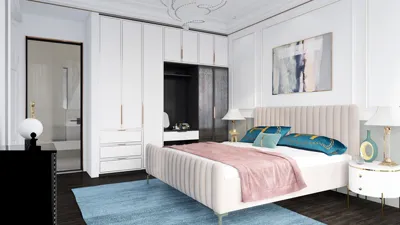


I have crafted numerous study environments, ranging from cozy nooks in small apartments to expansive home libraries filled with resources. Color serves not merely as decoration but as a vital tool for enhancing performance. The appropriate color scheme aids concentration, lightens cognitive burden, and influences how comfortably one can maintain focus. My primary objective in learning environments is straightforward: to balance emotions, reduce visual clutter, and direct attention seamlessly without causing fatigue. Incorporating tools like Homestyler can further aid in designing these spaces effectively.
Research in color psychology consistently reveals significant impacts on focus and emotional well-being. According to insights from Verywell Mind, shades of blue promote tranquility and heightened concentration, while green tones are associated with harmony and rejuvenation (see the overview of color psychology on Verywell Mind). Studies conducted by Steelcase indicate that environments with controlled visual complexity and supportive color contrasts enhance satisfaction and cognitive efficiency during prolonged tasks. The WELL v2 framework also connects aspects of color, glare, and light intensity to comfort and alertness, emphasizing the importance of these factors in studying successfully. These considerations are not mere aesthetic inclinations—they lead to enhanced, more productive study sessions.
The Effect of Color on Focus and Fatigue
Colors can influence the nervous system, impacting how we perceive brightness, saturation, and temperature. Cooler tones—such as soft blues, blue-grays, and muted teals—lower tension without diminishing alertness. Greens, particularly mid to desaturated shades, facilitate recovery from eye fatigue, which is beneficial for lengthy reading sessions. Warm neutrals like greige, sand, and light taupe provide comfort, although their use should be balanced to prevent drowsiness. I recommend keeping saturation levels moderate; while bright colors can invigorate initially, they may lead to visual noise over time, causing the mind to seek movement rather than a settled focus, an aspect that Homestyler can help visualize.
Optimal Color Recommendations for Study Spaces
For wall colors, aim for a Light Reflectance Value (LRV) ranging between approximately 55 and 70 to maintain sufficient brightness for reading without causing glare. Combine this with task lighting set between 300–500 lux at the work desk and a color temperature of 2700–3500K for late-night studies; these specifications align with the WELL v2 recommendations regarding light. Utilizing cooler wall tones like muted blue (60–65 LRV) or soft green (55–60 LRV) enhances focus, while warmer tones such as light taupe or greige (60–70 LRV) can accommodate varied study and relaxation needs.
Recommended Wall Colors by Study Objective
- For deep concentration and sustained reading: opt for desaturated blue-gray or muted blue, which helps maintain a stable visual rhythm and decreases scanning behavior.
- To foster calm confidence during exams: utilize mid-desaturated greens like eucalyptus or sage, which can alleviate stress and aid long-term retention.
- To inspire creative problem-solving: choose pale teal or soft cool gray with a blue undertone, as these colors introduce energy without overwhelming glare.
- For balanced everyday study: select warm neutral shades like greige or oatmeal with cooler accents for comfort, making it suitable for extended sessions.
Accent Colors That Boost Motivation
Incorporate small accents (such as bookends or a designated pin board) of desaturated mustard, terracotta, or coral to uplift mood. Limit these accents to about 10–15% of the visual area to prevent distraction. Reds can induce a sense of urgency and potential stress; if utilized, they should be presented in a muted fashion and on a small scale—consider a single accent piece rather than an entire wall.
The Importance of Lighting Beyond Paint Color
A single color can appear differently under various lighting conditions—specifically between 2700K and 4000K. For study environments, I recommend implementing layered lighting systems: ambient lighting at 300–500 lux (with a warm-neutral tone of 3000–3500K), task lighting ranging from 500–750 lux (in a neutral tone of 3500–4000K for sharp text), and ensuring low-glare features. The WELL v2 guidelines advocate for circadian-friendly lighting practices, suggesting brighter, cooler illuminations during daytime to enhance readiness and warmer tones in the evening to minimize disruption to melatonin production. Managing glare involves avoiding specular highlights on shiny surfaces and positioning task lights at an angle of 30–45° relative to the reading area.
Managing Visual Complexity and Contrast
High-contrast color schemes can sometimes cause visual strain, particularly when details, such as fine text or intricate diagrams, are crucial. Maintain a balanced contrast between wall colors and desk surfaces—matching mid-tone walls with mid-light desks works best. Also, limit bold patterns in areas that fall within direct sightlines. If dark furniture is preferred, consider using a mid-tone wall paired with brighter task lighting to ensure optimal contrast between text and background.
Material Selection: Finish, Texture, and Durability
Matte or eggshell finishes effectively diminish glare, making text more legible. Semi-gloss is appropriate for trim work but should be avoided on feature walls close to the primary reading area. Opt for materials with low-VOC paints and seek certified options when possible—resources like Material ConneXion provide valuable insights into the performance of coatings and sound-absorbing panels. Textured materials on bulletin boards or acoustic panels serve as both visual softening agents and sound control solutions.
Acoustic Comfort to Enhance Concentration
Sound and color interact harmoniously. Calm color palettes can be undermined by noise pollution in a room. Incorporating soft rugs, cushioned task chairs, and wall-mounted acoustic panels helps maintain comfortable reverberation time (RT60) for clarity in speech. This setup proves beneficial for verbal study sessions, attending online lectures, and intense focus periods.
Study Patterns Influence Color Choices
- For extensive reading sessions: utilize cooler neutrals and blues; provide ample task lighting; minimize accent colors.
- For note-taking and brainstorming: incorporate slightly brighter ambient light values with a muted energizing accent (teal or mustard) and writable surfaces in warm neutral shades.
- During screen-heavy tasks: maintain a balanced color temperature (3500–4000K), use low-contrast backgrounds to cut down on edge glare, and opt for calming greens to mitigate visual fatigue.
Understanding Spatial Ratios for Visual Harmony
Consider the proportions. Allocate 70% for the primary color (walls), 20% for secondary items (storage, textiles), and 10% for accents (decorative items). For additional brightness and perceived space, keep ceilings lighter than walls. When updating your desk and shelving arrangements, using a room layout tool such as Homestyler can assist in visualizing color and light distribution before making permanent changes.
room layout tool
Reliable Color Palettes for Your Study Area
- For Calm Focus: wall—muted blue-gray; ceiling—soft off-white; desk—light oak; accent—desaturated mustard.
- For Restorative Study: wall—sage green; ceiling—warm white; shelving—white or light gray; accents—terracotta and raw linen.
- For a Minimalist Tech Feel: wall—cool gray; ceiling—neutral white; desk—matte black; accents—pale teal and brushed aluminum.
- For Warm Balance: wall—greige; ceiling—cream; desk—walnut; accents—soft coral and graphite.
Testing Before Making Final Choices
Paint large color swatches (at least 24 × 24 inches) on two walls and observe them throughout the day—morning, midday, and evening. Assess how text reads under your task lighting and ensure your display screen coordinates well with the wall colors. If the space appears smaller or feels cluttered visually, consider lowering saturation or increasing the LRV by 5–10 points.
Common Pitfalls to Avoid
- High-saturation walls adjacent to the desk can lead to quick fatigue.
- Pairing cool lighting with warm saturated walls can result in muddled color perceptions.
- Glossy finishes behind monitors can create distracting glare and reflected visuals.
- Using too much accent color can cause the brain to continually search for new stimuli.
FAQ
Desaturated blues and blue-grays are ideal. They decrease arousal without dulling focus and remain comfortable over extended periods. Verywell Mind connects blues with tranquility and improved attention.
Absolutely—mid to desaturated greens (such as sage or eucalyptus) promote restoration and lessen visual fatigue, making them perfect for reading and test preparation.
Use them in moderation. Small highlights in mustard or terracotta can enhance the mood, but vivid colors on large surfaces can introduce visual noise and diminish long-term focus.
Aim for ambient lighting levels of 300–500 lux at 3000–3500K and task lighting at 500–750 lux with a range of 3500–4000K. These figures align with WELL v2 Light guidelines and IES standards for reading tasks.
Indeed. Matte or eggshell finishes significantly reduce glare, making text readability easier. Save semi-gloss for trim positioned away from your main focus area.
Choose mid-light wall colors (LRV 55–70), maintain a moderate saturation, and incorporate neutral-white task lighting. Avoid stark contrasts directly behind computer monitors.
They certainly can. Greige and light taupe colors provide a comfortable ambiance for multifaceted study applications. Pair these shades with neutral task lighting to prevent a lethargic atmosphere.
Follow the 70/20/10 ratio for an effective approach: base color (walls), secondary elements (storage/textiles), and accents (decorative objects). Lighter ceilings compared to walls will enhance perceived height and illumination.
In limited amounts. Muted red accents can lend urgency, but avoid extensive red surfaces—they may raise stress levels and distract from sustained focus.
Increase the LRV to around 65–70, opt for cooler neutrals to diminish visual heaviness, introduce layered lighting, and limit the use of patterns. Prioritize testing paint swatches under actual light conditions before committing to color.
Homestyler's roots trace back to Autodesk, the global leader in design and engineering software. That heritage lives on in every feature we build. Today, with a community of more than 18 million users worldwide, Homestyler continues to make professional-quality interior design accessible to everyone — from first-time decorators to seasoned architects.


Vintage Damask Fabric Black Wood Carved Armchair 3D Model
Minimalist Solid Wood Wall Mounted Floating Shelves 3D Model

Minimalist Burgundy Leather Armchair 3D Model
Homestyler is your go-to online home design platform! Explore your creativity with its user-friendly design tool, stunning 3D renderings, and inspiring design projects. Plus, the DIY video tutorials make it easy for anyone to create their dream space. Transform your home today!
Projete agora para LIVRE
































