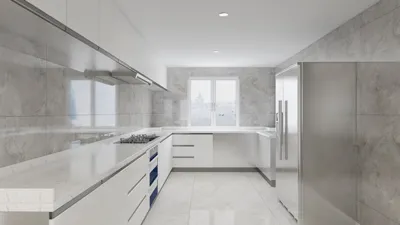


I have a strong appreciation for compact home theaters, as spatial constraints can enhance decision-making. When your area is limited, every single inch must contribute to visual clarity, sound quality, and comfort. An ideal small cinema generally measures between 10–13 feet in width and 12–18 feet in depth, with ceiling heights around 8–9 feet; this arrangement effectively accommodates one or two rows of seating, ensures controlled acoustics, and facilitates optimal projection distances without feeling overcrowded.
The planning process should begin with human-centric factors. According to WELL v2 standards, ambient lighting levels should be maintained at approximately 100–300 lux for safe circulation, with task lighting possibly increasing to 300–500 lux; for theater settings, aiming for the lower end while ensuring glare control and dimmability is essential to maintain contrast. For seating, ergonomics suggest that eye levels should be positioned around 40–45 inches above the ground when seated, with the ideal viewing angle between 30–40° horizontally. These parameters not only help in minimizing neck strain but also ensure an immersive experience. For comprehensive guidelines on healthy lighting in confined spaces, WELL v2 offers a detailed framework under its Light concept. Studies by Gensler regarding workplace environments indicate that well-lit and acoustically manageable spaces correlate with heightened perceived productivity, paralleling the desired distraction-free atmosphere in a home theater.
The dimensions of your screen and throw ratio dictate the depth of the room. A popular 100–120 inch diagonal screen (16:9 aspect ratio) performs excellently in small home theaters. With a viewing distance of 1.2–1.4 times the width of the screen, a 120-inch screen (which is 105 inches wide) would require about 10.5–12.5 feet from the primary seating; hence a room depth of 14–16 feet is optimal to allow for comfortable movement. Projector throw ratios between 1.3 and 1.6 times the screen width mean the projector should be placed 11–14 feet from the screen; short-throw projectors can minimize this distance but mind potential fan noise in proximity to seating areas. For seating width, allocate 24–28 inches per individual and include an additional 6–8 inches of clearance on the aisles.
Effective Room Dimensions
For a single-row seating arrangement, dimensions of 11×14 feet can accommodate a screen size of 100–110 inches, one row of 3–4 seats, and subwoofers positioned along the front wall. Designs incorporating two rows typically begin at dimensions of 12×18 feet, featuring a slight riser (6–8 inches high) for the rear seating. It's advisable to keep the ceiling height around 8.5–9 feet to ensure that overhead Atmos speakers are correctly situated at a 45–55° angle to the listeners’ ear height, aiding sound localization.
Seating Arrangement and Visual Considerations
My first priority is sightlines: ensure that each seat is given an unobstructed view of the screen without any portion being cut off. Position the primary row so that the vertical viewing angle remains within 15° above eye level. It is wise to avoid center seats positioned directly beneath ceiling speakers to reduce sound localization issues. Employing a room layout tool can facilitate the testing of riser heights, screen positioning, and traffic pathways for optimal setup.
Acoustic Solutions for Small Spaces
Compact rooms can lead to modal buildup. Start by creating a balanced live-end/dead-end arrangement: absorb early reflections in the front half and allow for gentle diffusion in the rear. Incorporating bass traps in corners (trihedral structures are preferred) can significantly mitigate 40–80 Hz modes typical of dimensions ranging from 12 to 16 feet. Position left and right speakers so that the tweeters align at ear level while forming an equilateral triangle with the primary listening position; slight toe-in should direct sound to this focal point. Avoid placing subwoofers directly in the middle of wall spans to prevent reinforcing specific frequencies. In rooms with two rows, make sure to prioritize the sound response for the front row and utilize electronic EQ to enhance the back row.
Speaker Positioning and Dolby Atmos Configuration
For a 5.1 setup: place front left/right speakers at angles of ±22–30°, the center speaker should be at ear height, and surround speakers should be positioned at ±90–110°, approximately 1–2 feet above ear level. For a 7.1 setup: include rear speakers at angles of ±135–150°. Atmos configurations (5.1.2 or 5.1.4) would typically require overhead speakers to be located at a 45–55° angle above the listening area; in instances with 8–9 feet ceilings, this generally translates to mounting them 2.5–3 feet forward and behind the main seating line. Always ensure symmetrical distances for sound timing, as compact spaces benefit from precise adjustments in delay and boundary gain.
Screen Characteristics, Projection, and Visual Quality
In rooms where lighting can be controlled, matte white screens (gain 1.0–1.3) work effectively by distributing brightness evenly across the seating area. Should you desire to maintain some ambient light for social gatherings, ambient light rejecting (ALR) screens paired with short-throw projectors are an excellent choice. Ensure that the projector’s setup avoids hotspots and the extremes of lens shift. Aim to calibrate brightness to approximately 16 foot-lamberts for SDR content, while HDR necessitates a higher output, suggesting the use of high-lumen projectors or slight reduction in screen size for enhanced brightness.
Lighting Considerations: Brightness, Color Temperature, and Glare Management
Implementing a layered lighting approach keeps the space adaptable. Use ambient lighting around 100–200 lux at seating, step lights at around 30–50 lux, and task or accent lighting ranging from 150–300 lux during activities like cleaning or cueing. Opt for warm LEDs, with a color temperature of 2700–3000K, to maintain natural skin tones and create a cinematic experience; consider integrating dim-to-warm fixtures under risers and behind screen walls to create a soft glow. Adhere to the glare control strategies outlined by the IES: shield light sources, avoid direct visibility of emitters, and utilize matte finishes to limit reflections on the screen.
For authoritative information concerning illumination standards and glare management, the Illuminating Engineering Society (IES) provides reliable recommendations under IES guidelines. Furthermore, WELL v2’s recommendations on circadian-friendly lighting schedules can assist in creating scene presets that adjust color temperature before and after viewing sessions.
Color Influence and Material Selection
The impact of color on perception should not be overlooked. Utilizing deep neutral shades (such as charcoal, espresso, or aubergine) can diminish visual distractions and heighten perceived contrast. Research from Verywell Mind indicates that cool colors enhance focus, while warmer colors promote comfort—consider employing a cool-neutral palette complemented by warm accents around seating to balance immersion and coziness. Material choices are significant: opt for low-VOC paints, acoustic polyester felt, and heavy curtains to help soften sound reflections. It’s best to avoid glossy surfaces close to the screen; use satin or matte finishes to protect against loss of black levels.
Ergonomics and Comfort in Seating
Aim for seat depth ranging from 20–22 inches, lumbar support positioned near the L3–L5 spine area, and armrests that allow for comfortable shoulder positioning. Keep center-to-center spacing at 24–28 inches to respect personal space. If recliners are utilized, ensure there’s 18–24 inches of clearance behind and 24–30 inches in front when they are extended. Cupholders and tablet arms should be situated below the sightline to prevent obstruction.
HVAC, Noise, and Vibration Management
Having a quiet HVAC system is crucial. Aim for an NC rating between 25 to 30 in smaller theaters; utilize oversized supply diffusers that maintain low face velocity and position returns away from the main listening area. Implement door seals, threshold sweeps, and staggered stud walls or resilient channels to minimize sound transmission. Mount projectors on isolation platforms to counter structural vibration, and decouple subwoofers from the risers using rubber pads.
Organizing Cables and Equipment Storage
Strategically plan conduit pathways leading to the projector and each speaker location, ensuring service loops are accessible. Ideally, position the equipment rack outside the theater; if that's not feasible, opt for rear-ventilation cabinetry equipped with whisper fans to avert heat accumulation. Clearly label channels and provide at least two extra HDMI/fiber pathways for future enhancements. Ensure that power is sourced from dedicated circuits supplemented with surge protection.
Cost-Effective Improvements
In compact spaces, prioritizing the room’s acoustic treatment, lighting control, and seating comfort will yield greater benefits compared to merely pursuing marginal upgrades for projectors. Fine-tune audio setups with REW and a measurement microphone, calibrate video using test patterns, and consider adding motorized shades only if ambient light control is particularly challenging. Ultimately, the last touches should emphasize comfort—considering soft throws, dimmable wall washers, and discreet step lights to give the room a polished ambiance.
Example Configurations
Configuration A (Single Row, 11×14 ft): accommodates a 110-inch screen, with three seats positioned 10–11.5 feet away, L/R speakers at ±25°, and surrounds at ±100°, with a subwoofer in the front-right corner. Configuration B (Two Rows, 12×18 ft): includes a 120-inch screen, with the front row seated 11–12.5 feet away and the rear row elevated on an 8-inch riser set back at 16–17 feet, arranged with a 5.1.4 Atmos setup and height speakers positioned at 45°. Use an interior layout planner to optimize riser heights, aisle widths, and projector throw distances in relation to the screen size.
Frequently Asked Questions
For a dedicated single-row arrangement, an 11×14 ft space is optimal. For a two-row setup, beginning with dimensions of 12×18 ft maintains critical sightlines, necessary clearance, and acoustic balance.
Using a viewing distance of 1.2–1.4 times the screen width, position seating approximately 10.5–12.5 feet from a 120-inch (which measures 105 inches wide) screen. This approach keeps horizontal viewing angles within the desirable range of 30–40°.
Absolutely. Address the first reflection points on side walls and the ceiling, add bass traps in corners, and incorporate rear diffusion to avoid sound deadness; small spaces often amplify room modes.
Maintain ambient light levels around 100–200 lux using fixtures that are dimmable and glare-controlled. Opt for 2700–3000K LED lights for a warm ambiance and avoid placing direct light on the screen; consult IES glare control guidelines.
Yes, it’s possible. Position height speakers at an elevation of roughly 45–55° from the listening level. With ceilings of 8–9 feet, careful spacing and precise timing adjustments prove essential.
These screens can be effective in managing tight spaces, especially when paired with ALR technology if ambient light is a factor. Just be cautious of the potential for fan noise near seating, and strive for consistent brightness across the display.
Plan for 24–28 inches of space between centers of each seat, plus clear pathways. For recliners, ensure a minimum of 18–24 inches behind and 24–30 inches in front during full extension.
Aim for an NC rating between 25 and 30, utilizing oversized diffusers, low face velocities, lined ducts, and properly sealed doors. Ensure returns are located away from the main listening area.
Begin with addressing acoustics, light-blocking materials, and seating design. An acoustically optimized small room will usually outperform a high-end projector placed in a noisy, reflective environment.
Yes, it is usually feasible. A 6–8 inch riser can maintain sightlines above the front row while ensuring headroom remains comfortable beneath 8–9 foot ceilings.
Choose matte or satin finishes to limit reflections; opting for deep neutral colors can increase perceived contrast and minimize distractions visually.


Transform your home with Homestyler, the ultimate online design platform! Experience its user-friendly design tool, stunning 3D renderings, and a wealth of interior decoration projects. Plus, learn with engaging DIY video tutorials. Start your home design journey today, no experience needed!
Projete agora para LIVRE
































