


Direct Answer
For everyday 3D printing, STL remains the most commonly accepted file format but has significant limitations. OBJ files include support for colors and textures, making them suitable for full-color prints. The 3MF format is generally considered the best modern choice, as it consolidates geometry, color, scale, and printing metadata into a single file.
Quick Takeaways
Introduction
Choosing the correct file format when preparing a 3D model for printing is often overlooked. The debate between STL, OBJ, and 3MF arises because each format stores model data differently, impacting print accuracy, color capabilities, and file size.
After handling numerous printable models across many printers and slicers, I've observed that print issues frequently originate prior to slicing. Often, the root cause is exporting models using an unsuitable format.
For instance, exporting a colored model as STL strips all texture data immediately. Incorrectly exporting complex assemblies can cause parts to merge unintentionally or scale to change. Recognizing the distinctions among STL, OBJ, and 3MF is essential before finalizing a print-ready model.
If you are still in the design phase before exporting, reviewing a detailed step-by-step workflow for constructing precise 3D layouts can be invaluable. Clean, well-prepared geometry significantly reduces format-related issues down the line.
This guide explores what each format stores, optimal use cases, and how selecting the wrong format can subtly generate printing errors.
save pin
Why File Formats Matter in 3D Printing
Key Insight: The type of file format dictates which information is preserved during export, and missing data can trigger print failures even before slicing begins.
Many newcomers mistakenly believe all 3D files are interchangeable. However, file formats act as containers that determine which data—geometry, color, scale, units, and material settings—are retained after export.
Typical format-related challenges in printing workflows include:
STL, developed in the 1980s for early stereolithography printers, describes only surface geometry through triangles. Given the complexity of current workflows, modern formats like 3MF were created to address these limitations.
Nowadays, STL is commonly treated as a legacy compatibility format rather than a comprehensive solution.
Overview of STL, OBJ, and 3MF Formats
Key Insight: STL is geometry-centric, OBJ introduces visual elements like color, and 3MF integrates all necessary data for contemporary 3D printing.
Each file format was developed during different technological periods, which explains their varying capabilities.
Microsoft, along with partners like Autodesk, HP, and Ultimaker, developed the 3MF format to resolve common issues arising from STL's constraints.
In practice, OBJ tends to be favored for visual models and scans, whereas STL and 3MF are preferred for producing printable manufacturing geometry.
save pin
Key Differences in Geometry, Color, and Metadata Support
Key Insight: The main practical difference between STL, OBJ, and 3MF concerns how much printing-related information each stores.
The comparison below highlights how each format manages essential printing data.
Because of these advantages, many advanced printers and slicers are transitioning towards 3MF, which avoids OBJ's often complicated multi-file workflows.
Compatibility With Major Slicing Software
Key Insight: While STL remains nearly universally supported, most current slicers now fully accommodate 3MF files.
Compatibility has kept STL popular, as almost every slicing program can open it.
Current trends indicate:
An emerging trend is slicers saving entire projects as 3MF files, storing model data, supports, orientation, and settings in one file. This streamlines project reopening without rebuilding scenes.
Using an organized 3D modeling workflow, such as guided layout planning with precise geometry before export, helps minimize compatibility issues.
save pin
When to Choose Each Format for Printing
Key Insight: Selecting the optimal format depends on whether your project emphasizes broad compatibility, color fidelity, or advanced print metadata.
From extensive experience with production models, I generally adhere to these guidelines.
Professional workflows often export two versions:
This approach balances compatibility with retaining richer project information.
Common Conversion Issues Between Formats
Key Insight: Most conversion problems among STL, OBJ, and 3MF occur because information is lost during export or import routines.
Frequently encountered issues include:
Before exporting, always confirm this checklist:
Another commonly missed step is early validation of model structure. Employing a thorough modeling approach, like constructing clean layouts and maintaining object hierarchies before generating printable meshes, prevents export complications.
Answer Box
STL remains the most widely compatible 3D printing format, but 3MF is typically the superior modern option, as it stores geometry, materials, scale, and metadata in a single file. OBJ is most valuable for models requiring preservation of color or textures.
Final Summary
FAQ
Is STL still the top choice for 3D printing?
STL retains its place as the most universally supported format but lacks color, scale, and metadata. Many modern printing setups now prefer 3MF for its reliability and completeness.
What differentiates STL, OBJ, and 3MF?
The difference lies in stored data: STL contains geometry only, OBJ adds textures and colors, and 3MF includes geometry, materials, and printing parameters.
Can slicers read OBJ files?
Yes. Popular slicers like Cura and PrusaSlicer support OBJ imports, especially when handling colored or scanned models.
Why are 3MF files favored by some printers?
3MF incorporates units, material properties, and metadata, minimizing scaling errors and enhancing multi-material printing workflows.
Does converting STL to 3MF improve print quality?
No. Converting STL to 3MF does not enhance geometry quality because original STL files lack metadata.
Which format should I export for printing?
When supported by your slicer, 3MF is generally the best format for printing owing to its rich information retention.
Do STL files include color data?
No. STL files only represent the triangular mesh geometry and cannot store color or texture information.
Are 3MF files smaller than OBJ?
Often they are. 3MF files use compression and store all assets in one container, whereas OBJ relies on multiple separate files.
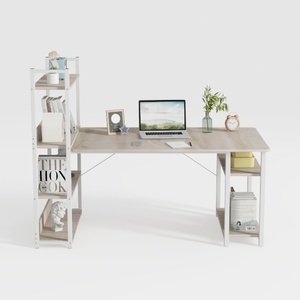
Modern Minimalist Oak Metal Computer Desk With Storage Shelves 3D Model
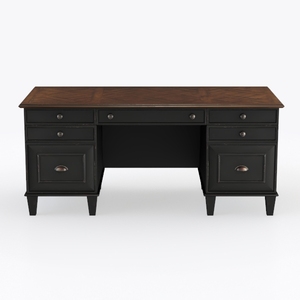
Starlight Canyon Home Executive Desk – Brown Woode
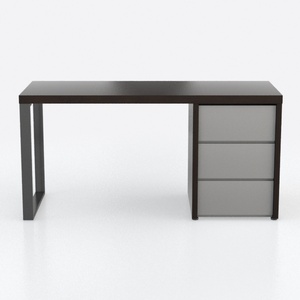
Modern Minimalist Two Tone Wood Office Desk with Storage Drawers 3D Model
Homestyler offers an easy-to-use online design tool with stunning 3D renderings, a vast collection of interior design projects, and helpful DIY video tutorials—perfect for bringing your home decoration ideas to life effortlessly.
Projete agora para LIVRE
































