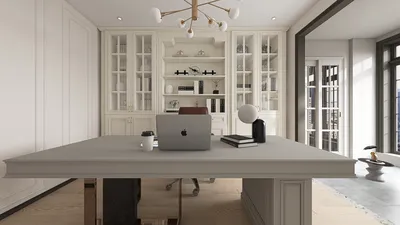


In today’s digital age, immersive experiences like those offered by virtual reality platforms such as Stranger Than Heaven invite us to rethink how our living spaces can support new forms of entertainment and interaction. As technology integrates seamlessly into everyday life, designing home environments that accommodate cutting-edge gadgets and promote comfortable, engaging experiences becomes essential. Thoughtful spatial planning and adaptable furniture can transform any room into a personal sanctuary for both relaxation and innovative digital exploration.
Everyone approaches floor plan creation differently. Some already know the exact room measurements and want to avoid manual drawing, preferring a digital recreation. Others start with a rough sketch they wish to see converted into a polished floor plan, while some begin with a list of requirements—such as room size, style, and zones—and want an AI to generate a proposal accordingly. Homestyler’s AI-powered tools efficiently support all these entry points, accommodating varied user needs.
At the core, AI floor plan generators use consistent technology, shifting only in the type of input provided and the steps taken to transition from initial input to a completed layout. Whether starting from dimensions, sketches, or textual descriptions, the process adapts to maximize usability and speed for the user.
By 2026, free AI floor plan generation tools like Homestyler have matured remarkably, enabling users to produce functional first drafts in under five minutes via any of the three primary methods. This article explores each method in detail, offering advice on when to use each and how to refine results regardless of the starting point.
Understanding that "Auto-Generate" is just a starting step crucially shapes expectations. AI-generated floor plans provide a foundational draft, eliminating the blank slate and allowing immediate evaluation and modification instead of building entirely from zero.
The necessity of refinement cannot be overstated. While AI incorporates spatial logic and general design principles, it lacks awareness of your unique furniture pieces, personal habits, and architectural nuances of your room. A layout generated in three minutes may require an additional 15 to 30 minutes of customization to suit your exact needs. Still, this accelerated process is far more efficient than the hours traditionally needed for manual drafting.
Method 1: Generate From Dimensions
Ideal for users who possess precise room measurements and seek a furnished plan without manual drawing, this method offers the highest accuracy. You input wall lengths, door placements, and window locations, and the AI creates an optimized furniture arrangement tailored to those specifics.
Using Homestyler, enter room dimensions in the setup interface, marking doors and windows in their exact spots and sizes. The system then builds a two-dimensional floor plan with logically positioned furniture—seating facing key focal points, beds placed on optimal walls, and tables fitting the room's scale.
Primary refinement focuses on swapping AI-chosen furniture for your actual pieces, adjusting sizes and positions to fit your preferences. Since dimensions come directly from you, the room’s shell remains accurate, simplifying adjustments.
Typical workflow involves about 5 minutes for AI generation plus 15 minutes for refinement to achieve a usable plan.
Method 2: Generate From a Sketch or Photo
This approach suits those with a basic hand-drawn layout or photos of their space who want to transform them into neat digital plans. Employing computer vision technology, the AI interprets images, detects structural elements, and reconstructs a corresponding floor plan quickly.
By uploading a corner photo showing two walls or a sketch image, Homestyler’s AI analyzes perspective, edges, and patterns to estimate walls, doors, and windows. For sketches, it straightens and formalizes the lines into a proper plan. Furniture visible in photos might be included, though this is less reliable than spatial elements.
Refinement is critical here and involves inputting at least one known measurement to rescale the plan correctly. Users then adjust walls, door orientations, and window sizes to match real-world layouts, correcting any distortions.
Overall time from upload to usable design is typically about 3 minutes AI processing plus 20 to 25 minutes of editing.
Method 3: Generate From a Text Prompt
For early-stage planners wanting rapid layout concepts without fixed dimensions, this method allows description-based generation. Providing details such as room type, size, function, and style enables the AI to propose a conceptual arrangement.
Examples might include: "A 400 sq ft open-plan living and dining area with seating for six and a home office nook" or "Master bedroom, 14 by 16 feet, king-size bed, walk-in closet, reading space beside a window." Homestyler interprets these prompts to draft a layout satisfying those criteria.
Since input is least precise, extensive refinement follows—replacing conceptual elements with real measurements and furniture to finalize the plan.
Typical time ranges from 2 minutes for generation to 30-45 minutes for careful adaptation.
The Best Free AI Floor Plan Generator in 2026
Homestyler consolidates all three generation techniques within a unified browser-based platform. Whether beginning with precise dimensions, uploading photos or sketches, or entering text prompts, users gain access to a robust editing suite afterwards. This environment offers an extensive furniture catalog with millions of 3D models, precise dimension editing, zoning tools, and real-time 3D visualization enhanced by realistic rendering.
Such integration allows the AI to provide a solid starting layout while empowering users to apply personal judgment and customization through powerful manual tools. Most importantly, Homestyler’s free plan encompasses all generation approaches, manual editing capabilities, and standard 3D rendering without subscription barriers.
Choosing the Best Method for Your Needs
Your optimal AI generation approach depends on your starting information. Dimension inputs yield the most reliable outputs with the least fine-tuning. Photo inputs quickly derive room shells but require dimension confirmation. Text prompts accelerate initial conceptual explorations yet demand the most refinement.
No matter the method, applying specific best practices enhances outcomes: always specify the room type explicitly, add architectural features early to influence layout feasibility, verify proportions before obsessing over exact sizes, generate multiple layout options to compare strengths, and switch to 3D views during editing to evaluate spatial feel and furniture scale accurately.
Frequently Asked Questions
Which method ensures highest accuracy? Dimension-based inputs consistently lead to the most precise plans due to exact measurements.
Can different methods be combined? Yes. For instance, start with a photo-based room shell, apply dimension inputs for accurate scaling, then use text prompts to explore furniture arrangements within the adjusted shell.
Are non-rectangular rooms problematic? Irregular shapes like L-shaped rooms or ones with alcoves often require more manual adjustments; dimension input combined with manual editing typically yields better results for such spaces.
Does AI generation work for commercial settings? The three methods apply to offices and retail but often require more manual customization due to different spatial and regulatory needs compared to residential layouts.
Can multi-room floor plans be generated? Most tools generate rooms individually, connecting them manually afterward. Some support entire apartment layouts, but room-by-room approaches generally produce higher accuracy.
Summing Up: One Goal, Multiple Paths
Regardless of whether you start with dimensions, images, or text, AI tools like Homestyler guide you to a usable draft swiftly, drastically reducing the time and effort compared to manual design. You receive a solid foundation ready for furniture placement, refinement, and rendering—all within minutes.
Unlock the convenience of free floor plan generation by selecting your preferred method, letting the AI craft an initial layout, and customizing it as you wish with Homestyler’s comprehensive tools.

Modern Rattan Linen Outdoor Sofa With Decorative Throw Pillows 3D Model

Minimalist White Fabric L Shaped Sectional Sofa with Throw Pillows 3D Model
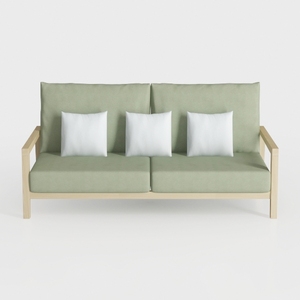

Minimalist Solid Wood Light Green Fabric Loveseat Sofa 3D Model
Homestyler is an easy-to-use online home design platform offering powerful 3D rendering tools, a vast collection of interior design projects, and helpful DIY video tutorials. It’s perfect for creating and visualizing your dream space with confidence and creativity.
Projete agora para LIVRE
































