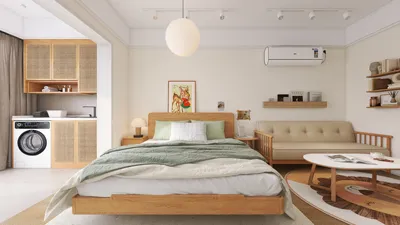


During a project, I once transformed a client’s “dark and moody” media room with the brightest yellow they had, based on the homeowner’s belief that it would be "so cheerful during credits." This experience led to laughter and important lessons, including the necessity of repainting it a rich indigo the following week. This journey illustrated that the choice of color for a media room goes beyond aesthetics; it significantly influences light, atmosphere, and involves a degree of humility (plus the help of excellent 3D rendering tools like Homestyler to visualize the options).
1. Dive Into Deep Moody Blues
I have a deep appreciation for shades like navy or indigo as they effectively absorb excess light, enhancing the contrast for screens. The benefits include an immersive cinematic experience and a sophisticated backdrop, while the drawback is that without warm accents or proper lighting, a small room can feel quite cave-like.
Tip: Combine with warm wood elements or brass fixtures and use a dimmer switch for creating a layered ambiance.
save pin
2. Opt for Warm Neutrals for a Cozy Experience
Warm tones such as taupes and greiges contribute to a snug media room vibe without the weightiness of darker colors. They adapt well for various activities—whether it’s movie watching at night or reading during the day. However, a challenge arises as these neutrals may seem dull without added texture, so consider incorporating matte paint, fabric wall panels, or even a stylish rug.
save pin
3. Highlight with Velvet Green Accents
A strikingly saturated velvet green on one wall can create a captivating focal point, enhancing skin tones on screen. It appears opulent on camera and pairs seamlessly with leather seating. If you’re hesitant about a permanent commitment, testing it as an accent on the media cabinet or behind the screen can introduce drama without overwhelming the space.
For planning furniture layout and visual balance, I frequently refer to layout planner examples, such as those available on Homestyler, to visualize the arrangement and ensure sightlines are optimal prior to making color decisions.
save pin
4. Employ High-Contrast Black Trim
Using near-black paint for trim, doors, or even the ceiling edges offers crisp sightlines and effectively frames the room like a cinematic screen. This approach encourages focus on the screen itself; the advantage is a sharper visual appeal while the downside is the more frequent dust visibility on black surfaces.
save pin
5. Choose Matte and Low-Sheen Finishes
Matte finishes help diminish glare and reflections, which is essential in any media room. They also hide surface imperfections, particularly in older homes. However, it's worth noting that matte surfaces may be less easy to clean, so keeping a touch-up paint handy for minor scuffs is a good idea.
When arranging seating and examining sightlines prior to finalizing colors, utilizing a free floor plan creator like Homestyler can prevent unnecessary paint adjustments and alleviate second-guessing.
save pin
FAQ
Q: What paint colors are most suitable for small media rooms?
A: Opting for rich blues, warm greiges, or a single striking accent wall makes small spaces feel immersive without making them appear constricted. Using matte finishes can help control reflections.
Q: Is it advisable to paint the ceiling a different hue?
A: A slightly darker ceiling can create a perception of lowered height while enhancing attention on the screen. Just be sure it remains within one or two shades of the wall color to prevent a claustrophobic feel.
Q: Is black always the optimal color for a media room?
A: While black is great for controlling light, it can sometimes feel oppressive. I lean towards deep blues or greens for a warmer, more nuanced cinematic ambiance.
Q: What finish works best in a media room?
A: Low-sheen or matte finishes are advisable to minimize screen reflections and glare.
Q: How do paint colors impact acoustics?
A: The paint itself has little effect on acoustics, but elements like texture and soft furnishings—curtains, rugs, and upholstered panels—are crucial. Utilize color to direct where these sound-absorbing materials are positioned.
Q: Can lighting alter the perceived color of paint?
A: Definitely—lighting can change how hues and warmth are perceived. It’s vital to test paint samples under your room’s actual lighting during movie times (dim) and during the day to avoid unexpected results. According to color guidance from Sherwin-Williams, testing in situ is essential before finalizing a color choice (source: https://www.sherwin-williams.com).
Q: How can I select colors that harmonize with my AV equipment and furniture?
A: Begin with the largest fixtures (screen, cabinets) and select wall colors that either recede (dark neutrals) or complement (subdued tones) these elements to maintain a coherent look throughout the room.
Q: What budget-friendly paint strategies exist for a media room?
A: Consider painting only one accent wall instead of the entire room, strategically utilizing darker hues, and incorporating affordable textiles like blackout curtains to enhance both aesthetics and performance.
save pin
Homestyler is your go-to online home design tool, perfect for transforming your ideas into stunning visuals. With its advanced 3D rendering features, extensive design projects, and helpful DIY video tutorials, you can effortlessly create and explore your dream spaces, regardless of your experience level!
Projete agora para LIVRE
































