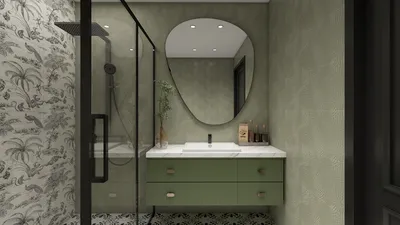


If you're interested in viewing 3D models in DAE format, you've come to the right spot! DAE files, also recognized as COLLADA files, are commonly utilized for sharing digital assets and can be easily viewed with appropriate software, such as Homestyler.
Let’s explore some popular software options that can assist you in viewing these files. Many users opt for free software solutions which are both user-friendly and readily accessible.
Selecting the Ideal Software
1. **Blender**: This open-source platform is ideal if you're seeking advanced functionalities for viewing and editing DAE files. Not only is it cost-free, but it also offers extensive tutorials to help you get started.
2. **SketchUp**: This is another great option for viewing DAE files, particularly if you're looking for a fast and intuitive interface. With SketchUp, loading times are significantly reduced, allowing for seamless exploration of your 3D models.
3. **Autodesk FBX Review**: While this software is primarily designed for FBX formats, it can also handle DAE files. It's lightweight and provides a straightforward interface for quickly previewing models.
How to Access DAE Files
Now that you're aware of some software alternatives, let's discuss how to open DAE files using them:
- In Blender, navigate to **File** > **Import** > **Collada (.dae)**.
- Locate your file, select it, and hit **Import DAE**.
- Start SketchUp, go to **File** > **Import**.
- Choose the DAE format from the dropdown, find your file, and click **Open**.
- Launch the software and select **File** > **Open**.
- Choose your DAE file for instant viewing!
Benefits of Choosing DAE
DAE files are highly versatile as they retain the structure and visual fidelity of intricate models across various applications. They accommodate high-quality textures and lighting effects, making them perfect for not only viewing but also for presenting detailed designs effectively.
Best Practices Tips
- Always keep your 3D modeling software updated to ensure optimal compatibility with DAE files.
- If you experience loading problems, consider simplifying the file or enhancing the model in the original 3D authoring application.
Frequently Asked Questions
A: Yes, most 3D applications offer options to export DAE files into formats like OBJ, FBX, or STL, enhancing compatibility with different software.
A: Absolutely! Several online viewers, such as Sketchfab, enable you to upload and share your DAE models without the necessity of downloading software.
A: Make sure you have the appropriate application installed and verify that the file isn't corrupted. You could also try importing it into a different 3D application, like Homestyler.


Homestyler is your go-to online home design platform, perfect for anyone looking to create beautiful spaces. With its easy-to-use design tool, stunning 3D renderings, and a wealth of inspiring design projects and video tutorials, transforming your home has never been simpler or more enjoyable!
Projete agora para LIVRE
































