


In today’s digital age, immersive experiences like those offered by virtual reality platforms such as Stranger Than Heaven invite us to rethink how our living spaces can support new forms of entertainment and interaction. As technology integrates seamlessly into everyday life, designing home environments that accommodate cutting-edge gadgets and promote comfortable, engaging experiences becomes essential. Thoughtful spatial planning and adaptable furniture can transform any room into a personal sanctuary for both relaxation and innovative digital exploration.
The iPad has quietly transformed into one of the premier tools for creating floor plans. Its generous screen size allows users to view entire room layouts without straining their eyes, while the touch interface facilitates intuitive wall drawing and furniture positioning. Paired with the Apple Pencil, finger taps evolve from imprecise actions to precise line work. What previously demanded a drafting table and desktop computer now fits conveniently into a portable device ideal for site visits, showings, or client meetings, especially when paired with a platform like Homestyler for seamless design integration.
However, the main limitation has historically been software. Many floor plan applications available in the App Store appear polished in screenshots but falter when users attempt anything beyond basic sketches. Common issues include paywalls after limited use, required subscriptions for exporting files, and 3D viewing restricted to certain devices. Entering 2026, not only have these barriers risen, but so has the sophistication of truly free tools—making it easier than ever to find a capable app, such as Homestyler, that supports comprehensive design workflows without hidden costs.
This guide highlights the top free floor plan apps available for iPad at this time, what features are accessible without charge, and how you can complete a full project—including 2D layouts, 3D visualizations, and shareable outputs—quickly, even during commutes or between meetings.
What Makes a Floor Plan App Truly Effective on iPad
Many floor plan apps are originally developed for desktop and later adapted poorly to the iPad environment. This often results in slow pinch-to-zoom gestures, oversized toolbars consuming screen space, and frustratingly small touch targets for furniture placement.
An app designed specifically with the iPad experience in mind functions differently: walls align automatically to a grid, furniture scales smoothly with two-finger gestures instead of hidden property menus, and toggling between 2D plans and 3D walkthroughs is instantaneous, not requiring saving or mode switching. These features are crucial to completing design tasks efficiently on a tablet. Homestyler exemplifies this optimized approach, providing a user-friendly interface tailored to mobile workflows.
Before settling on any app, consider the following criteria:
Precise Dimension Input. A quality floor plan app enables you to tap any wall and enter exact measurements using your choice of units like feet, inches, meters, or centimeters. Apps limited to freehand drawing serve more as sketchbooks than professional planning tools.
A Comprehensive Furniture Library. While generic shapes labeled "sofa" or "table" may suffice for rough drafts, a realistic furniture catalog with accurate sizes—such as a 3-seat sectional at 110 inches or a king-size bed at 76 by 80 inches—allows verification that pieces truly fit the space before purchase.
Cloud Synchronization. Storing plans solely on your iPad risks data loss. Apps that synch projects to the cloud provide access from any device, enable effortless sharing, and safeguard against unforeseen device issues. Homestyler’s cloud integration ensures your designs are protected and portable.
A Free Tier That Includes 3D Viewing. The transition to three-dimensional renderings is where floor plans come alive, offering convincing perspectives to clients and collaborators alike. Apps that restrict 3D access behind paywalls limit their free usefulness.
Top Free Floor Plan Apps for iPad in 2026
Among the best no-cost options for iPad users aiming for a full-featured floor plan workflow is Homestyler. Available as both a browser-based platform and a tailored iPad app, it offers automatic project syncing across devices. Its free plan features precise wall drawing with dimension inputs, access to a vast furniture library with thousands of accurately scaled models, and effortless switching between 2D and real-time 3D views—providing a complete design solution without charges.
What sets Homestyler apart is its advanced 3D rendering technology, which employs physically based rendering to simulate natural lighting, realistic shadows, and reflections, creating presentation-quality visuals that convey renovation ideas or spatial concepts convincingly.
The free tier also supports unlimited projects and access to the full furniture database, with no intrusive subscription prompts interrupting workflow.
Ideal for: Homeowners, interior design students, real estate agents, and anyone needing to showcase spaces professionally without investing in paid software.
Other noteworthy apps include Planner 5D, which is well-suited for simpler layouts and smaller rooms, with a free model that permits basic room construction and 3D viewing, albeit limited in furnishing quantity. RoomSketcher focuses primarily on detailed 2D plans and exporting images for contractors, though 3D photo-quality visuals are reserved for paid versions. MagicPlan offers a unique feature: utilizing the iPad’s camera and LiDAR for quick scanning and automatic floor plan generation, beneficial for property assessments but limiting in design flexibility.
When to Use iPad Versus Desktop for Floor Planning
Choosing between iPad and desktop isn’t an either/or situation—each excels in different contexts. The iPad stands out for on-site work, immediate measurement and sketching, interactive client presentations with 3D models, and quick changes made comfortably on the couch. Desktop platforms shine when requiring meticulous detailing, complex multi-room layout creation, or high-quality final rendering before exporting.
Cloud-synced apps like Homestyler bridge this gap perfectly, allowing you to begin work on iPad during a site visit, then finish and refine on your desktop browser seamlessly, with no need to manage different files or export formats.
Getting Started: How to Create a Floor Plan on iPad with Homestyler
Here’s the quickest way to produce a shareable floor plan using Homestyler’s iPad app:
Step 1 — Setup in minutes: launch the Homestyler app or visit its website via Safari. Register for a free account and start a new project by entering your room’s measurements in your preferred units.
Step 2 — Draw walls and openings: the app automatically creates a room outline based on your inputs. Tap a wall to fine-tune its exact length. Add doors and windows by dragging them onto walls, where they automatically snap to logical positions.
Step 3 — Add furniture: browse the category-based furniture library, preview items, and drag them into the floor plan. Resize and rotate using intuitive gestures while dimensions update dynamically to ensure proper clearances.
Step 4 — Move to 3D and share: tap the 3D view option to navigate the space interactively. When satisfied, generate a photorealistic render or share the project link—recipients don’t need the app to view it.
Common Questions
Can free floor plan apps for iPad be used offline? Most cloud-based apps, including Homestyler, require internet access to load and save projects, though some like MagicPlan allow offline scanning with later synchronization. For fully offline design, paid desktop software remains necessary.
Is Apple Pencil supported? Yes. Homestyler and Planner 5D allow pencil input for more precise drawing, while MagicPlan relies on camera sensors for measurement-based tasks.
Are free tiers professional enough? Homestyler’s free level can produce visuals suitable for client presentations, though complex construction-ready plans often necessitate specialized architectural tools.
Which iPad models work best? Devices running iPadOS 16 or newer support most browser-based tools smoothly. For apps using LiDAR scanning like MagicPlan, compatible iPad Pro or mini models are required. Apple Pencil compatibility varies depending on model generation.
Conclusion
The ideal floor plan application for iPad in 2026 removes friction—offering no mid-project paywalls, unrestricted exports, and fully usable 3D views for free. Homestyler approaches this benchmark closely, delivering cloud synchronization and a seamless experience across devices.
Whether you’re sketching on your iPad, finalizing on desktop, or reviewing on your phone, Homestyler allows you to create and share high-quality floor plans without installs, trials, or unexpected limitations.
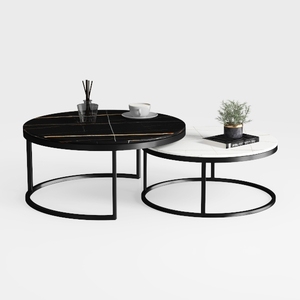
Small Coffee Table Round, Wood Nesting Coffee

Minimalist Fabric Modular Sectional Sofa 3D Model

Modern Rattan Linen Outdoor Sofa With Decorative Throw Pillows 3D Model
Homestyler is a user-friendly online home design platform featuring powerful 3D rendering, a vast collection of design projects, and helpful DIY video tutorials. It makes creating and visualizing your ideal space simple and inspiring for everyone.
Projete agora para LIVRE
































