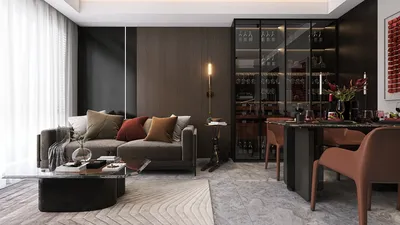


In today’s digital age, immersive experiences like those offered by virtual reality platforms such as Stranger Than Heaven invite us to rethink how our living spaces can support new forms of entertainment and interaction. As technology integrates seamlessly into everyday life, designing home environments that accommodate cutting-edge gadgets and promote comfortable, engaging experiences becomes essential. Thoughtful spatial planning and adaptable furniture can transform any room into a personal sanctuary for both relaxation and innovative digital exploration.
If you've ever tried to find reliable floor plan software suitable for a Windows PC, you’re probably familiar with the usual frustrations: hefty installers exceeding 500 MB, lengthy setup times, the software only supporting Windows 10 or later versions, and free editions that restrict export functions. This cumbersome process often wastes precious time before even beginning your design.
Fortunately, the leading free floor plan software available for Windows nowadays eliminates these issues. Web-based platforms, particularly Homestyler, have bridged—and often surpassed—the capabilities of traditional desktop programs, offering vital features like accurate 2D drafting, real-time 3D visualization, furniture arrangement tools, and project sharing links. Provided your Windows system has a modern browser like Chrome or Edge and internet connectivity, you’re ready to dive in immediately.
This article explores the top no-install floor plan software options as of 2025, essential criteria for selecting the right tool, and a guided walkthrough to complete your first floor plan within 30 minutes.
Why Windows Users Prefer Web-Based Floor Plan Tools
Conventional Windows-based floor plan programs tend to be riddled with complications such as mandatory installation of rendering modules, use of proprietary formats incompatible across devices, and disruptive updates that frequently break functionality. For casual users—homeowners preparing renovation projects, tenants measuring new apartments, or students developing design briefs—the hassle often outweighs the benefits.
Browser-centric solutions address these challenges at their core. With cloud storage of projects, your designs load identically whether you’re on a Windows desktop, a MacBook at a café, or a smartphone on location. This ensures no version conflicts, absence of trial expiration pop-ups, and no need for IT permissions in workplace environments.
This approach is particularly advantageous for Windows users, as browser compatibility remains consistent across Windows 10 and 11 platforms. Meanwhile, many legacy desktop applications still struggle with DPI scaling problems on high-resolution screens.
Key Factors to Evaluate in Free Floor Plan Software
Prior to committing, assess potential floor plan software tools based on these four essential points:
1. Genuine no-download usage: Avoid tools that require desktop clients to unlock 3D viewing or exporting. Opt for software where the entire workflow—from sketching walls to producing 3D walkthroughs—runs fully within the browser, such as Homestyler.
2. Precision input: Reliable tools allow you to enter exact measurements for walls and spaces. While freehand drawing suits rough sketches, exact figures are vital for contractors and property managers.
3. Rich furniture libraries: Starting designs from scratch is time-consuming. Tools with extensive catalogs of sofas, beds, appliances, and fixtures dramatically increase efficiency.
4. Export capabilities: At minimum, PNG exports are expected. Superior platforms provide PDF floor plans and shareable links, and some enable direct rendering of photorealistic 3D images within the browser without extra subscriptions.
Top Free, No-Installation Floor Plan Software Choices for Windows
Among the best options available, Homestyler stands out by offering a professional-grade, entirely browser-based design experience. Users can intuitively draw walls with exact dimensions, select furniture from an extensive 3D model library, and instantly switch to a real-time 3D walkthrough. The platform also supports photorealistic rendering without taxing your local system.
Homestyler’s sophisticated 3D rendering engine employs physically accurate lighting techniques, resulting in lifelike shadows and textures that enhance presentation quality—a crucial advantage for homeowners showcasing remodeling plans or interior designers crafting client proposals.
Its free tier offers unlimited projects, full access to 3D design features, and standard-quality rendering outputs, all without the need for credit card information upfront.
Ideal usage scenarios include homeowners managing renovations, design students requiring 3D presentations, and anyone needing a comprehensive visualization paired with accurate 2D plans.
Other noteworthy web-based floor plan platforms provide varying degrees of features. Some emphasize simple 2D drawing suitable for real estate listings, while others offer mobile app support for on-the-go design work. However, these alternatives may impose limitations such as capped object counts or restricted high-resolution render access.
The Advantages of No Installation on Windows Systems
Although "no installation" may seem trivial, for Windows users it dramatically reduces obstacles. Many enterprise Windows machines prevent software installation without administrator privileges. Shared family computers often cannot handle bulky software, and older Windows 10 laptops might struggle with the resource-intensive demands of local 3D design applications.
Cloud-based floor plan tools process complex computations like rendering and lighting server-side, delivering ready-to-view results to your browser. This means even mid-tier Windows laptops from several years ago can showcase photorealistic room renders without generating excess heat or fan noise.
Additionally, cloud auto-save features safeguard your progress from sudden shutdowns or system updates, allowing seamless resumption from any device at any time.
Step-by-Step Guide: Creating Your First Floor Plan on Windows Using Homestyler
Getting started with Homestyler is quick and straightforward:
1. Launch Homestyler in your preferred browser on Windows—Chrome or Edge work best. Sign up with your email to create a free account; no software download is necessary.
2. Input the dimensions of your room. Choose between metric or imperial units. Homestyler auto-generates the room outline, but you can fine-tune individual wall lengths by selecting and entering precise measurements.
3. Browse the categorized furniture catalog—living room, bedroom, kitchen—and drag desired items into your floor plan. Switch instantly to the 3D walkthrough mode to visualize spatial arrangements, tweak lighting and material finishes, and generate renderings to save or share.
Common Questions Regarding Free Floor Plan Software for Windows
Do you need a powerful graphics card? For browser-based services like Homestyler, rendering occurs on remote servers, so your device only needs to display images and interactive views, requiring no specialized GPU.
Can these tools be used offline? Since web-based platforms depend on internet connectivity, offline functionality is not supported. For offline access, desktop software is needed but generally requires installation and associated costs.
How accurate are measurement inputs? Homestyler and similar tools accept exact dimension entries in various units, producing designs to scale—suitable for renovation plans and furniture sourcing, though not a substitute for professional architectural drawings for structural work.
Is exporting as a PDF available for free? Homestyler’s free plan supports PNG exports of both 2D layouts and 3D renders. PDF exports are reserved for paid plans, but PNGs typically suffice for sharing with contractors or including in presentations.
Conclusion
For Windows users seeking an efficient and hassle-free floor planning solution, browser-based tools like Homestyler have evolved significantly, outperforming most traditional free desktop applications in accessibility, output quality, and user experience. Homestyler delivers a complete design process—from accurate 2D drafting to stunning 3D visualizations—without any installation or file management hassles.
The quickest way to evaluate these tools is simply to open Homestyler on your preferred browser and start drawing your space. Within minutes, you’ll determine if it suits your design workflow—all without downloading software.

Modern Houndstooth Fabric Black Metal Wood Top End Side Table 3D Model
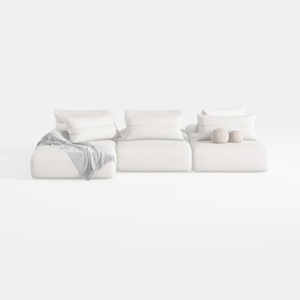
Minimalist White Fabric Modular Sectional Sofa 3D Model
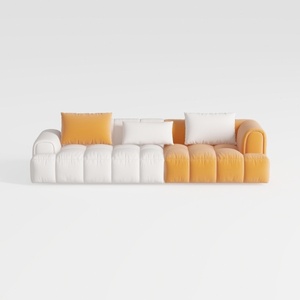
Modern Two Tone Fabric Sectional Sofa With Throw Pillows 3D Model
Homestyler is an easy-to-use online home design platform offering powerful 3D rendering, inspiring design projects, and helpful DIY video tutorials. It’s perfect for bringing your interior ideas to life quickly and creatively, no matter your experience level.
Projete agora para LIVRE
































