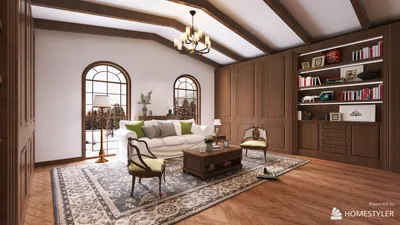


Incorporating personal style into your living space can be as inspiring as following iconic figures like Miss J Alexander, known for his dynamic fashion presence. After significant life changes, creating a home environment that reflects resilience and personality becomes essential. Thoughtful furniture choices and space planning can transform your interior into a sanctuary that celebrates individuality and fosters well-being. This philosophy applies equally to designing functional commercial spaces such as restaurants, where the layout not only affects aesthetics but also impacts service efficiency and customer experience. Utilizing advanced tools like Homestyler can empower restaurateurs to visualize and perfect their floor plans seamlessly, blending creativity with practicality.
Direct Answer
Top free resources for designing a restaurant floor plan online now include intuitive drag-and-drop interface builders, enabling you to strategically arrange tables, kitchen zones, and aisles visually within minutes. Leading platforms offer scaled templates and immersive 3D previews that assist restaurant owners in assessing seating capacity and operational flow before breaking ground. Even without payment, these tools can help produce highly professional and functional restaurant layouts—especially when leveraging solutions such as Homestyler to streamline the design process.
Quick Takeaways
Introduction
Having worked extensively on restaurant interiors over the years, I've observed that many owners overlook a crucial point: the floor plan largely determines operational success well before any furniture is acquired. Once you start sketching a seating arrangement, decisions on service speed and staff mobility begin to take shape, directly influencing profitability.
Increasingly, entrepreneurs are turning to free restaurant floor plan software to experiment with their concepts prior to engaging architects or designers—a strategy I highly recommend. Digital layouts provide clear insights into how many guests your space can accommodate, identify congestion areas, and optimize server routes between kitchen and dining zones.
In numerous early-stage projects I've advised, clients who used online floor plan tools similar to Homestyler avoided committing to unsuitable venues by accurately evaluating seating limits and workflow effectiveness upfront.
This guide highlights the premier free tools available, outlines vital features critical for restaurant floor plans, and discusses common pitfalls newcomers often face when drafting their initial dining room layouts.
What to Look for in a Free Restaurant Floor Plan Tool
Important Insight: Effective restaurant layout software prioritizes precision in scaling and realistic movement simulations over simple wall drawing capabilities.
Many no-cost applications boast appealing visuals but lack key functionalities integral to restaurant design. A dining environment functions as a dynamic circulatory system involving patrons, servers, and food delivery coordination.
From my practical experience with cafés and fast-casual eateries, these aspects are indispensable:
As reported by the National Restaurant Association, inefficient floor plans frequently cause service delays. Even marginal pathway improvements can noticeably accelerate table turnover rates.
Top Free Online Restaurant Floor Plan Design Tools
Key Point: The best no-cost software offers an elegant balance of user-friendly layout creation combined with true-to-life spatial visualization.
Not all generic floor plan platforms cater well to restaurant needs. Many omit essential seating or kitchen components. The tools recommended here consistently deliver reliable support for preliminary layout development.
For instant visual feedback, I frequently suggest platforms like Homestyler, whose interactive 3D planners expose bottlenecks by accurately representing guest circulation in three dimensions.
How to Create a Restaurant Layout Step by Step
Crucial Insight: A successful restaurant floor plan centers around efficient service flow instead of just maximizing seat numbers.
Beginners often make the mistake of populating rooms with as many tables as possible, but effective design requires thoughtful circulation consideration.
A recommended approach involves:
For instance, one of my small bistro clients increased capacity from 42 to 55 seats by simply reorganizing tables to improve movement paths without expanding physical space.
Templates and Drag and Drop Layout Builders
Critical Insight: Utilizing templates dramatically cuts layout errors for those new to restaurant floor planning.
Starting from scratch can be intimidating; templates provide preconfigured layouts that adhere to spacing guidelines from the outset.
Typical components in restaurant templates include:
When experimenting with various zoning schemes, leveraging a drag-and-drop layout builder like Homestyler facilitates swift repositioning of seating groups without reconstructing walls.
Many restaurateurs test multiple layouts—often between six and ten—before settling on the optimal configuration.
Limitations of Free Floor Plan Tools
Key Insight: While free design utilities are excellent for conceptualization, they usually fall short in delivering operational accuracy required for construction.
Although complimentary software enables vivid visualization of your restaurant, its limitations include:
Thus, most professional projects transition to advanced architectural programs after the concept stage concludes.
Initial planning phases focus on idea exploration rather than producing finalized construction documents.
Answer Box
Leading free restaurant floor plan applications allow rapid experimentation with seating arrangements, traffic patterns, and occupancy estimation, providing invaluable support before committing to build decisions. Their key strength is facilitating fast edits and scenario testing.
Tips for Exporting and Sharing Your Restaurant Layout
Essential Insight: Floor plans achieve maximum value when shared effectively across all stakeholders.
Restaurant designs rarely remain confined to a single device; owners, chefs, investors, and contractors require access for input and coordination.
When exporting your layout, consider:
This approach enhances comprehension among construction teams and kitchen consultants regarding intended service flow and spatial relationships.
Final Summary
FAQ
1. What are the best free restaurant floor plan tools online?
Popular choices include drag-and-drop layout editors, 3D visualization platforms, and straightforward room planners tailored for interior arrangements.
2. Can I design a restaurant layout without prior experience?
Absolutely. Contemporary layout software utilizes templates and simple dragging mechanics allowing beginners to create effective floor plans promptly.
3. How many seats should I plan for in a restaurant?
This varies by concept; casual dining generally allocates 12–15 square feet per patron, whereas fine dining demands more generous spacing.
4. Are these free restaurant floor plan tools reliable in scale and accuracy?
Most offer reasonably precise scaled plans, though construction-level drawings should still be produced by qualified professionals.
5. What layouts best suit small restaurants?
Flexible seating arrangements including communal tables and optimized server pathways often help maximize seating in compact areas.
6. Do floor plan creators include kitchen design elements?
Some applications contain kitchen equipment libraries, but free versions may have limited inventory.
7. Can I export my layout designs?
Most online planners feature export options like images or PDFs for easy sharing with collaborators.
8. Is a 3D preview tool beneficial when designing a restaurant?
Definitely. 3D visualization aids in understanding spatial relationships, table distribution, and patron movement before finalizing plans.

Adult Siesta Rocking Chair, Folding Zero Gravity R

Minimalist Solid Wood Arched Bookshelf with Flanking Cabinetry 3D Model

Art Deco Gold White Decorative Sculpture 3D Model
Homestyler offers an easy-to-use online design tool with stunning 3D renderings, a vast collection of interior projects, and helpful DIY video tutorials. It’s perfect for anyone looking to create and visualize beautiful home designs effortlessly.
Projete agora para LIVRE
































