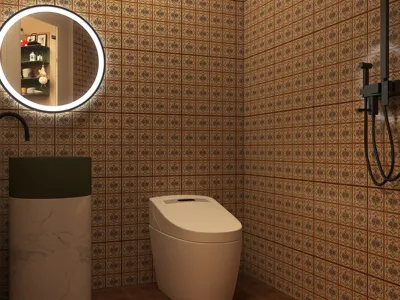


A few years back, a medical professional reached out to me requesting we transform his clinic into a space that felt more like a spa than a typical medical office. Initially, I chuckled at the idea, but the truth hit me—he was absolutely correct. The stark white walls, bright lighting, and uncomfortable seating do little to ease patients' nerves. This experience highlighted how small spaces can inspire substantial creativity, particularly in medical office design. Today, I want to share ten strategies I've successfully implemented to convert even the smallest clinics into peaceful, functional spaces with the help of tools like Homestyler.
1. Inviting Reception Area
The reception area plays a crucial role in creating a welcoming atmosphere. Incorporating soft lighting, natural elements, and greenery can transform the first impression from a sterile ‘waiting room’ to a cozy corner. I often utilize design software like Homestyler to experiment with layouts and improve patient flow before rearranging furniture.
2. Adaptable Check-In Spaces
Implementing self-check-in kiosks alongside traditional desks can help alleviate congestion. It's important to position these kiosks thoughtfully to maintain traffic flow and comply with ADA regulations.
3. Sound Comfort
One challenge in medical offices is noise, which can compromise patient confidentiality. Installing acoustic panels or sound-absorbing ceilings not only enhances comfort but also adheres to HIPAA standards.
4. Optimizing Natural Light
If possible, rearrange patient areas to maximize exposure to natural light. This can alleviate stress and create an illusion of a larger space. Frosted glass is a great option to maintain privacy while allowing light to enter.
5. Soothing Color Schemes
I typically opt for calm colors like muted blues and greens, which convey tranquility and cleanliness. It’s best to avoid vibrant reds or yellows, as these tones may heighten anxiety in patients.
6. Space-Efficient Storage Solutions
Using concealed cabinets and wall-mounted storage helps keep the environment organized. I’ve relied on free online floor plan tools to visualize storage arrangements without inflating costs or consuming unnecessary time.
7. Versatile Exam Rooms
Designing exam rooms that can also serve as consultation spaces is an effective way to maximize space. Just be cautious of oversized furniture, which may make the area feel cramped.
8. Comfortable Staff Areas
The well-being of the team is just as important! Providing adjustable desks and ergonomic seating can enhance productivity while minimizing fatigue and burnout.
9. Clear Navigation
Implementing clear and simple signage, complemented by colors or graphics, facilitates navigation for patients of all ages, especially in larger medical facilities.
10. Seamless Technology Integration
Including telehealth screens and digital charting should be done discreetly, ensuring technology complements rather than overwhelms the design. I often utilize design mock-ups on platforms like Homestyler to assess how tech can aesthetically fit into the space.
Frequently Asked Questions
1. How can I create the illusion of a larger medical office?
Utilize mirrors, light hues, and multi-functional furniture. Strategic lighting is also beneficial for expanding visual space.
2. What color schemes are most suitable for a medical office?
The American Psychological Association recommends soft and calming shades such as pale blue, gentle green, or warm neutrals to alleviate stress.
3. How do I ensure patient privacy in my design?
Incorporate sound-dampening materials, private check-in areas, and thoughtful layouts that avoid sightlines into treatment zones.
4. Is specialized lighting necessary for medical offices?
Absolutely, balanced lighting helps prevent eye strain and reduces anxiety. A mix of natural and diffused artificial light is ideal.
5. Can I integrate technology without making it look clinical?
Sure, you can conceal wires, opt for sleek devices, and use cabinetry to hide equipment when it’s not in use.
6. What upgrades provide cost-effective improvements?
Repainting walls and refreshing seating options typically deliver significant visual changes with minimal investment.
7. How can design enhance staff workflow?
Establish centralized supply areas, ergonomic workstations, and clear movement paths to improve efficiency.
8. What regulations must I consider?
Always ensure compliance with ADA guidelines, HIPAA privacy rules, and local building codes prior to renovations.
Looking to transform your home? Homestyler is your go-to online design platform! With its user-friendly design tool, stunning 3D renderings, and a treasure trove of DIY video tutorials, you can effortlessly create and visualize your dream spaces. Start designing today!
Projete agora para LIVRE
































