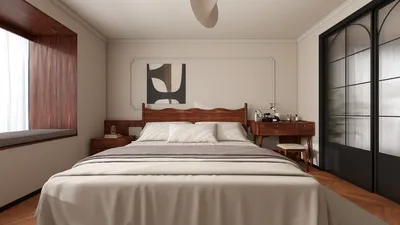


In today’s digital age, immersive experiences like those offered by virtual reality platforms such as Stranger Than Heaven invite us to rethink how our living spaces can support new forms of entertainment and interaction. As technology integrates seamlessly into everyday life, designing home environments that accommodate cutting-edge gadgets and promote comfortable, engaging experiences becomes essential. Thoughtful spatial planning and adaptable furniture can transform any room into a personal sanctuary for both relaxation and innovative digital exploration.
Often, the sketch you have is already a floor plan in disguise. Whether drawn on a napkin during a chat, scribbled on graph paper while measuring your apartment, or jotted on a whiteboard in a brainstorming session, it captures the essential spatial logic and decisions. Although rough in proportions and hand-rendered, this sketch holds the foundation of your design intent—it just hasn't yet been translated into a digital format that's easy to share, furnish, or visualize.
Traditionally, converting hand-drawn sketches into precise digital floor plans required tedious redrawing or hiring professionals. However, with AI-powered solutions available in 2026, like Homestyler, this process has been revolutionized. These tools can interpret your drawings, correct lines, infer geometry, and generate clean, editable floor plans within minutes. This capability allows you to digitize, furnish, and render your designs quickly and efficiently.
This detailed guide walks you through transforming your sketch into a digital floor plan using intuitive tools and best practices that ensure excellent outcomes.
Why Should You Consider Starting with Sketches?
Many underestimate the value of hand sketches, dismissing them as preliminary drafts to be discarded. Yet, sketches created during room measurements or design discussions capture spatial relationships—room sizes, door and window placements, and circulation patterns—that are challenging to express otherwise. Even if lines are imperfect, the spatial intent is embedded and carries crucial information.
By digitizing rather than starting anew, you preserve this embedded information. Instead of recreating, you refine and formalize your existing spatial ideas digitally.
Digital plans provide precision where sketches cannot. They deliver exact dimensions, accurate furniture positioning, 3D visualizations, and shareable formats that communicate designs clearly to collaborators or contractors who weren’t part of the initial process.
Essential Preparations Before You Begin
Ensure you have a clear photograph of your sketch taken under good lighting conditions, with the paper laid flat and the camera positioned directly above. Avoid shadows, angled shots, or flash glare, as these impede AI interpretation. Outdoor natural light or evenly lit interiors work best.
Your sketch should depict walls as single or double lines, mark door openings with traditional swing arcs, indicate windows, label rooms, and include notes on measurements taken during your survey.
At minimum, you need one confirmed dimension, such as a wall length or doorway width, to calibrate your digital plan accurately. Without this reference, the plan will maintain proportions but not precise scale.
Step-by-Step Conversion: From Sketch to Digital Floor Plan with Homestyler
Launch Homestyler’s online floor plan creation tool—no installation required—and sign up for a free account in under a minute. Homestyler supports uploading sketches and employs AI to interpret your drawing while allowing full manual editing to fine-tune details.
Before upload, ensure your photo has minimal perspective distortion. If your sketch appears trapezoidal rather than rectangular, retake it directly overhead. Many smartphones offer scanning modes that automatically correct perspective—utilize these if possible.
Upload your sketch image into Homestyler’s AI-powered room recognition feature. The system analyzes your drawing to detect walls, doors, windows, and room layouts.
Within about 30 to 60 seconds, Homestyler produces an initial floor plan draft—a cleaned, straight-walled version of your sketch ready for refinement.
Next, input known wall measurements into the tool. Select any wall and enter the precise dimensions, which automatically adjust connected walls proportionally. Start with the most confidently measured wall (e.g., the longest) as an anchor and proceed outward to less certain measurements. This improves dimensional accuracy and fidelity.
Carefully review the AI-generated plan against your original sketch and real-world knowledge: verify wall positions, ensure doors are correctly located with accurate swing directions, confirm window placement and size, and check that doorways between multiple rooms align properly.
More than just digitizing the room shell, Homestyler offers a robust design environment. Once room geometry is perfected, access the comprehensive furniture library to arrange and position pieces. Rotate items and verify spatial clearances using 2D dimensioning tools.
Switch to 3D visualization to experience the design from a realistic perspective. This view reveals spatial flow, furniture scale, natural lighting from windows, and ambience that 2D layouts can’t fully convey. Adjust your arrangement accordingly.
Export your completed floor plan as a PNG image for easy sharing, or generate a project link to share an interactive 2D and 3D viewer accessible via browser—perfect for contractors, partners, or landlords without requiring them to sign up.
Tips to Improve Sketch Interpretation Results
Draw walls with double lines if possible; this helps the AI distinguish wall thickness and structure more accurately than ambiguous single lines.
Explicitly mark doors and windows—include conventional arcs for door swings and double lines for windows—to facilitate correct AI classification. Adding room names like "kitchen" or "bedroom" offers contextual clues for smarter spatial recognition.
Keep your entire floor plan on a single sheet to avoid alignment challenges during digital compilation. If multiple rooms are involved, downsizing room sketches to fit one page is preferable to splitting across sheets.
Flatten your paper before photographing to avoid curves and wrinkles that can confuse the AI into interpreting angled walls.
Avoid excessive furniture details in your sketch. AI focuses on structural elements; extra furniture lines can mislead wall detection and produce errors.
When to Digitize a Sketch versus Creating a Plan From Scratch
If your sketch clearly represents spatial relationships and dimensions, digitizing it provides a time-efficient workflow by capturing your existing design thinking. Conversely, if the sketch is too rough or schematic, starting from measured dimensions directly can be faster and more precise.
Frequently Asked Questions
What if my sketch isn’t perfectly to scale? That’s usually fine. AI focuses on proportional relationships which you then correct with real measurements post-generation, achieving dimensional accuracy.
Can I digitize multiple connected rooms at once? Yes. Upload the entire multi-room sketch and AI will typically interpret shared walls properly, though manual alignment checks are recommended.
What if the AI misinterprets my sketch? Manual editing tools allow direct correction of walls or doors if errors occur. The AI-generated plan is just your starting foundation.
Can I use a digital sketch created on a tablet? Absolutely. Clean digital sketches often yield better AI results due to sharper lines and contrast.
Your sketch constitutes the groundwork of your floor plan. It holds the spatial ideas—walls, rooms, flow—that need only digital refinement, dimensioning, and furnishing to become a shareable, practical blueprint.
Converting a sketch into a digital floor plan isn’t starting over—it’s building upon and completing your initial vision using tools like Homestyler’s intelligent platform. Upload your drawing, let AI assist your workflow, and bring your dream living space to life with ease.

Minimalist White Fabric L Shaped Sectional Sofa With Side Table Floor Lamp 3D Model

Minimalist Boucle Fabric Loveseat Sofa with Throw Pillows 3D Model


Homestyler offers an easy-to-use online design tool combined with stunning 3D renderings and a vast collection of interior projects. Whether you’re designing from scratch or seeking inspiration, its DIY tutorials and resources help you create beautiful spaces effortlessly.
Projete agora para LIVRE
































