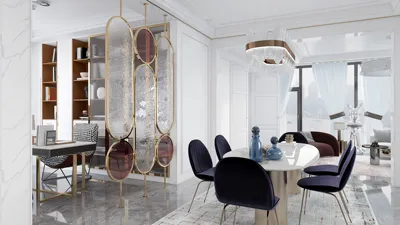


Designing a 3D layout for a room is both thrilling and fulfilling, especially for those passionate about interior decoration. By using the right resources and methodologies, you can convert your concepts into breathtaking visuals that animate your space. Whether you’re aiming to refurbish your home, devise a new arrangement, or just explore various aesthetics, this guide will set you on the path of your 3D design adventure with tools like Homestyler.
To begin, selecting appropriate software is crucial. While there are countless 3D design applications available, Homestyler emerges as a top choice thanks to its intuitive interface and comprehensive features. This platform offers a vast assortment of furniture models, design inspirations, and templates, facilitating the process of visualizing your room. Additionally, it supports easy floor plan creation, streamlining the early phases of your project.
After determining your software, the next step is to gather ideas. Browse through design publications, Pinterest, and social media outlets to identify styles that speak to you. Jot down notes on color palettes, furniture layouts, and decorative accents that catch your eye. This preparatory work will aid in developing a unified design vision.
Subsequently, draft a preliminary floor plan of your space. Carefully take measurements and note the positions of doors, windows, and notable architectural features. This will lay the groundwork for your 3D design. You can accomplish this either by hand or by utilizing the floor plan tool in Homestyler.
With your floor plan established, you can begin crafting your 3D model. Using Homestyler, it's straightforward to add walls, windows, and doors through its user-friendly interface. Make sure to calibrate the dimensions accurately to reflect your actual room size. From there, you can incorporate furniture and decor items from the expansive library, trying out various arrangements to determine what complements your space best.
Lighting is a vital aspect of 3D design. Integrate both natural and artificial light sources into your model. Homestyler enables you to modify lighting settings, providing a realistic glimpse of how your space will look at different times during the day; this insight is invaluable for establishing the ambiance of your design.
Once you are pleased with your design and arrangement, it’s time to render your 3D model. Homestyler delivers high-quality rendering choices that present your design with striking detail. This phase is essential as it allows you to visualize how the finished room will appear in reality.
Lastly, be sure to ask for input from friends or family. Their perspectives and suggestions can significantly enhance your design. After incorporating any feedback, you'll be ready to confidently proceed with your room's renovation or decoration project.
Tips 1:
Feel free to try out bold colors and distinctive furniture items. Your 3D design should embody your unique style, so let your imagination run wild!
FAQ
Q: Which software is ideal for crafting 3D room designs? A: Homestyler comes highly recommended due to its rich features and user-friendly design.
Q: Is it possible to create a 3D design without any prior experience? A: Absolutely! Many 3D design platforms, including Homestyler, cater to beginners and provide tutorials.
Q: How can I share my 3D design with others? A: With Homestyler, you can easily export your designs and share them on social media or through email.
Welcome to the world of Homestyler!



Homestyler is the ultimate online home design platform for anyone looking to transform their space. With an easy-to-use design tool, stunning 3D renderings, inspiring design projects, and engaging video tutorials, you can effortlessly create your dream home—no experience necessary!
Projete agora para LIVRE
































