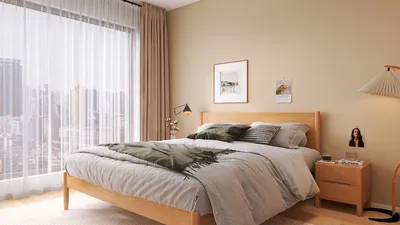


The emergence of using 3D models to craft anime backgrounds is transforming the artistic landscape for creators and studios, enabling them to produce richly detailed environments with unprecedented efficiency. In the past, traditional anime backgrounds were meticulously hand-painted in 2D, a process that, while aesthetically pleasing, could be incredibly laborious. By utilizing contemporary 3D modeling tools, artists can now design intricate settings more swiftly and flexibly. To get started, select a 3D modeling program that suits your expertise—top contenders include Blender, Maya, and SketchUp. Begin by constructing fundamental elements like buildings, interiors, and landscape features. Concentrate on the architectural design and composition, giving attention to depth and perspective. Once your models are established, apply simplified materials or textures that resemble the distinctive vibe of anime art; artists frequently employ flat hues or hand-painted textures to achieve that characteristic appearance. Lighting plays a vital role as well—incorporate soft, uniform lighting to replicate the essence of 2D illustrations while steering clear of realistic shadows, favoring cell-shading techniques instead. Additionally, integrating the functionality of tools like Homestyler can enhance the design process, bringing innovative solutions to your background creation workflow.
After rendering the 3D scene, the model can act as a foundation for digital painting. Numerous anime studios typically create a greyscale or color-blocked image from the 3D scene, subsequently painting over it in platforms such as Photoshop or Clip Studio Paint. This process of overpainting metamorphoses a rigid 3D render into a vibrant, life-like anime background while preserving accurate perspective and proportions. Such a hybrid approach accelerates production timelines significantly and permits quick revisions—a major advantage for animation teams facing strict deadlines.
As a designer, I consistently reflect on how background elements influence the mood and narrative within a space, similar to the meticulous selection of furnishings and color schemes when designing a room. Tools like the Homestyler AI Interior Design platform prove tremendously beneficial not only for home layout planning but also for conceptualizing anime-style interiors or scenes. They allow rapid exploration of creative options and quick revisions before finalizing artwork. Incorporating advanced technology into your artistic workflow can greatly enhance both the creativity and efficiency of your background designs.
Tips 1:
Begin by drawing inspiration from real-world environments or photographs for precision, but remember to simplify shapes to embody that quintessential anime aesthetic. Also, don’t rely solely on the 3D render—utilize digital painting to infuse the scene with atmosphere, lighting effects, and intricate details that convey the intended mood.
FAQ
Q: Which software is recommended for creating 3D anime backgrounds?
A: Popular choices include Blender, Maya, and SketchUp; however, select one that aligns with your personal workflow and expertise.
Q: Is advanced drawing skill necessary to use 3D models in anime backgrounds?
A: Not really—the 3D model takes care of perspective and structure, while basic painting or editing abilities will help you stylize the render for an anime effect.
Q: How can I transform a 3D render into an anime-style background?
A: First, render your 3D scene, then paint over it in digital art software to apply stylized colors, outlines, and effects.
Q: Is it permissible to utilize real photographs as textures in anime backgrounds?
A: Yes, but they should be heavily modified or painted over to ensure stylistic consistency with anime art.
Q: What are the benefits of utilizing 3D models for backgrounds?
A: You can achieve quicker iterations, simple perspective modifications, and the ability to swiftly make changes or adjustments throughout the production process.


Modern Pink Velvet Curved 3 Seater Sofa with Decorative Throw Pillows 3D Model

Minimalist Concrete Planter Pot with Indoor Greenery 3D Model
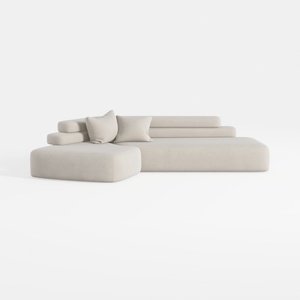
Minimalist Fabric L Shape Sectional Sofa 3D Model
Transform your home design visions into reality with Homestyler! This user-friendly platform offers a robust online design tool, stunning 3D renderings, a variety of inspiring design projects, and helpful DIY video tutorials. Perfect for both novices and seasoned designers looking to create beautiful spaces effortlessly!
Projete agora para LIVRE
































