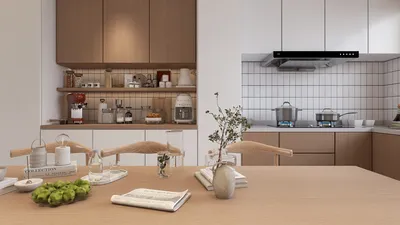


Turning a 2D drawing into a 3D model sparks creativity and reveals fresh design possibilities. This vital process is crucial for artists, architects, and designers, granting them the ability to visualize their ideas in a tangible three-dimensional realm. This detailed guide walks you through the essential steps to successfully convert your 2D drawings into intricate 3D models, ensuring you achieve impressive results with tools like Homestyler.
Step 1: Select the Appropriate Software
The first step in your conversion journey is to identify the software that best meets your needs. Various options, including AutoCAD, SketchUp, and Homestyler, offer different features tailored to a range of users, depending on the complexity and requirements of their projects. Take time to explore and assess these tools based on your specific project and skill level. Familiarizing yourself with the software interface through practice projects will significantly enhance your efficiency and comfort.
Step 2: Upload Your 2D Drawing
Once you've chosen the appropriate software, the next move is to upload your 2D drawing. Most applications enable you to import scanned images or vector graphics easily. Make sure your drawing is clear and distinct, as this clarity plays a crucial role in the quality of your resulting 3D model. Use high-resolution files to ensure precision throughout the conversion process.
Step 3: Outline and Extrude
After importing your drawing, you can initiate the creation of your 3D model. Utilize the drawing tools in your software to trace the outlines of your 2D design, effectively generating vector paths. This foundational step is key to visualizing your design in three dimensions.
Once your outlines are complete, use the extrusion feature to add depth to your shapes. This technique actively pulls your designs into the third dimension, forming the initial structure of your model. Feel free to experiment with different extrusion depths to achieve the most aesthetically pleasing look for your project.
Step 4: Enhance and Detail Your Model
With your basic model established, turn your attention to embellishing and refining it. Evaluate which areas might benefit from textures, colors, and materials to boost visual richness. Applying textures can greatly enhance the realism of your model and is easily done using the texture palette available in your software, including Homestyler.
Moreover, integrating well-thought-out lighting and shadow effects can massively improve your model's overall appeal. A well-structured lighting setup will bring your 3D creation to life, adding depth and capturing attention.
Step 5: Export Your 3D Model
After meticulously refining your model to your liking, the next task is exporting it. Select the right file format that aligns with your intended use, whether that's for animation, 3D printing, or virtual reality applications. Remember to frequently save your work to avoid potential data loss. Once exported, you can proudly present your creation to clients or incorporate it into your presentations.
FAQ
Q: Which software works best for converting 2D drawings into 3D models? A: The best software depends on individual needs and experience, but popular choices include SketchUp, AutoCAD, and Homestyler.
Q: Is it possible to use a mobile app for this conversion process? A: Absolutely! There are various mobile applications available that can help you create 3D models from 2D drawings, although they may offer fewer features compared to desktop solutions.
Looking to transform your home? Homestyler is the ideal online platform for you! With its user-friendly design tool, stunning 3D renderings, extensive design projects, and helpful DIY video tutorials, you can easily create your dream space—no experience needed!
Projete agora para LIVRE
































