


Have you ever considered how to transform Google Earth images into a stunning 3D model? This process is invaluable for architects, designers, and enthusiasts aiming to create precise representations of landscapes and structures. Let’s explore the steps to make this happen!
Grasping the Conversion Process
The initial step in turning Google Earth data into a 3D model is to familiarize yourself with the necessary tools and formats. Google Earth is a treasure trove of geographical information, perfect for diverse modeling applications. However, extracting and converting this data into a suitable 3D format is essential.
You might consider utilizing tools such as SketchUp, Blender, or dedicated software that can import KML/KMZ files obtained from Google Earth. Mastering these applications will enhance your conversion procedure and result in higher-quality models.
Procedure for Converting Google Earth to 3D Model
Here’s a concise summary of the conversion steps:
1. Acquire the Geographic Data: Begin by locating the desired area in Google Earth. You can then save this view as a KML or KMZ file.
2. Import the KML/KMZ into Your Modeling Software: Launch your chosen modeling application and import the KML/KMZ file. Programs like SketchUp can seamlessly handle these files, enabling you to visualize the terrain and buildings.
3. Refine the Model: Often, the imported model will require some adjustments. Eliminate any extraneous elements and fine-tune the shapes to meet your design vision.
4. Apply Textures and Enhance: Add textures and materials to render your model realistically. Most modeling software, including Homestyler, provides extensive libraries of textures to select from.
5. Export the Final 3D Model: Finally, export your model in a format compatible with your project or presentation needs.
Advice for Successful Conversion
To ensure your conversion process results in high-quality models, consider these helpful tips:
FAQ
The primary formats used for geographic data are KML and KMZ, while the output could differ based on the modeling software, including formats like OBJ, FBX, or STL.
Absolutely; as long as the region is accessible in Google Earth, you can convert any location into a 3D model.
While there’s no fixed limit, very extensive areas may pose challenges depending on the capabilities of your selected software.


sofaMorandi pink
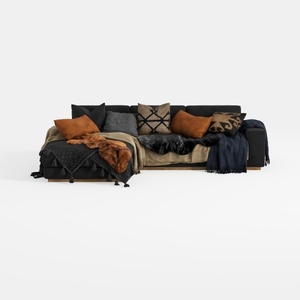
Txtin's U Shaped Sectional Couches for Living Room
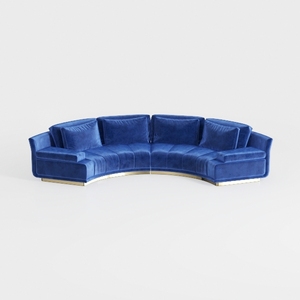
Legend Furniture Modular Sofa for Living Room Velv
Homestyler is your go-to online home design platform! With its user-friendly design tool, stunning 3D renderings, and a treasure trove of design projects and DIY video tutorials, creating your dream space has never been easier. Dive in and transform your ideas into reality!
Projete agora para LIVRE
































