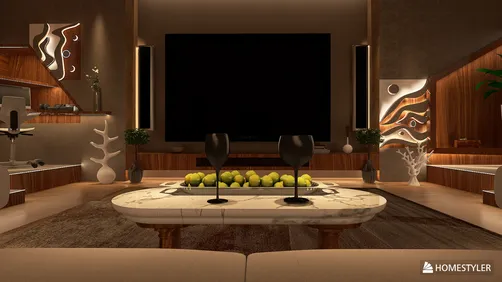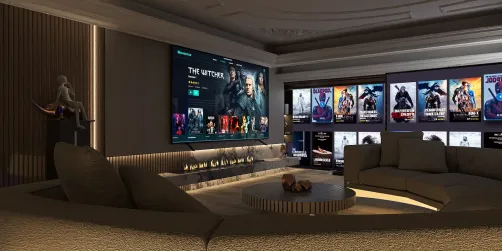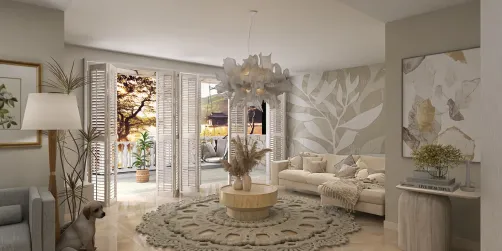
I create educational spaces that harmonize teaching methods, comfort, and flexibility. In modern classrooms, especially in KV styles catering to various age groups, the design needs to seamlessly transition between lectures, collaborative projects, independent work, and hands-on activities, all while maintaining optimal acoustics, lighting, and ergonomics. Research illustrates that a well-designed physical environment enhances student engagement, attendance, and success, making it essential for every area to be utilized effectively, alongside a well-structured curriculum. Engaging tools like Homestyler can help visualize these concepts powerfully.
The benefits of flexible, student-oriented designs and conducive indoor environments are well-documented. The WELL Building Standard recommends a targeted illuminance between 300–500 lux for educational tasks and emphasizes glare mitigation for visual comfort. According to Steelcase research, 45% of learners believe that classrooms accommodating various postures and movements significantly boost concentration and engagement, aligning perfectly with active learning strategies. For comprehensive insights into holistic wellness in educational settings, refer to WELL (v2) and the flexible classroom studies carried out by Steelcase.
Design Priorities for KV Classrooms
In KV classrooms featuring a broad age range and diverse curriculums, I focus on versatile furniture, unobstructed sightlines, and designated areas for various learning modes. An ideal setup includes mobile, wheeled tables, stackable chairs that provide back support, writable walls for spontaneous ideas, and flexible educator workstations. I opt for resilient, low-VOC materials combined with sound-absorbing elements to mitigate noise while embracing a bright, uplifting color scheme that aligns with color psychology principles for enhancing focus and peace.
Planning the Room: Zones and Flow
I divide the classroom into four main zones: Focus, Collaboration, Creation, and Reflection. The Focus Zone is geared toward guided instruction and ensures clear visibility to displays. Collaboration areas feature movable tables configured into groups that cater to 4-6 students. The Creation Zone is designed for project-based activities and includes robust work surfaces and easy-to-clean floors. Reflection areas provide cozy seating, natural materials, and lighting options for relaxation or quiet reading. To conceptualize arrangements or movement pathways, I frequently utilize an interior layout planner, similar to a room layout tool, to experiment with distances, sightlines, and capacity.
Lighting: Layered, Glare-Free, and Tunable
My approach to lighting integrates ambient illumination with task-specific highlights and adaptability to natural light. I strive for 300-500 lux at desk level for everyday reading and writing tasks, adhering to IES standards for educational settings. Indirect light fixtures help minimize glare, complemented by dimmable task lighting near interactive boards or project stations. If resources allow, I recommend using tunable white lighting that adjusts between 3000K and 4000K to support deep focus in the morning and promote relaxation in the afternoon, helping to align with students’ circadian rhythms. Managing daylight with dual-layer window treatments—diffusing and blackout options—ensures visibility during projection tasks.
Acoustics: Control Noise, Protect Voice
Speech clarity is crucial in classrooms. I recommend high NRC-rated acoustic ceiling tiles, wall-mounted panels to address first reflection points, and soft finishes beneath seating to minimize scraping sounds. For creation areas, using rug tiles and acoustic baffles manages noise without dampening energy levels. As a rule of thumb, treat approximately 25-35% of large walls and ceilings with sound-absorbing materials to control reverberation. It's vital that teachers' voices carry effortlessly, positioning collaborative clusters away from reflective surfaces.
Furniture: Ergonomics and Movement
Offering students diverse seating options is critical. Height-adjustable tables should be complemented by a mix of standard chairs, stools for quick seating, and soft sofas for reading. Ergonomic studies support the idea of varying postures to decrease fatigue and boost involvement; small adjustments can enhance blood circulation and focus. Features like rounded table edges, anti-tip casters with brakes, and backpack hooks can help maintain tidiness and prevent minor accidents. Ensure that at least one table remains free for assistive technologies and that pathways maintain accessibility compliance.
Color Strategy: Psychology Meets Wayfinding
Color impacts behavior significantly. Soft neutrals with limited accent colors promote tranquility, while vibrant colors are best used as identifiers for different zones. Discussions on color psychology by Verywell Mind indicate that calm blues and greens can alleviate stress and enhance concentration, whereas bold reds should be limited to avoid overstimulation. I prefer to keep the majority of surfaces (ceilings and upper walls) light to enhance brightness, adding color stripes at eye level as wayfinding aids for younger students.
Technology Integration Without Visual Clutter
Integrating power and data solutions from the outset is essential. I position floor outlets beneath collaborative tables and route wall-mounted conduits discreetly to displays. One primary teaching wall is equipped with an interactive display, and at least one additional writable or bulletin surface is placed opposite to minimize crowded areas. Effective cable management is critical—using concealed trays, organized ports, and a docking setup at the educator workspace keeps the view tidy and transitions seamless.
Storage: Invisible but Abundant
Disorganization can undermine focus. I incorporate secure, tall cabinets for shared supplies, open cubby spaces for effortless access, and mobile containers organized by color coding for different subjects. Transparent storage helps students locate materials independently without interrupting lessons. Place messy storage—like paints and tools—near sinks, and ensure frequently used items are easily reachable from work areas. For art and STEM projects, flat files and pegboards keep tools accessible and organized.
Materials and Sustainability
I advocate for the use of low-VOC paints, Greenguard Gold-certified furniture, and durable, cleanable surfaces. Flooring options like rubber or linoleum with acoustic backing are excellent for managing foot traffic and minimizing impact noises. For pin-up purposes, I recommend specifying tackable boards made of recycled materials. Natural textures, including wood-look laminates, cork, and wool felt, soften the environment and enhance perceived quality while requiring minimal upkeep.
Display and Pedagogy Walls
I recommend rotating displays on a monthly basis. It’s important to keep 30-40% of vertical spaces simple and uncluttered to avoid cognitive overload. Student work should be prominently displayed at eye level, with educator resources organized and color-coded. Using magnetic paint or steel sheeting behind drywall allows for flexible mounting options without excessive holes.
Safety, Visibility, and Inclusive Design
Ensuring clear pathways and visibility to all areas of the classroom is essential. Soften sharp corners by using rounded edges, and implement adjustable glare control options near screens for students with visual sensitivities. Offer sensory-friendly alternatives—noise-canceling headphones, a cozy rug corner, and adjustable lighting—for neurodiverse learners. Signage should employ high-contrast fonts and icons for ease of understanding by younger children.
A Sample KV Classroom Layout
Consider a classroom measuring 9m by 7m: the Focus Zone features a 3.5m teaching wall with an 86-inch display and dual whiteboards at the front. Two collaboration clusters accommodating 6 students flank the center with mobile tables. The Creation Zone takes up the back third of the room, equipped with a sink, pegboard for tools, and a durable work surface island. A Reflection area near windows includes two lounge chairs, a low bookshelf, and a customizable lamp. The layout adheres to circulation space requirements, with a main aisle of 1.2m and secondary paths of 0.9m. I utilize a room design visualization tool similar to Homestyler to test orientations and projector placements before finalizing power setups.
Implementation Roadmap
- Weeks 1–2: Discovery phase—observe class workflows, assess storage needs, and study daylight patterns.
- Weeks 3–4: Create schematic plan outlining zones, furniture counts, and concepts for acoustics and lighting.
- Weeks 5–6: Mock-ups—experiment with one collaborative cluster featuring mobile tables and an adjustable lamp, then gather feedback.
- Weeks 7–8: Full implementation—finalize finishes, ensure effective cable management, install signage, and conduct safety checks.
- Post-occupancy: Review after 30-60 days to adjust lighting, storage labeling, and layout as necessary.
Start with ergonomic furniture and soundproofing as the first investments, layering in technology subsequently. Employ robust, easy-to-maintain base materials and introduce personality through graphics and color accents. If budget constraints exist, prioritize natural light management over expensive LED features.
FAQ
Q1: What is the best lighting level for classroom activities?
A1: Aim for 300-500 lux at desk height during reading and writing tasks, ensuring glare control and dimming features around screens. A blend of indirect ambient lighting and task lights near boards will facilitate flexibility, following IES guidelines.
Q2: How can I manage noise while maintaining a lively atmosphere?
A2: Use a combination of high NRC acoustic ceiling tiles, strategic wall panels at reflective points, and soft textiles under seating areas to minimize noise levels while retaining an engaging environment. Include some reflective surfaces to ensure brightness; 25-35% of areas treated should provide balance.
Q3: What furniture options best accommodate various learning styles?
A3: Utilize mobile tables on wheels, ergonomically designed stackable chairs, some stools for quick seating options, and soft chairs for reading. Ensure at least one height-adjustable table is available, and keep clear space for assistive devices to improve accessibility.
Q4: Which colors are most effective for enhancing student concentration?
A4: Opt for soothing foundational colors—light neutrals—combined with cool blues and greens to enhance focus. Reserve vibrant colors for clearer navigation and energy within collaborative or creation zones.
Q5: How can I effectively integrate technology without creating a mess of cables?
A5: Plan for power and data access early on by using floor outlets beneath collaborative tables and ensuring hidden cable channels, properly labeled ports, and an organized educator's docking station. Establish one primary teaching wall alongside a secondary writable surface to streamline activities.
Q6: What are the most suitable materials for high-traffic classrooms?
A6: Select low-VOC paints, Greenguard Gold-certified furniture, and flooring options like rubber or linoleum with acoustic properties. Durable laminates and recycled boards for pin-up areas will ensure longevity and ease of maintenance.
Q7: How can I design classrooms to accommodate neurodiverse students?
A7: Introduce sensory-friendly options such as quiet areas with comfortable seating, adjustable lamps, and noise-canceling headphones, along with clear visual layouts. It's also important to manage glare, offer high-contrast signage, and maintain predictable circulation paths.
Q8: Which layout adjustments have proven most effective for fostering engagement?
A8: Establishing clear zones for focus, collaboration, creation, and reflection, paired with mobile furniture and unobstructed sightlines, typically enhances movement efficiency and student participation. Flexible learning research provides ample evidence supporting these improvements.
Q9: How frequently should classroom displays and walls be updated?
A9: A monthly refresh keeps visual stimuli diverse and reduces clutter. Maintaining 30-40% of wall space intentionally clear helps ensure that reference materials and student displays remain prominent and motivating.
Q10: What are some quick improvements I can make on a limited budget?
A10: Begin with acoustic chair glides, strategically placed wall panels, mobile tables, and effective daylight management through dual shades. These modifications can yield substantial improvements in comfort and functionality prior to committing to costly technology upgrades.

Homestyler is the ultimate online home design platform for anyone looking to create stunning interiors. With an easy-to-use design tool, impressive 3D renderings, a variety of design projects, and helpful DIY video tutorials, you can turn your home vision into reality effortlessly!