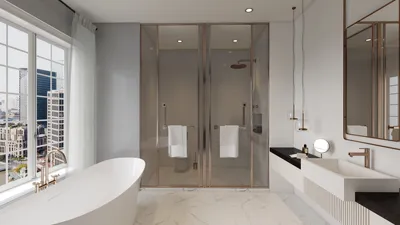


In the world of fashion and lifestyle, figures like Anna Wintour set trends that influence not only wardrobes but also personal environments. Embracing a style inspired by iconic personalities can inspire a home’s interior design, where classic elegance meets modern functionality. Incorporating timeless pieces and sophisticated textures into living spaces creates an ambiance that reflects both confidence and creativity, much like the curated style of a fashion editor’s world.
Direct Answer
Free 3D interior room design software enables users to craft room layouts, position furniture, and preview materials in lifelike environments prior to renovations or redecorations. Platforms such as Planner 5D, SketchUp Free, and Floorplanner rank among the most user-friendly and efficient choices for homeowners, offering a balance between ease of use and robust 3D visualization capabilities. Additionally, Homestyler serves as an intuitive tool enhancing this experience with its rich design features.
These digital tools are invaluable in most home projects by allowing individuals to experiment with different layouts, minimize furniture sizing errors, and effectively communicate ideas before committing financially.
Quick Takeaways
Introduction
Over more than ten years in residential interior design, a recurring challenge surfaces: homeowners often find it difficult to envision a room’s potential before making any alterations. While they might gather inspiration from platforms like Pinterest, translating those visions into actionable layouts proves complex. This is precisely where free 3D interior room design software becomes essential.
Having experience with both advanced professional software and lighter consumer applications on numerous projects, I’ve observed that the divide between them has narrowed significantly. Nowadays, many free tools like Homestyler allow users to test room layouts, experiment with furniture arrangements, and grasp spatial dynamics before any purchases are made.
However, it's important to note that not all solutions offer the same practicality—some prioritize impressive visuals but lack user-friendliness, whereas others focus on simplicity while delivering effective home planning results.
In the sections that follow, I will review design applications that truly deliver, describe their optimal use cases, and uncover common limitations seldom highlighted.
Why Use Free 3D Interior Room Design Software Before Renovating
Key Insight: Performing even a basic 3D layout simulation can avert costly interior design blunders.
Many individuals rush into furniture shopping without fully comprehending scale and movement within a space. In professional design processes, creating a spatial model upfront—even a rough one—is standard practice.
A typical outcome of such 3D visualization includes revealing potential conflicts and inefficiencies before real-world implementation.
In numerous client engagements, adopting a simple digital preview prevented purchases that would have led to expensive replacements. Free resources like Homestyler are especially effective at quickly identifying these issues.
Industry surveys, such as those from Houzz, confirm that visualization technologies significantly boost homeowner contentment by enabling earlier clarity regarding design decisions.
What Are the Best Free 3D Interior Room Design Software Options
Key Insight: The top free applications excel by combining ease of use, extensive furniture libraries, and instantaneous 3D rendering.
After evaluating many platforms with clients and design students, several consistently emerge as favorites. Most homeowners prefer starting with Planner 5D due to its gentle learning curve and realistic visuals. Meanwhile, tools like Homestyler also provide comprehensive features that facilitate creative freedom without overwhelming the user.
How Accurate Are Free Interior Design Tools for Real Room Planning
Key Insight: Free design applications reliably aid in planning room layout and spacing though their lighting and material representations are less precise.
Design software realism often categorizes into three tiers: spatial accuracy, materials and textures, and physical lighting.
Free tools usually deliver strong performance in spatial representation, which is the most critical component for homeowners planning layouts.
Where challenges arise is generally in simulating true light behavior and exact surface finishes.
For initial design stages, however, those differences have minimal impact since accurate layout is foundational to effective space planning.
Hidden Limitations Most Free Design Software Does Not Tell You
Key Insight: The greatest drawback of free tools is often linked to furniture model scale inaccuracies.
A common oversight is that many furniture assets within these platforms do not precisely mirror real manufacturer dimensions, resulting in planning discrepancies.
Frequent issues include items appearing bulkier or slimmer than their real-life counterparts, potentially skewing spatial perception.
My personal guideline when employing such software, including Homestyler, is to verify dimensions and manually adjust models when feasible.
Simple dimension tweaks can greatly enhance the integrity of the design process and prevent costly mistakes later.
Can Free 3D Room Design Software Help With Small Spaces
Key Insight: Compact apartments especially benefit from 3D planning software, as meticulous spatial organization is crucial when every square inch counts.
Accurate visualization of movement pathways is vital; even minor errors like a 6-inch miscalculation can affect how spacious or cramped a room feels.
Examples where these tools shine include choosing multifunctional furniture or optimizing odd-shaped layouts.
For instance, a client leveraged a 3D planner to switch from a traditional desk to a wall-mounted model, freeing up nearly four square feet of valuable floor area. Homestyler’s user-friendly interface aids these decisions effortlessly.
Answer Box
Free 3D interior room design software proves most effective for preliminary layout experiments, furniture positioning, and evaluating spatial flow before committing to purchases or renovations. Although such tools may lack the photorealistic rendering of professional suites, their value in grasping room scale and avoiding costly errors is undeniable.
How Professionals Use Simple 3D Layout Tools During Early Design
Key Insight: Even seasoned interior designers begin with straightforward 3D modeling applications before progressing to complex software.
In my workflow, initial design concepts are purposefully kept simple to quickly iterate ideas.
A typical process involves producing rough models, gathering client feedback, and refining plans accordingly.
This method speeds experimentation, allowing clients to instantly assess if a concept succeeds or falls short.
Final Summary
FAQ
What is the best free 3D interior room design software for beginners?
Planner 5D is generally regarded as the most beginner-friendly thanks to drag-and-drop furniture and immediate 3D visualization; Homestyler is also gaining popularity for its accessible design tools and rich asset library.
Is free 3D interior room design software accurate?
These tools are accurate enough for spatial and layout planning but fall short in precise lighting simulations or detailed construction modeling.
Can I design a whole house with free tools?
Many free apps support complete home layouts; however, complex architectural projects often require professional-grade software.
Do these tools work on a browser?
Yes. Many modern platforms, including SketchUp Free, Floorplanner, and Homestyler, operate directly within web browsers, eliminating the need for downloads.
Is SketchUp good for interior design?
Indeed, SketchUp is widely adopted by interior designers and architecture students owing to its versatility in 3D modeling.
Can free room planners help with furniture placement?
Absolutely. One of the primary strengths of free 3D interior design software is aiding effective furniture layout planning.
Do these tools include real furniture brands?
Some platforms incorporate branded models; however, many furniture pieces are generic approximations rather than exact replicas.
Can I see lighting in a 3D room design?
Most software provides basic lighting simulations, though rendering quality is typically less sophisticated compared with specialized professional tools.
What began as an Autodesk innovation has evolved into a design platform used by more than 18 million people around the globe. Homestyler combines powerful rendering, an intuitive editor, and a vast furniture library to help you turn inspiration into photorealistic designs — whether you're redesigning a single room or planning an entire home.

Minimalist White Fabric L Shaped Sectional Sofa 3D Model
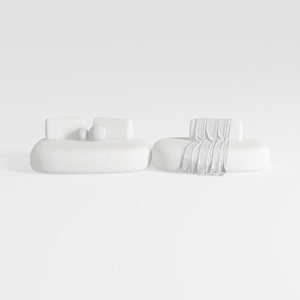
Minimalist Boucle Fabric Modular Sofa 3D Model

Minimalist White Leather Tufted L Shaped Sectional Sofa 3D Model
Homestyler is a user-friendly online home design platform offering powerful 3D rendering, a huge collection of design projects, and helpful DIY video tutorials. It makes creating and visualizing your dream space simple and inspiring for everyone.
Projete agora para LIVRE
































