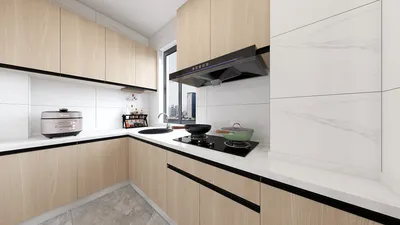


In today's smart homes, integrating devices like the Echo has transformed how we interact with our living spaces. Voice-controlled assistants not only streamline daily routines but also influence room layouts and furniture placement to optimize connectivity and accessibility. Designing multifunctional spaces that accommodate technology enhances both convenience and comfort in modern interiors.
Nearly every floor planning software claims to offer "3D" features. However, once you start using a free plan, you'll find this term can represent three quite distinct experiences, and marketing materials rarely clarify which one is provided. Sometimes, it's merely a flat image with an angled perspective to give the illusion of depth. Other times, it's a rotatable model within the app, but the export you receive is low-resolution and marked with a watermark. Lastly, and less commonly, it might be a high-quality render featuring true lighting and textures that resemble a photograph. Below, we explore the three general categories of free 3D tools, identify where popular applications fit, when these differences truly matter, and highlight which free floor planner delivers premium rendering features without typical paywalls.
Understanding the Three Levels of "Free 3D" Functionality
The first level is not genuine 3D. It involves extruding walls vertically and adjusting the camera to an isometric angle, resulting in a dimensional look compared to a flat blueprint. However, you cannot move the camera freely, nor are real shadows or reflections rendered. This approach produces a stylized illustration rather than an interactive 3D environment.
The second level offers authentic 3D models you can rotate, explore, and view from any angle within the editor. The drawback arises upon export: free exports often come at low resolution, bear watermarks, or both. While the model itself behaves as true 3D should, the limitations lie in what you can take away from the free tier.
The third level, often implied but less frequently offered for free, consists of ray-traced or cloud-rendered outputs. These include realistic lighting, reflections, and shadows rendered at usable resolutions. Such high-quality rendering is rare to receive without cost and often shifts the burden to your device for rendering time.
Popular Tools and Where They Fit
Canva's floor plan tool integrated into Whiteboards aligns with the first tier: a flat, design-based canvas where walls are represented by lines and furniture by icons, lacking true 3D navigation. Similarly, SmartDraw functions as a vector diagramming tool with textures, not a 3D environment you can explore.
Floorplanner and RoomSketcher both provide second-tier features in their free versions, albeit via different means. Floorplanner allows interactive 3D exploration in-browser but restricts exports to standard definition with watermarks. RoomSketcher produces rendered snapshots demonstrating lighting and shadows, though at low resolution; their full interactive 3D walkthroughs require a paid upgrade.
Sweet Home 3D stands out as a clear example of third-tier free rendering. Its local ray-tracing engine can generate photo-quality images and videos without watermarks or resolution limits, reflecting the absence of subscription tiers blocking access. The tradeoff is slower rendering times on typical computers.
Planner 5D reveals the clear divide: its free Basic plan lacks rendering capabilities altogether, with many features locked behind paid subscriptions. Tier 3 quality renders exist but require payment, with options for limited high-quality renders per month and watermark-free, unlimited 4K outputs reserved for premium tiers. The engine is present but inaccessible without upgrading.
When Does Rendering Quality Really Matter?
Not every project demands high-level rendering. Quick checks for furniture fit, rough layouts, or initial brainstorming are often sufficient within the first two tiers, focusing on spatial flow rather than presentation quality.
Conversely, rendering quality becomes crucial if you need to present your design professionally—for real estate listings, virtual staging photos, client presentations, marketing collateral, or social media. Low-resolution images with watermarks rarely suffice, as the file quality often cannot fulfill the intended purpose.
A Free Floor Planner Delivering True Rendering Quality
Homestyler breaks common patterns by offering high-resolution rendering, including 4K exports, on its free plan without locking these behind premium subscriptions. This rare commitment means users can access Tier 3 output quality without sacrificing project limits or furniture libraries, making it highly valuable for professionals and enthusiasts alike.
For those exploring additional options, reading free floor planner comparisons based on user feedback can provide broader insights beyond rendering capabilities alone, supporting informed software choices.
What began as an Autodesk innovation has evolved into a design platform used by more than 18 million people around the globe. Homestyler combines powerful rendering, an intuitive editor, and a vast furniture library to help you turn inspiration into photorealistic designs — whether you're redesigning a single room or planning an entire home.

Modern White Fabric Curved Sectional Sofa With Decorative Throw Pillows 3D Model
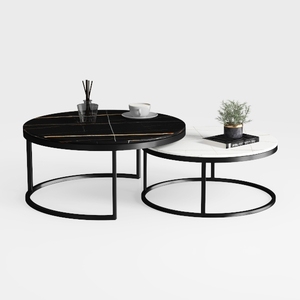
Modern Marble Top Metal Frame Nesting Round Coffee Tables 3D Model

Minimalist White Wainscoting Wall Panel 3D Model
Homestyler offers an easy-to-use online design tool with stunning 3D renderings, inspiring design projects, and helpful DIY video tutorials. It’s perfect for creating and visualizing your dream home effortlessly, whether you’re a beginner or a design enthusiast.
Projete agora para LIVRE
































