


As technology enthusiasts eagerly anticipate innovations like the redesigned Galaxy Z Fold 8, our living spaces increasingly adapt to support seamless digital experiences. Integrating smart furniture designed to complement foldable devices not only maximizes functionality but also enhances spatial flow. Thoughtful furniture layouts and charging stations can transform any room into a tech-friendly haven, balancing cutting-edge gadgets with comfortable, efficient home design.
Free home design software can truly be a valuable resource. However, hidden expenses may arise in less apparent ways: wasted efforts, blocked exports, repeated configuration, and decisions influenced by visuals that lack sufficient accuracy for precise executions.
The essential question is less "Can I design a home for free?" and more "At what stage does investing financially reduce the overall cost of this project?" The answer varies depending on the scope of your design, frequency of revisions, who must examine the plan, and the necessary steps after the design appears satisfactory on-screen.
Begin by identifying the decision the software must facilitate.
Before comparing feature sets or subscription levels, clarify the specific decision-making process the software needs to support.
If your goal is to choose between two paint colors, reorganize a bedroom, or explore a general aesthetic, a free tool could suffice. Its output only needs to showcase possibilities rather than withstand contractor scrutiny or integrate into a professional, reproducible workflow.
However, this threshold shifts when the design will influence purchases, renovations, client presentations, or multi-room layouts. Then, software must deliver more than just visually appealing graphics; it must preserve measurements, organize multiple versions, maintain consistent viewpoints, and export files usable by others.
A practical way to approach this choice is:
This distinction offers more reliability than merely selecting software by the number of rooms involved. A carefully measured kitchen may justify purchasing premium tools sooner than a loosely conceptualized three-bedroom plan.
Four crucial costs outweigh subscription fees.
The sticker price of software is only part of the overall assessment. It’s important to evaluate both free and paid platforms considering these four dimensions.
How much time is required to draft the space, input dimensions, place doors and windows, and master controls?
A free app that offers a quick start works well for a one-evening experiment. But for projects revisited over several weeks, capabilities like saving reusable room templates, duplicating alternatives, and seamless transition between 2D and 3D matter far more than initial cost.
For projects emphasizing measurements and traffic flow, beginning in a 3D floor planner can eliminate the need to later convert static images into editable models.
Design rarely progresses linearly. Furniture selections change, depth measurements prove inadequate, or preferences shift. Free plans work until revising becomes the dominant task.
Look beyond just the quantity of projects allowed. Ask if you can:
If every revision feels like starting anew, the so-called “free” option is costing you valuable time.
What export capabilities are required?
For personal inspiration, a screenshot might be enough. For family discussions, sharing links or simple image exports can work. Professional or extensive renovation workflows often require more: high-resolution renders, panoramas, videos, accurately measured plans, material inventories, or files compatible with other design software.
Export limitations often mark the clearest divide between free and paid home design applications. Test the entire process from room creation to downloading final deliverables before committing significant time.
What are the consequences of errors in the design?
Choosing an incorrect paint shade is inconvenient; ordering furniture that obstructs pathways or submitting distorted layouts to clients is more costly. Higher stakes elevate the importance of precise geometry, measurement controls, and consistent camera views.
No software subscription can replace expert structural, electrical, plumbing, or code evaluations. Paid platforms can enhance planning accuracy but do not convert concepts into permit-ready construction documents.
Strengths of free home design software
Free programs excel when projects are flexible and outputs are disposable.
They are sensible choices for:
The optimal free solution isn’t necessarily the one packed with features, but the one that lets you accomplish your current goals without locking useful work behind paywalls.
For instance, a free room planner may suffice to compare two living room layouts once room dimensions are known and only visual confirmation is needed. Purchasing advanced rendering or collaborative functions adds minimal value at this phase.
Free tools function well as sketchpads, letting you test unusual colors, furniture mixes, or zoning concepts without valuing every iteration. This freedom benefits early-stage ideation more than perfecting a single design.
When to invest in paid home design software
Paid software becomes valuable when the design is only one part of the deliverable; the reliability of the whole workflow is critical.
Comprehensive home projects require consistency— ceiling heights, finishes, furniture scale, and flow decisions should harmonize across rooms. Rebuilding each room in separate free apps risks visual and dimensional inconsistencies.
An integrated platform like Homestyler streamlines the process by transforming floor plans into furnished 3D environments with presentation-ready visuals. The advantage lies in avoiding repetitive conversions and reconstructions.
Usage limits for rendering and project count feel generous at first, but when review cycles involve multiple stakeholders demanding small changes and producing numerous versions daily, paid plans can reduce interruptions, manual fixes, and loss of iterations.
Watermarks, low resolution, limited camera controls, and uneven lighting are tolerable for private exploration, but less so for real estate listings, portfolios, sales pitches, or client proposals.
Paying is easier to justify when final outputs need to persuade decision-makers, support approvals, or be reused commercially. Ensure you understand both license rights and technical export abilities.
Collaboration extends beyond simultaneous editing; it includes version sharing, feedback gathering, access control, and recording decision histories. For even small teams, paid plans that prevent scattered comments and duplicated files across emails and messaging apps can be worthwhile.
Free versus paid evaluation
Before reviewing specific brands, use this scorecard to assess your project’s needs.
Weight factors unequally— emphasize accuracy, handoff capabilities, and error consequences. Even small projects can justify expenses if reversing final choices is costly.
Test realistic scenarios before upgrading
A polished demonstration seldom reflects how software manages your home design. Conduct a small trial based on your workflow’s most challenging aspects.
This trial uncovers obstacles hidden behind feature lists. Evaluate whether libraries contain necessary objects, if editing speeds hold as details increase, and if final exports meet your requirements.
If presentation quality is essential, include a render in your test. A 3D home rendering platform like Homestyler should permit evaluation of lighting, materials, camera controls, and output quality before investing in larger projects.
Upgrade when workflow bottlenecks emerge, not due to fear of missing out
The optimal time to pay is once you can name the limitation being removed.
Clear upgrade triggers include:
Weak reasons involve larger asset libraries unlikely to be used, advanced controls irrelevant to current projects, or discounts on annual plans before testing workflow suitability.
For temporary requirements, monthly paid access might be more rational than yearly commitments. Plan intensive design and export phases, upgrade accordingly, and verify continued access after cancellation.
Finding a balanced approach
Free and paid software need not be mutually exclusive. Many projects benefit from employing both at different phases.
Begin with free tools to explore options, discard weak ideas, clarify preferences, and learn which features matter most. Transition to a paid plan once you have chosen a direction requiring precise geometry, repeated revisions, or polished outputs.
The choice hinges less on premium features being inherently "better" and more on whether they eliminate specific workflow constraints. Free software is ideal for reaching confident preliminary decisions, whereas paid solutions prevent subsequent stages from becoming slower, riskier, or fragmented.
Editor: Usher
Originally incubated at Autodesk, Homestyler has grown into one of the most widely adopted home design platforms in the world, now trusted by over 20+ million registered users (platform data, 2026). Whether you're a homeowner exploring ideas or a professional designer delivering client-ready renders, Homestyler brings industry-leading 3D technology to your fingertips — no experience required.
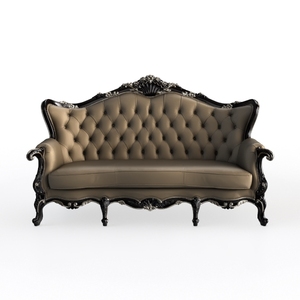
Vintage Baroque Tufted Leather Sofa with Carved Wood Frame 3D Model

Mid-Century Walnut Solid Wood TV Stand with Drawers Open Shelves 3D Model
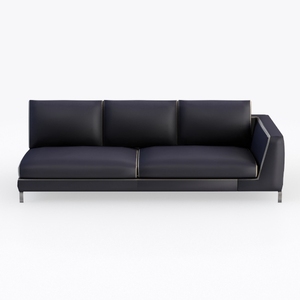
Modern Black Leather Metal Right Facing Sectional Sofa 3D Model
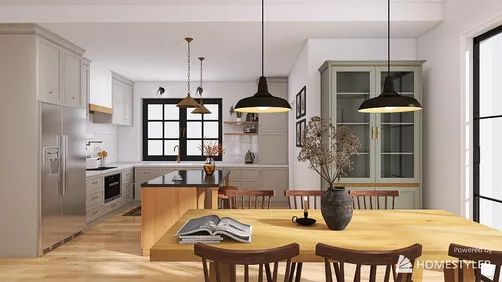
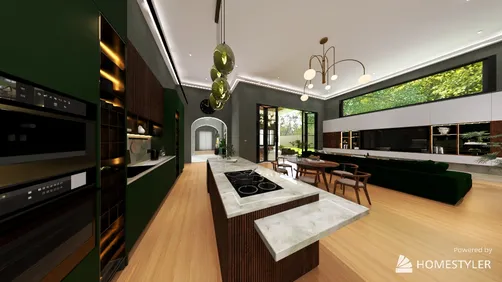
Homestyler offers an easy-to-use online design tool with stunning 3D renderings, a vast collection of interior projects, and helpful DIY video tutorials. It’s perfect for anyone looking to create inspiring home designs quickly and effortlessly.
Projete agora para LIVRE











![[For my dearest Sabrinik 🧡]](https://hs-designs.homestyler.com/production/design/images/3f463715-5ed6-4c49-9346-16d464510aa6/1714085722568.jpg?x-oss-process=image/resize,w_502,m_mfit/format,webp)