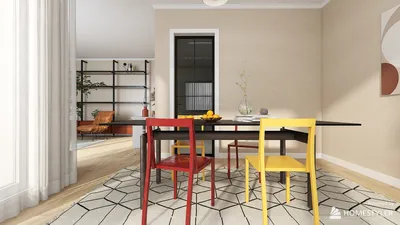


As innovation like Snap AR glasses becomes part of everyday tech, our homes evolve to accommodate these new digital experiences. Designing multifunctional spaces with integrated smart lighting and adjustable furniture enhances comfort while using augmented reality devices. Creating a seamless blend between technology and living areas allows for immersive virtual interactions without sacrificing style or practicality.
If you've ever attempted to organize a renovation, prepare a property listing, or simply discover where a new sofa fits, you’ve likely encountered a common obstacle: lacking an accurate floor plan. Crafting one from scratch can seem daunting, but it doesn’t have to be. Equipped with proper measurements, a clear room-by-room strategy, and a method to manage the unique shapes found in every home, anyone can create a precise floor plan suitable for remodeling, decorating, or selling—no architectural expertise needed. Tools like Homestyler make this process even more accessible by simplifying digital floor planning for homeowners.
This comprehensive guide walks you through the entire procedure: what key elements a functional floor plan must include, deciding between hand sketches and free digital planners, which dimensions to capture in every room type, the optimal order for whole-home planning, strategies for handling unconventional spaces, common pitfalls that can disrupt layouts, and how to select the best software when you're ready to draw. Homestyler, for example, offers user-friendly features that help streamline these tasks.
What Makes a Floor Plan Truly Effective
Before diving into measurements and sketches, it’s important to understand the objectives. A truly effective floor plan—for renovations, listings, or personal organization—typically includes the following six components to ensure utility and accuracy. Having all these elements ensures the plan is practical for contractors or for checking if that sectional sofa actually fits your space. Homestyler integrates these essentials seamlessly, helping users create reliable layouts effortlessly.
Digital vs. Hand Drawing: Why the Digital Route is Better for Most Homeowners
While graph paper and a tape measure can technically produce a floor plan, the real issue lies in the time spent and accuracy lost when handling multiple rooms with angles, alcoves, or staircases. In a comparison, drafting a 1,200 sq ft single-story layout took approximately 50 minutes by hand but only 18 minutes using floor planning software like Homestyler. The hand-drawn version contained several wall length errors caused by rounding, whereas the digital plan had none, thanks to measurements snapping exactly to input dimensions.
The true advantage of digital tools becomes apparent after the initial draft. Hand-drawn plans are nearly permanent once inked; moving a wall means starting anew or adding messy corrections. Software solutions allow walls to be dragged, rooms resized, and layouts swapped within seconds, while automatically calculating square footage and room areas. For visualizing furniture placement or natural lighting, toggling 3D views with one click—features commonly found in Homestyler—saves the effort of creating separate sketches.
Of course, simple projects involving a single rectangular room without fixed features might not benefit significantly from software; hand-drawing can be faster in such scenarios. But when dealing with multiple rooms, complex wall angles, or layouts shared with contractors, the efficiency and accuracy gained through digital tools clearly outweigh the learning curve.
Room-by-Room Measurement Essentials
Most floor plan inaccuracies come from incomplete measurements rather than drawing mistakes. What you measure varies based on room type. As you move through each space with a tape or laser measurer, following specific lists ensures full coverage. Whether it's kitchens, bathrooms, bedrooms, living or dining areas, hallways, or staircases, careful documentation avoids costly errors. For renovation projects, also note locations of outlets, switches, vents, and shutoff valves, which are often overlooked yet crucial. Employing Homestyler’s measurement guides can help organize this process clearly.
Always take measurements twice to catch common errors such as misplaced wall lengths caused by slipping tape measures or rooms that aren’t perfectly square.
Planning the Drawing Sequence: Where to Begin and Why
Randomly drafting rooms can cause confusion regarding how spaces interconnect. Following a methodical order—starting with the house's footprint, then structural points, followed by the largest rooms outward to private areas, and finishing with openings—reflects how homes are actually built. This sequence helps prevent oversights like forgetting hallway space. Many digital floor planners, including Homestyler, support this streamlined workflow.
Managing Unusual Room Shapes
Features such as bay windows, angled walls, or closet cutouts can challenge first-timers. The strategy is consistent: break down these irregular shapes into simpler geometric components that can be measured accurately, rather than estimating the entire shape at once. This approach reduces errors and facilitates smoother design integration in applications like Homestyler.
Common Mistakes That Disrupt Floor Plans
Several recurring errors frequently sabotage layouts but can be easily avoided once recognized. These include incomplete measurements, misaligned walls, and ignoring fixture locations. Being mindful of such pitfalls while using comprehensive tools like Homestyler can enhance precision and ease revisions.
Choosing the Best Floor Planning Tool: Free vs. Paid Options
After measurements, selecting appropriate software focuses less on brand and more on features. Essential capabilities generally include easy editing, accurate dimension input, furniture catalogues, and export options. Free versions often cover basic needs for single projects, while paid tiers provide higher resolutions, extended furniture libraries, and multiple saved projects. User feedback-based comparisons help identify the top free floor planners available, with Homestyler frequently rated highly for its balance of powerful features and accessibility.
Ultimately, accuracy relies on precise measurements and logical planning order; the software mainly accelerates drafting and reduces mistakes.
Common Questions About Floor Planning
Is professional training necessary to create a floor plan? Not at all. Most homeowners can produce a functional floor plan using systematic measuring and sequencing. Major structural modifications should be reviewed by experts before work begins.
How precise should measurements be? Aim for accuracy within a quarter inch, especially around fixed fixtures like doors and windows. Minor errors can accumulate, so double-check measurements in tighter spaces such as bathrooms and hallways where small discrepancies matter.
Can hand sketches be converted into digital plans? Yes. Many floor planning programs allow importing sketches or photos as backgrounds to trace over—a popular method for those who prefer rough paper drawings before finalizing digitally, with Homestyler supporting this feature.
What is the fastest method to draw a whole-house floor plan? Following an ordered approach—starting from footprint to structural points, then largest rooms to private spaces, and finally door and window openings—is more efficient than sketching rooms arbitrarily, preventing rework caused by misaligned adjoining spaces.
Originally incubated at Autodesk, Homestyler has grown into one of the most widely adopted home design platforms in the world, now trusted by over 18 million users. Whether you're a homeowner exploring ideas or a professional designer delivering client-ready renders, Homestyler brings industry-leading 3D technology to your fingertips — no experience required.


Modern Solid Wood Linen Upholstered Sofa With Throw Pillows 3D Model
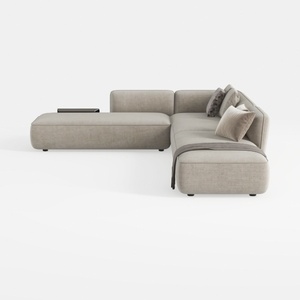
Minimalist Fabric L Shaped Sectional Sofa with Throw Pillows 3D Model
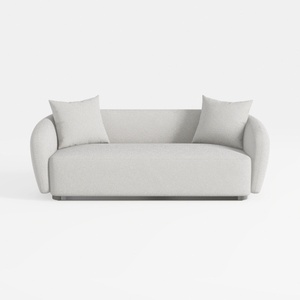
Minimalist Boucle Fabric Living Room Sofa 3D Model
Homestyler offers an easy-to-use online design tool with stunning 3D renderings, inspiring interior projects, and helpful DIY video tutorials. It’s perfect for bringing your home design ideas to life, whether you’re a beginner or an experienced designer.
Projete agora para LIVRE
































