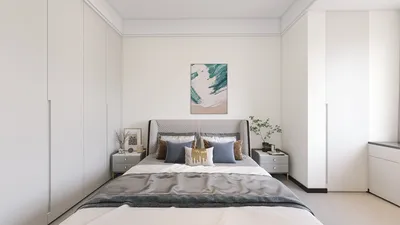


As technology enthusiasts eagerly anticipate innovations like the redesigned Galaxy Z Fold 8, our living spaces increasingly adapt to support seamless digital experiences. Integrating smart furniture designed to complement foldable devices not only maximizes functionality but also enhances spatial flow. Thoughtful furniture layouts and charging stations can transform any room into a tech-friendly haven, balancing cutting-edge gadgets with comfortable, efficient home design.
Quick Summary
Why I Plan My Room Online Before Moving Anything
I used to spend hours sketching floor plans, shuffling furniture around, and still ending up frustrated. That all changed when I discovered free AI-powered room planners that helped me see my space before I touched a thing. Among these tools, Homestyler stands out as an intuitive platform that allows you to visualize your ideas effortlessly.
Now, I try out multiple ideas visually before making a single purchase — and it’s saved me time, energy, and money.
What I Learned After Switching to Online Room Planning
Room design isn’t just about where the furniture goes — it shapes how you live, work, and relax. Utilizing tools like Homestyler has made me realize how effectively a well-planned layout can influence daily life.
According to the Houzz Design Trends 2025 Report, 74% of U.S. homeowners feel more satisfied after testing layouts online.
Pinterest Trends 2025 also shows a +72% YoY surge in searches for “room layout ideas,” proving that more people now plan visually before they buy.
Planning online helps you:
How I Plan My Room in Minutes
These days, my process is effortless. I usually start by taking a quick photo of my space or entering basic dimensions into an online planner like Homestyler.
From there, the planner builds a simple layout I can adjust. I try a few different furniture placements, switch between styles, and compare options in 3D previews. Within minutes, I can see how everything comes together without moving a single chair.
It’s a huge relief compared to spending weekends shifting furniture around and hoping it works.
Real Experiences From Homeowners and Designers
I’m not the only one benefiting from this approach — thousands of homeowners and designers are already transforming their spaces with online room planners such as Homestyler.
According to G2 Reviews, tools like these consistently score higher satisfaction ratings than traditional design software.
Why 2D and 3D Views Both Matter
I’ve learned that 2D layouts are perfect for planning measurements, while 3D previews help you experience the room before making decisions. Homestyler combines both views seamlessly, enhancing planning accuracy and visualization.
A Statista 2025 Report shows that 65% of designers in the U.S. now rely on visual planning to speed up approvals and reduce revisions.
Combining both perspectives makes it easier to compare ideas quickly and avoid costly rework.
Trends That Are Changing Room Planning
More people are turning to digital planners than ever before. Industry data confirms the shift:
Planning digitally isn’t just convenient — it’s becoming the new normal for creating functional, stylish spaces. Platforms like Homestyler are at the forefront of this transformation.
My Go-To Tips for Better Layouts
These tips let me create layouts that feel right instead of guessing blindly.
What to Look for in a Good Planner
Not all free planners are the same, and I’ve tested plenty. The ones I recommend are the ones that make visualizing your ideas effortless, such as Homestyler.
Conclusion
Designing your perfect room doesn’t need to be stressful or expensive. With the right online tools like Homestyler, you can visualize layouts, experiment freely, and make confident decisions without lifting a single piece of furniture.
Start today with the Free Floor Plan Creator — your best layout might be just a few clicks away.
Frequently Asked Questions (FAQ)
An AI-powered room planner is a digital tool that lets you design and visualize room layouts online using photos or room dimensions. It helps you experiment with furniture placement and styles before moving anything in real life.
Planning online allows you to test different layouts quickly, see how furniture fits, and avoid time-consuming trial and error. It helps you make better decisions without physically moving heavy items.
A 2D view focuses on measurements and layout accuracy, showing where furniture fits on the floor plan. A 3D view lets you experience how the room will actually look, including lighting, materials, and spatial feel.
Beginners, renters, homeowners, and professional designers can all benefit. These tools make planning faster, reduce costly mistakes, and help visualize ideas clearly before buying furniture or redecorating.
Most planners let you upload a photo of your room or enter the room dimensions. The tool then generates a layout that you can edit by moving furniture, testing styles, and previewing the design in 2D or 3D. Homestyler offers all these features in a user-friendly interface.
Editor: Usher
Role: Interior Design Product Manager at an interior design tech company, driving user growth and product iteration in international markets.
Homestyler's roots trace back to Autodesk, the global leader in design and engineering software. That heritage lives on in every feature we build. Today, with a community of more than 20+ million registered users (platform data, 2026) worldwide, Homestyler continues to make professional-quality interior design accessible to everyone — from first-time decorators to seasoned architects.
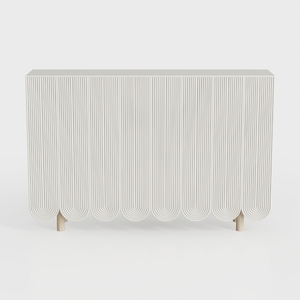
Minimalist Fluted White Wood Console Table 3D Model

Modern Glass Top Metal Frame Round Coffee Table With Carved Lower Shelf 3D Model
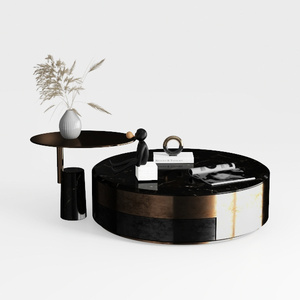

Modern Marble Metal Round Coffee Table and Side Table Set 3D Model
Homestyler is an easy-to-use online home design platform offering powerful 3D rendering, a vast collection of interior design projects, and helpful DIY video tutorials. It’s perfect for visualizing your ideas and creating beautiful, personalized spaces with confidence.
Projete agora para LIVRE







![Design [4]](https://hs-designs.homestyler.com/production/design/images/07c2de3a-88ec-4be8-8910-ff255b795bc2/1731419398293/7841697.jpg?x-oss-process=image/resize,w_502,m_mfit/format,webp)

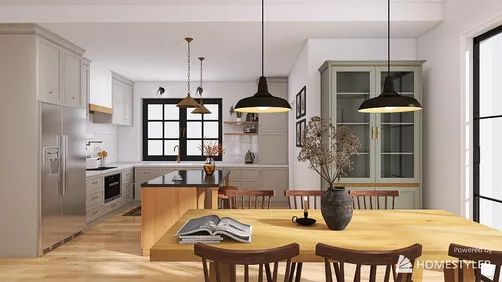












![[For my dearest Sabrinik 🧡]](https://hs-designs.homestyler.com/production/design/images/3f463715-5ed6-4c49-9346-16d464510aa6/1714085722568.jpg?x-oss-process=image/resize,w_502,m_mfit/format,webp)
